International Calling Checklist for Small Business
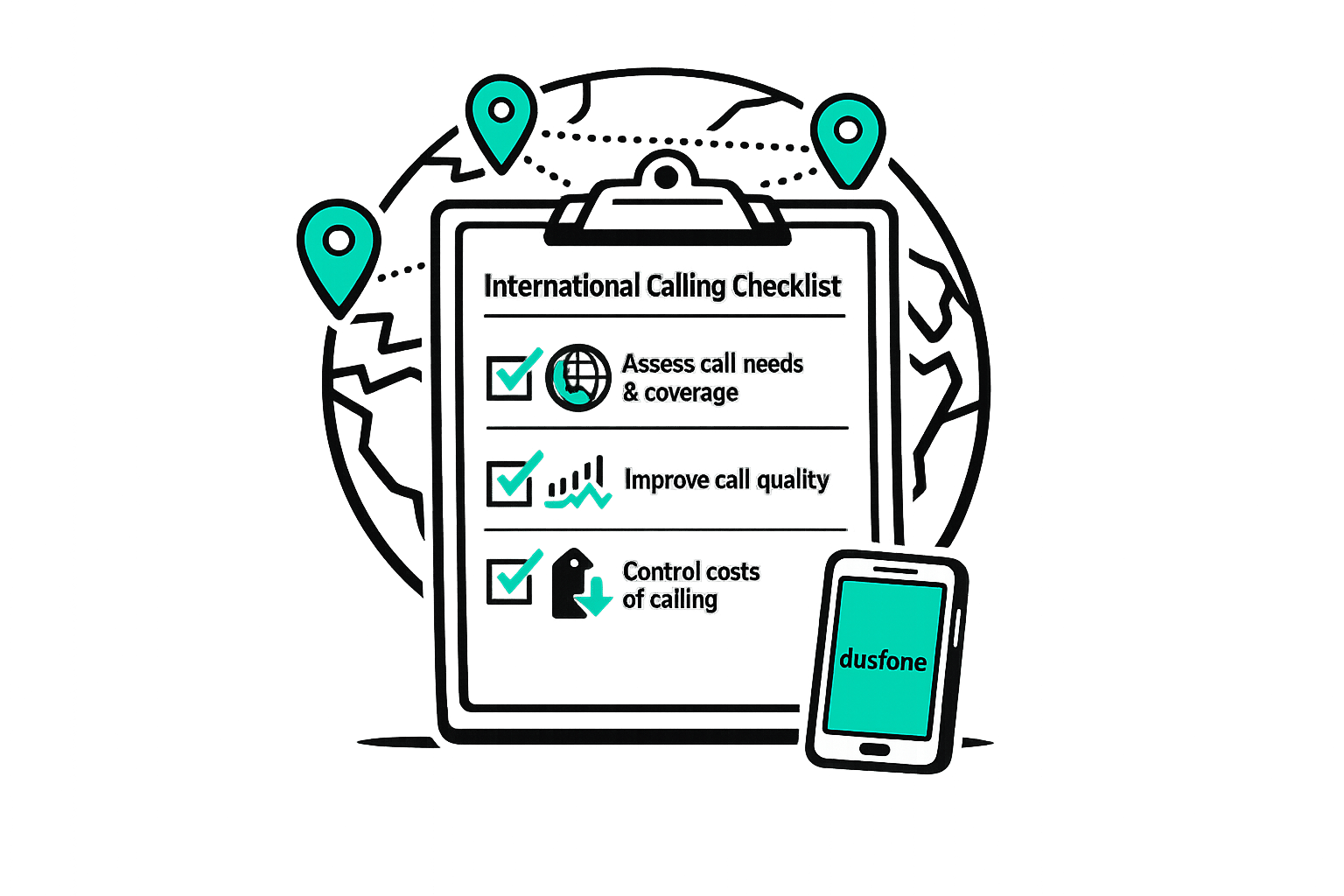
International Calling Checklist for Small Business
Small businesses looking to expand globally need reliable and cost-effective international calling solutions. Traditional phone systems are expensive and often unreliable, but modern VoIP services make global communication more affordable, with rates as low as $0.01 per minute. Here’s a quick guide to getting started:
- Understand Your Needs: Track your call volume, regions you frequently contact, and whether you need landline, mobile, or virtual numbers.
- Pick the Right Features: Look for browser-based calling, transparent pricing, and security features like encryption.
- Ensure Call Quality: Use a stable internet connection, monitor key metrics like latency and packet loss, and prioritize voice traffic on your network.
- Manage Costs: Set budgets, track usage, and choose plans (pay-as-you-go or unlimited) that align with your business needs.
With tools like dasfone, small businesses can save up to 90% on international calling costs while maintaining high-quality, secure communication. Start small, monitor usage, and adjust as your global operations grow.
6 benefits of International Phone Numbers for Business (+ how to get one)
Step 1: Identify Your International Calling Requirements
Before settling on a calling solution, it’s crucial to understand how your business handles international communication. This ensures you avoid paying for unnecessary features or ending up with a plan that doesn’t meet your needs. Start by analyzing your call volume and frequency.
Calculate Call Volume and Frequency
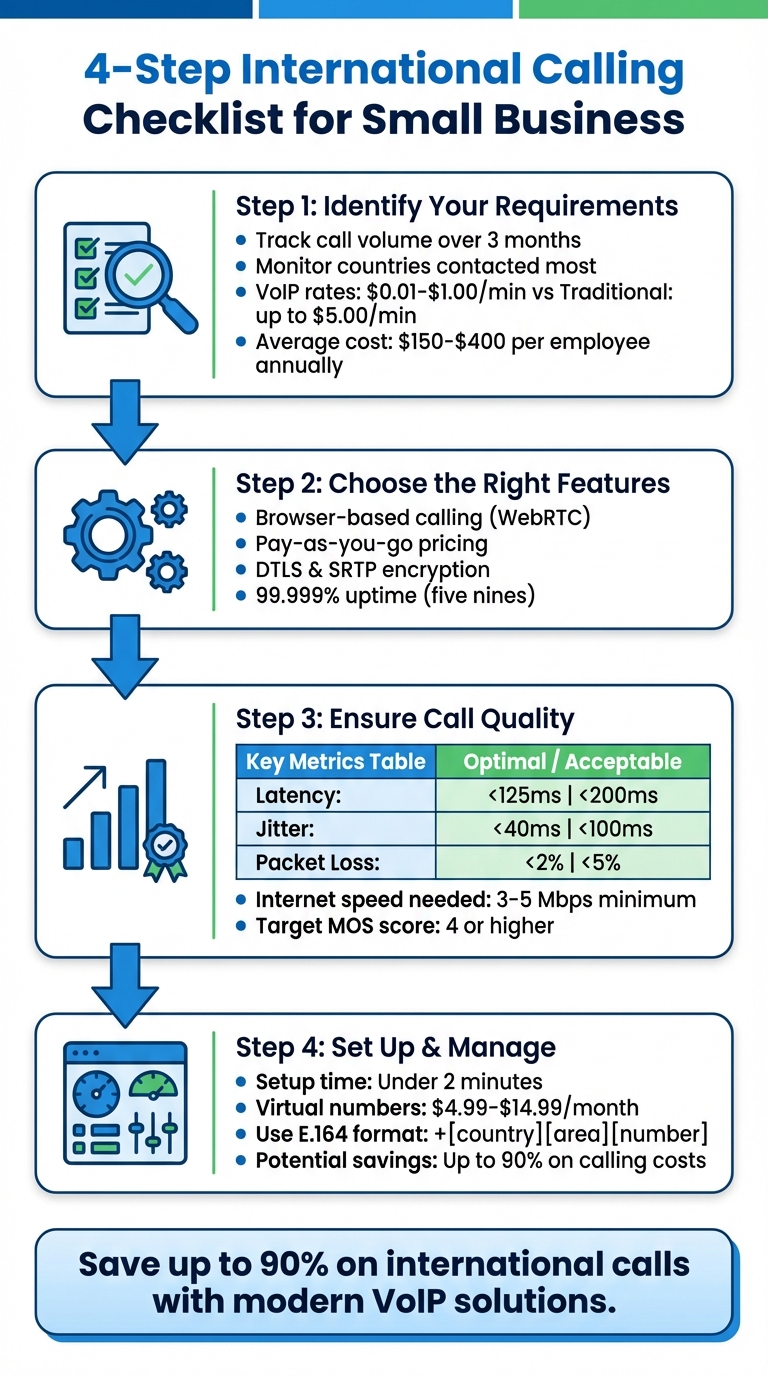
Monitor your international calling habits over three months. Take note of the countries you contact most, the number of minutes used each month, and whether you’re dialing landlines or mobile phones. Landline calls are usually less expensive, and some "unlimited" plans only cover landlines, not mobile numbers [3][4]. For example, VoIP providers typically charge between $0.01 and $1.00 per minute for international calls, while traditional phone services can cost up to $5.00 per minute [4]. If you frequently call specific regions, an unlimited plan covering 50+ countries could save you money. On the other hand, if your call volume is low or irregular, pay-as-you-go rates might be more economical [2][4].
Categorize Your Contact Types
Different types of contacts may require tailored solutions. For sales and outreach, local virtual numbers are effective, as people are four times more likely to answer calls from familiar area codes. Customer support, however, is better handled through toll-free numbers to eliminate cost barriers, while operational contacts needing quick updates might benefit from SMS-enabled mobile numbers [6]. Organize your contacts by region to align with providers’ "unlimited calling areas" (like North America, Europe, or Asia) [2][4]. Also, consider contacts in rural areas with limited internet access - they might need traditional landline connections instead of app-based calling [1].
Establish Your International Calling Budget
On average, distributed companies spend between $150 and $400 per employee annually on international communication [9]. Use your call data to decide between pay-as-you-go plans, unlimited options, or prepaid bundles [4]. Be mindful of hidden fees, such as connection charges or surcharges [7]. Look for providers offering spending controls, like monthly credit limits per user, to help you stay within budget [1][8]. Make it a habit to review your usage every quarter and adjust your plan as your calling needs evolve.
Step 2: Choose the Right Features for International Calling
Once you've identified your calling needs, the next step is selecting a solution that includes the features you require. Picking the wrong service can lead to a host of issues, like complex setups, surprise fees, or even security risks that could jeopardize your business.
Browser-Based Calling and Easy Access
Thanks to modern WebRTC technology, businesses can now make calls directly from browsers like Chrome, Safari, or Firefox - no need to install additional software or apps. This allows your team to start calling instantly from any device, whether they’re at their desk or traveling with a mobile device.
Take dasfone, for example. It uses this browser-based approach to provide quick setup and high-definition audio. Employees can simply log in through their browser and start making calls, without relying on IT support. Plus, Progressive Web Apps (PWAs) offer a native app-like experience without requiring any downloads or installations [10].
Clear Pricing and Pay-As-You-Go Plans
Cost transparency is key to avoiding unexpected charges. While VoIP technology has significantly reduced international calling costs - by over 90% in the last decade [7] - hidden fees can still catch small businesses off guard. That’s why it’s important to choose a provider with straightforward, pay-as-you-go pricing. This way, you only pay for the minutes you actually use, with no unnecessary subscriptions.
dasfone excels in this area by offering upfront pricing for every call. With a $5 minimum top-up, you maintain complete control over your spending.
Secure and Dependable Communication
Security and reliability are the backbone of smooth global communication. VoIP calls, transmitted using Session Initiation Protocol (SIP), can be vulnerable to interception since the data is sent as plain text [11]. Businesses are also at risk of toll fraud, where hackers exploit systems to rack up charges by calling premium-rate numbers [11][12].
"VoIP security is critical to safeguarding cloud communications against internet-based threats like call tampering, data breaches, and eavesdropping." – Marianne Sison, Technology Analyst, Fit Small Business [12]
To protect your communications, look for a provider that uses DTLS and SRTP encryption, supports multi-factor authentication, and monitors call logs for unusual activity [11][12]. Additionally, for reliable service, choose a provider with "five nines" (99.999%) uptime, which is considered the industry gold standard [11][2]. With dasfone, all communications are encrypted, so you can focus on your business without worrying about security risks.
Step 3: Improve Call Quality and Connection Reliability
Once you've set up your international calling features, the next step is ensuring top-notch call quality and dependable connections. After all, even the most advanced features won't matter if your calls are plagued by poor audio or dropped connections. These issues can harm client relationships and your professional reputation, but the good news is that most quality problems have straightforward solutions.
Assess Connection Strength
A solid internet connection is the backbone of reliable VoIP calls. Each call typically demands around 100 kbps for both upload and download speeds[15]. To estimate your needs, assume about 10% of your team might be on calls simultaneously[15]. For smooth performance, aim for an internet speed of 3–5 Mbps or higher[16].
Three key metrics directly impact call quality, and monitoring them can help you identify and resolve issues:
| Metric | Optimal Value | Acceptable Value | Impact of High Values |
|---|---|---|---|
| Latency | < 125 ms | < 200 ms | Causes audio delays and interruptions. |
| Jitter | < 40 ms | < 100 ms | Results in choppy or distorted audio. |
| Packet Loss | < 2% | < 5% | Leads to missing words or dropped calls. |
To enhance connection reliability, configure your router with Quality of Service (QoS) settings, which prioritize voice traffic over other data[14]. For even greater stability, use a wired Ethernet connection. If you must rely on Wi-Fi, the 5 GHz band is often less congested and offers better performance[13][14].
Ensure Seamless Compatibility Across Landlines and Mobile Networks
Your calling system should work without a hitch, whether you're dialing a mobile number in Tokyo or a landline in London. Browser-based platforms like dasfone simplify this by automatically connecting to both mobile and landline numbers worldwide, eliminating the need for extra configurations.
However, international calls come with unique challenges. Latency and jitter are often more pronounced due to the longer distances and multiple networks involved[16]. To combat this, consider a provider with geographically distributed servers, which can reduce delays and keep call quality consistent across different regions.
Track and Maintain Call Quality
Once your system is up and running, regular monitoring is crucial to ensure it stays reliable. Aim to maintain a Mean Opinion Score (MOS) of 4 or higher, which indicates good call quality[18][19].
Use tools like VoIP speed and ping tests to evaluate your network performance[15]. Small adjustments, such as disabling Bluetooth devices that might interfere or using professional-grade headsets, can significantly improve audio clarity and reduce issues like echoes or feedback[14]. By staying proactive, you can ensure your international communications remain smooth and professional.
Step 4: Set Up and Manage Your International Calling System
Getting your international calling system up and running doesn’t have to be complicated. With platforms like dasfone, you can be operational in under two minutes [20]. The real challenge lies in setting up effective controls and habits from the start to keep costs manageable and ensure smooth operations. Here’s how to configure your account, monitor usage, and organize your contacts for seamless international calling.
Set Up and Configure Your Account
Start by activating your dasfone account using your contact and payment details. Once activated, you’ll receive a $2 bonus, which translates to up to 100 free minutes to test the service. The setup is straightforward and affordable, with a $5 minimum top-up and a 25% discount on your first purchase when you use the code DF25. After activation, enable international services through the "Billing" or "Inventory & Usage" tabs. You can also invite team members via email and assign roles - ensuring only Owners or Admins can handle billing or purchase credits.
To boost your local presence, consider setting up a virtual international number. These typically cost between $4.99 and $14.99 per month. Additionally, configure a 15-character CNAM (Caller Name) to improve answer rates. CNAM updates are generally approved within 48 hours [21].
Control Spending and Track Usage
Keep your costs in check by setting up auto-recharge triggers. For example, you can set a trigger amount of $10 and a recharge amount of $50 to avoid interruptions. Use real-time dashboards to monitor call durations, country-specific rates, and overall usage trends [22].
Export detailed usage reports on a monthly or quarterly basis to identify high-cost patterns and compare them with your provider’s rate sheet. This helps you adjust your strategy and avoid unnecessary expenses. Browser-based platforms like dasfone can slash international calling costs by up to 90%, with rates as low as $0.02 per minute compared to the $0.20–$1.00 charged by older systems [8].
"Without clear reporting, companies lose visibility into who's calling what countries, how often, and at what cost - making it hard to optimize spending." – ZenCall [8]
Build an Organized Contact Database
Once your account is set up and your spending is under control, focus on maintaining an organized contact database. Always save international numbers in the E.164 format (+[country code][area code][local number]) [5]. For example, a UK number should be saved as +447442954275 instead of 07442954275, removing any leading "0" used for domestic dialing. This ensures smoother communication across borders.
For larger contact lists, import data via CSV files formatted correctly to avoid manual entry errors. Sync your database with CRM tools like HubSpot or Salesforce for automatic updates and click-to-dial features. You can also set your system to display local virtual numbers as the Caller ID when reaching out to specific regions. This simple adjustment can increase answer rates, as people are four times more likely to pick up calls from familiar local numbers [23].
Regularly review and update your contact list - ideally every month. This includes updating country codes and removing inactive entries to keep your database accurate and efficient [1].
Conclusion: Simplify Global Communication with the Right Tools
Key Points for Small Businesses
Making international calls doesn’t have to be complicated or expensive. Start by understanding your needs - how many calls you make, who you’re contacting, and what your budget looks like. Look for tools that offer what matters most: browser-based access for quick and easy use, straightforward pay-as-you-go pricing to avoid surprises, and dependable call quality powered by a solid internet connection. Keep your contact list organized in E.164 format and track your usage to manage costs effectively and ensure smooth operations.
Thanks to VoIP technology, connecting with clients in London or suppliers in Tokyo is now simpler and more affordable than ever. What used to be an expensive option for large companies is now within reach for small businesses, making global communication a practical part of everyday operations.
Put these tips into action and take your international communication to the next level.
Get Started with dasfone
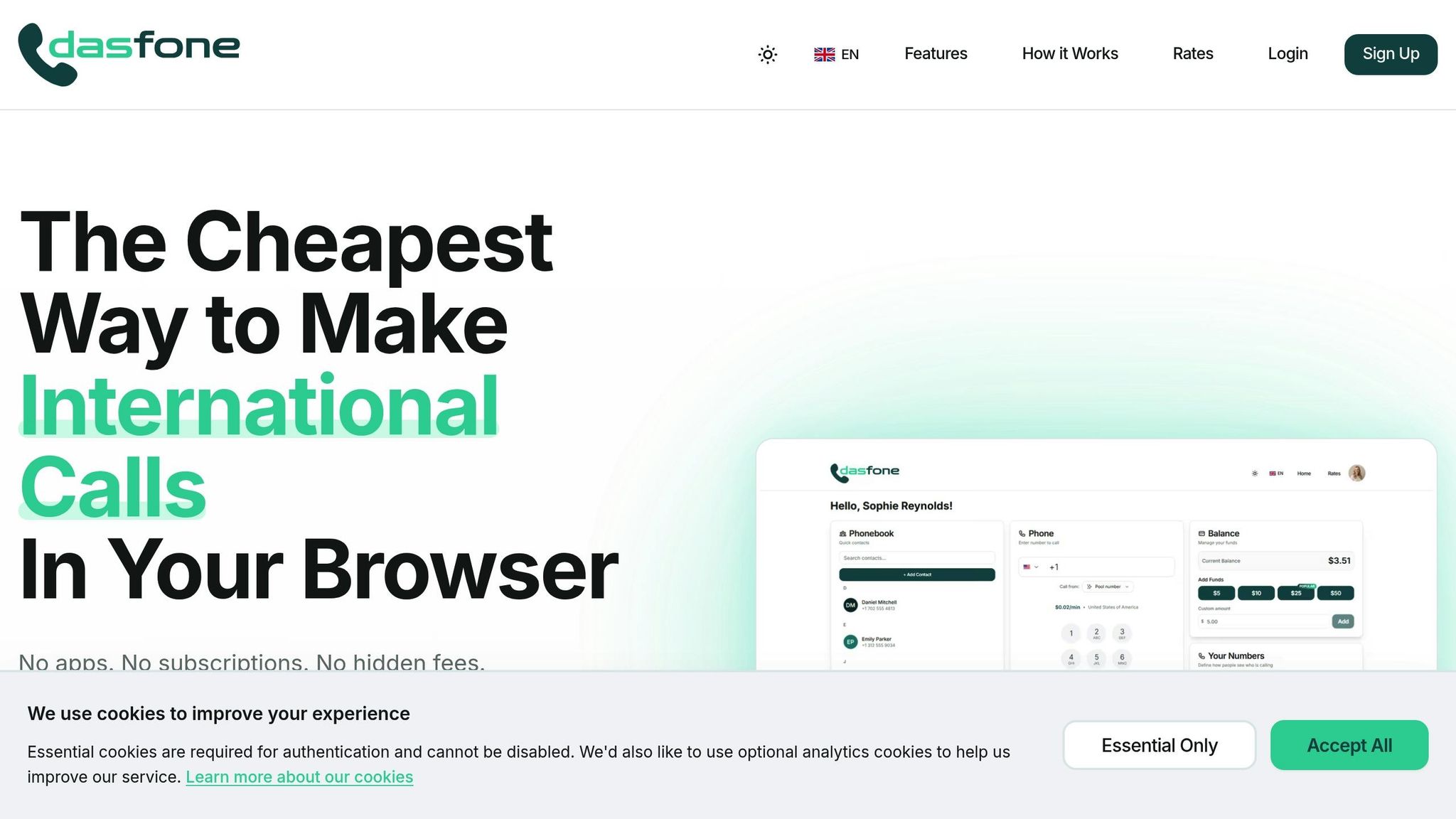
If you’re ready to simplify your international calling, dasfone offers an easy-to-use solution. With no downloads, hardware, or long-term commitments, you can get started in under two minutes using just your browser. The platform’s transparent pay-as-you-go pricing begins with a $5 minimum top-up, and new users even get a $2 bonus - enough for up to 100 free calling minutes - so you can test the service without any risk.
Plus, you can save even more with a 25% discount on your first top-up by using code DF25. Enjoy high-definition audio, secure encrypted calls, and worldwide coverage - all with the convenience of a browser-based platform. Whether you’re managing overseas suppliers, running cold-calling campaigns, or handling client calls as a digital nomad, dasfone makes it easy to connect with people and businesses around the globe.
FAQs
Do I need a virtual number for international calling?
Yes, using a virtual number for international calling is a smart choice. It allows your business to create a local presence in other countries, significantly reduces calling expenses, and simplifies managing calls. Plus, it makes communication with clients and partners overseas more seamless, helping your global operations run more smoothly.
What internet speed is best for clear VoIP calls?
For smooth and clear VoIP calls, you'll need around 85–100 kbps per call for both upload and download. If you're managing multiple calls simultaneously, higher internet speeds are essential to maintain call quality and prevent problems like choppy audio or dropped connections.
How can I prevent toll fraud and surprise charges?
To protect against toll fraud and avoid unexpected charges, take a few key precautions. Start with strong, unique passwords for your communication systems - this makes it harder for unauthorized users to gain access. Next, enable geo-blocking and set call restrictions to limit calls to only trusted regions. Finally, keep an eye on your call traffic for any unusual activity. These measures work together to safeguard your communication channels and minimize the risk of unauthorized use.
Related Articles
Ready to Make International Calls?
Try dasfone today and make your first international call in seconds. No app download, no subscription—just instant, affordable calling from your browser.
Start Calling Now