Low-Cost Browser Calls for Banks and Offices
Low-Cost Browser Calls for Banks and Offices
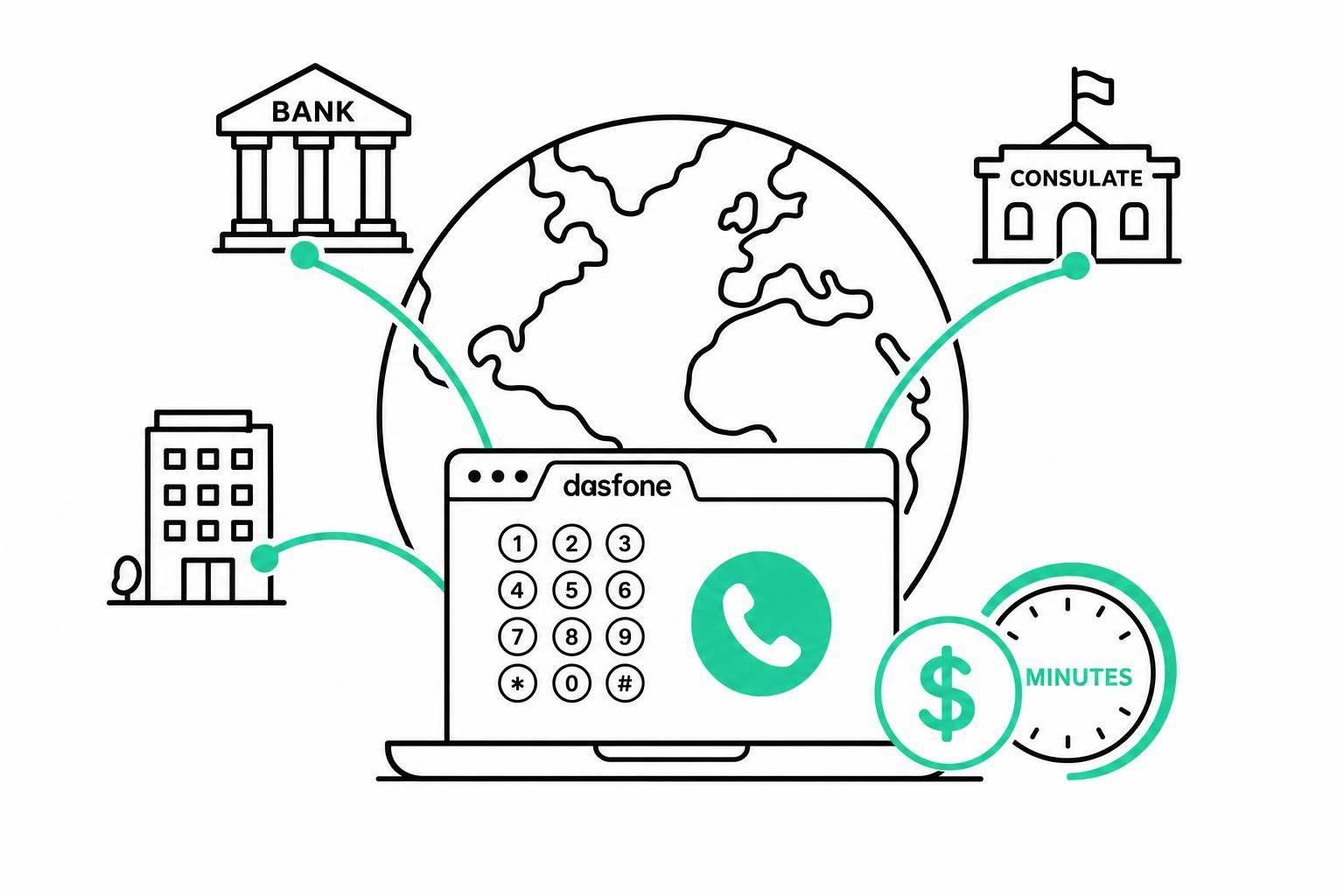
If I need to call a bank, consulate, school, or office from another country, a browser call can be the simplest way to reach the actual phone number. I can dial from my browser, pay by the minute in U.S. dollars, skip app downloads, and avoid a monthly plan.
Here’s the short version:
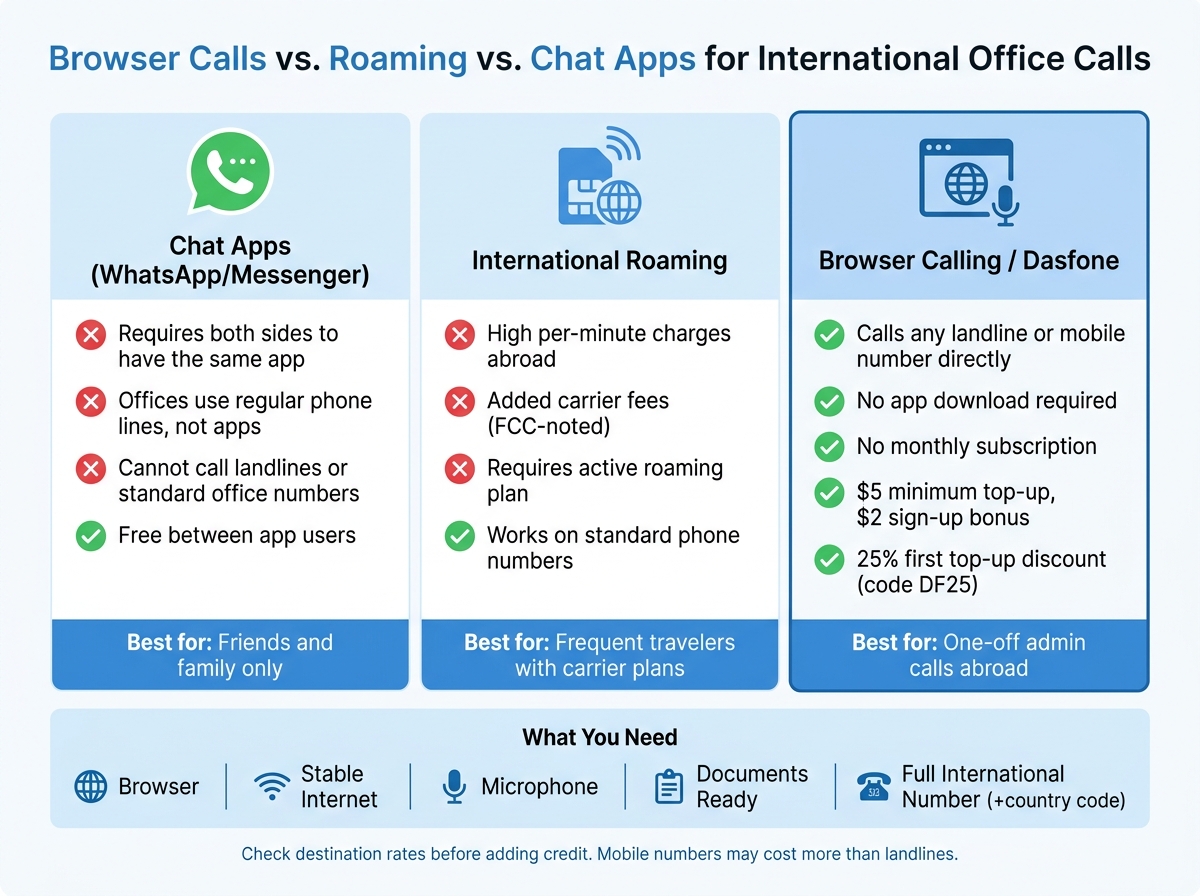
- Chat apps often fail for office calls because the other side uses a normal phone line, not the same app.
- International roaming can be expensive. The FCC notes that roaming charges abroad can be much higher due to added fees.
- Browser calling fixes the main issue: I can call a landline or mobile number directly.
- Costs are easier to control when billing is per minute instead of monthly.
- Setup is simple: browser, internet, microphone, and the full number in international format.
- Call prep matters: office hours, documents, reference numbers, and caller ID can affect whether the call goes smoothly.
- Dasfone’s basic offer in this article is: no subscription, $5 minimum top-up, $2 sign-up bonus, and a possible 25% first top-up discount with code DF25.
A few things matter before I spend money:
| Item | What I check |
|---|---|
| Number format | + country code, area code if needed, then number |
| Rate | Landline and mobile rates may differ |
| Internet | Weak Wi-Fi can hurt audio quality |
| Caller ID | A known number may help the office answer or call back |
| Documents | Account number, passport, appointment ID, or reference number |
Bottom line: if I only need one short administrative call, browser calling can be a low-cost way to reach the right number without signing up for a monthly plan.
That’s the core idea of this article in plain English.
How Browser Calls Solve the Access Problem
When you need to reach an office in another country, browser calling gives you a direct path. It connects you to the office’s regular landline or mobile number, so reception desks, consulates, and school offices can answer the way they normally do.
Direct Dialing from a Browser to Real Office Numbers
Dasfone is built around that setup. You open it in your browser, enter the full international number, and place the call. There’s no app to install, and the office on the other end doesn’t need an app or account either.
For international dialing, enter the + sign, the country code, the area or city code when needed, and then the phone number.[1] Getting that format right before you call can save you a lot of hassle, especially if the office only answers during a short time window.
What You Need Before Placing the Call
You need a browser, an internet connection, and a microphone. Before you dial, it helps to check a few basics so the call goes through without trouble.
Office calls often come with phone menus, ID checks, or tight calling windows. A little prep goes a long way:
- Microphone access: Your browser may ask for microphone permission. Approve it before you place the call, not while you’re already on the line.
- Stable internet: Weak hotel Wi-Fi or a spotty mobile signal can cut out your audio. That’s a headache when you’re trying to get through an automated menu or answer security questions.
- A headset: This can cut echo and make automated prompts easier to hear.
- Your documents ready: Keep your account number, reference number, appointment ID, or passport details in front of you before the call connects.
Call quality still depends on your connection. Once that part is set, the next thing to look at is cost.
Pay-As-You-Go Costs for Short Office Calls
Once you can reach the office number, the next step is simple: what will the call cost?
Most admin calls are short. A few minutes to confirm a document, ask about an appointment, or speak with reception is pretty normal. That’s why per-minute billing makes sense here. You pay for the call itself, not for a monthly plan you may barely use.
How dasfone Pricing Works Without a Subscription
Dasfone uses per-minute rates based on the place you’re calling, and there’s no monthly subscription. You add credit only when you need it, starting with a $5 minimum top-up.
New accounts get a $2 sign-up bonus. On top of that, first top-ups may qualify for 25% off with code DF25. Check the site for current terms.
In plain English: you can add $5, make the office call, and stop there.
What to Check Before You Spend
Your final cost comes down to three things: the country you’re calling, whether the number is a landline or mobile, and how many minutes the call lasts.
Before you dial, confirm:
- Destination rate: Mobile numbers often cost more per minute than landlines in the same country. Check the displayed rate before adding credit.
- Number type: Toll-free, premium, and special numbers may be priced differently from standard landlines or mobiles.
- Caller ID: A recognizable number can help reception pick up or know who’s calling. Check whether this is available and whether it has a separate charge.
Check the destination rate before you add credit.
Caller ID and Handling Office Calls Professionally
Once you know the cost, the next thing to think about is simple: will the office pick up? If you call a bank, consulate, or school from an unfamiliar international number, that call is easier to ignore. A recognizable caller ID can help reduce screening, even though it doesn't promise an answer.
Why a Recognizable Number Can Help with Office Communication
Dasfone lets you verify a mobile or landline number you already own, or use a dedicated caller ID. In both cases, the office sees a number that's easier to recognize for verification and callbacks.
Caller ID should only be used for a number and identity you are authorized to use. It should not be used for impersonation or fraud.
How to Prepare for a Secure and Efficient Call
Once your caller ID is set, turn your attention to the call itself. Short office calls tend to go better when you're prepared. Check office hours in the correct time zone, and keep a note of the representative's name, plus any reference numbers or instructions they give you.
Dasfone encrypts the call connection.
Conclusion: A Practical Way to Make One Important International Call
When chat apps fall short, browser calling gives you a direct path to the office number itself. That matters more than it sounds. If you need to reach a bank, school, consulate, or business, calling the actual number through your browser can save time and cut through the usual back-and-forth.
Once the call goes through, the next thing to look at is cost. With pay-as-you-go pricing, you pay only for the minutes you use. So if it’s a short office call, it’s usually easy to keep within budget.
Before you dial, take a minute to avoid simple problems. Confirm the number format, test your microphone and browser permissions, verify your caller ID, and make sure your internet connection is stable.
Use browser calling for routine administrative calls, not emergencies.
A confirmed number, a clear rate, the right documents, and a working connection can turn a frustrating international call into a fast, manageable task.
FAQs
Can I call a landline from my browser?
Yes. You can call a landline right from your browser.
Dasfone routes your internet call through regular phone networks, so you can dial landline and mobile numbers worldwide without an app, SIM card, or special hardware.
Just sign in with a modern browser, enter the number, and start the call. It’s a solid way to reach banks, offices, and other businesses.
How much credit do I need to start?
You can get started with a minimum top-up of $5.00.
When you sign up, you’ll also receive a $2.00 bonus. That’s enough for up to 100 minutes of calling time, so you can try the service without putting in much upfront.
Top-up options include:
- $5.00
- $10.00
- $25.00
- $50.00
Your credits never expire, and all charges are in USD.
Will the office see my caller ID?
Yes. The office will see your caller ID.
With dasfone, you can pick which number shows up, set a default outbound number so every call looks the same, or use a dedicated virtual number. That way, your calls look familiar instead of showing up as unknown.
Related Articles
Ready to Make International Calls?
Try dasfone today and make your first international call in seconds. No app download, no subscription—just instant, affordable calling from your browser.
Start Calling Now