Can Mobile Browser Calls Replace Calling Apps?
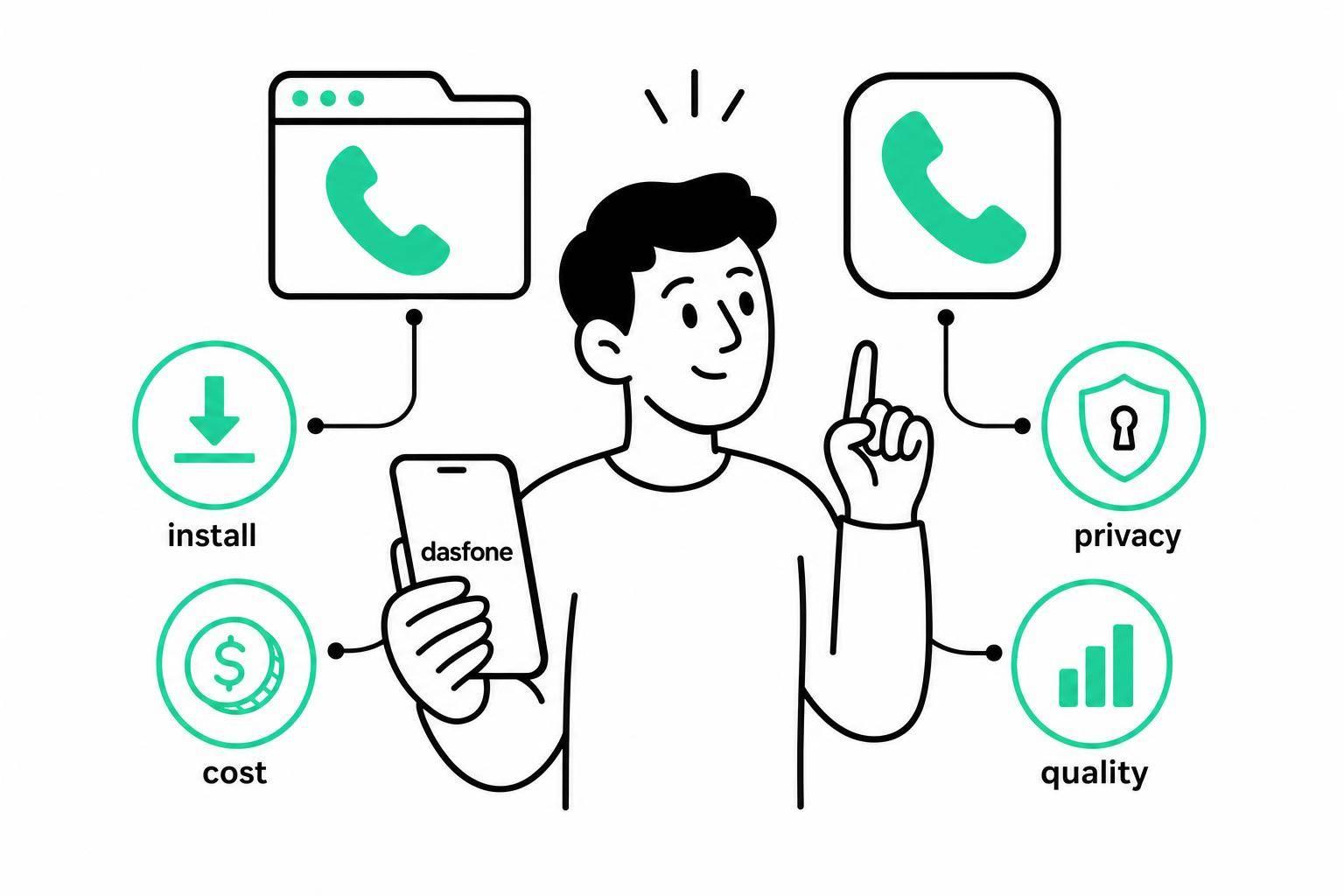
Can Mobile Browser Calls Replace Calling Apps?
Yes - for one-off calls, mobile browser calling can replace an app. For daily calling, it usually can’t.
If I had to sum it up in plain English, I’d say this:
- Browser calls work best when I need to call a bank, office, school, supplier, or landline without downloading anything.
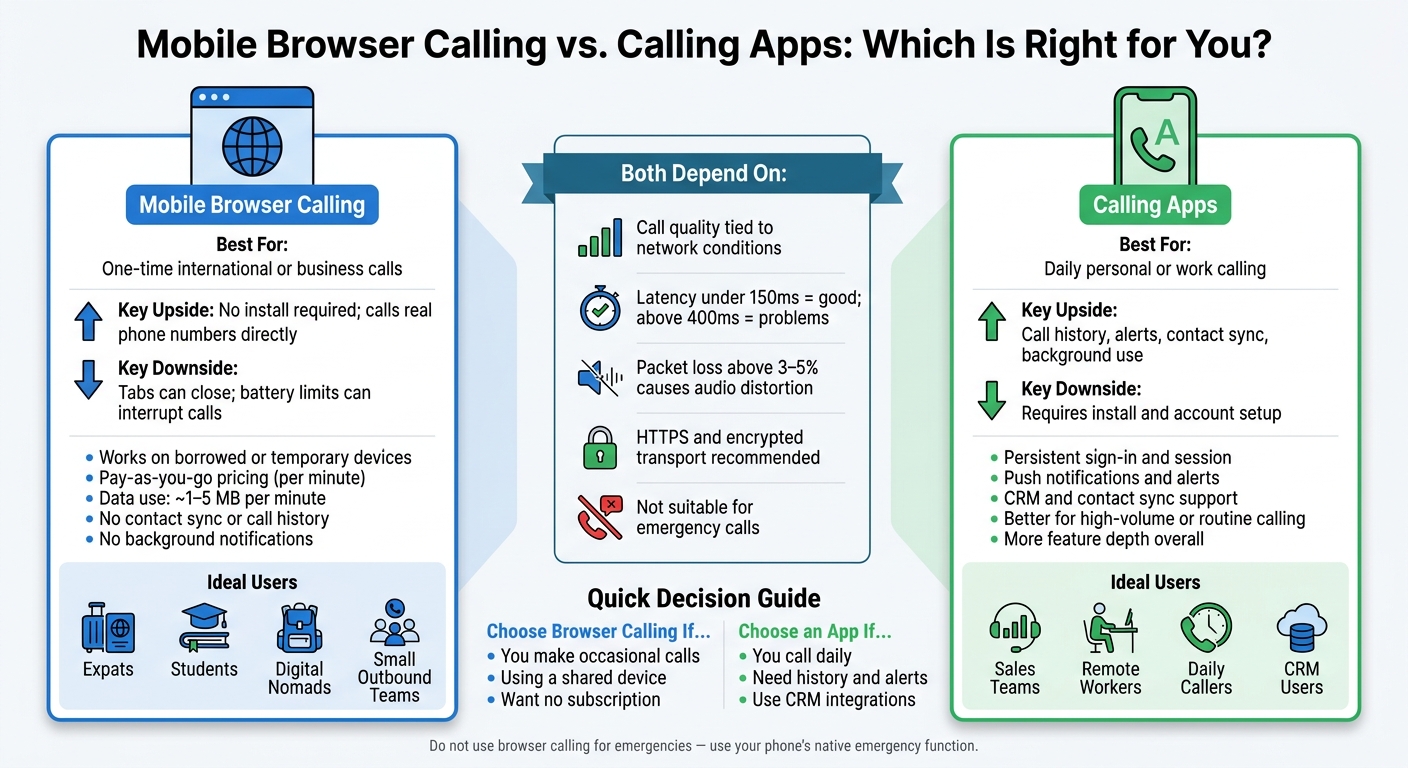
- Calling apps still win when I need call history, contact sync, alerts, background use, or daily calling.
- Cost is often simple: many services charge per minute, and data use can run about 1–5 MB per minute.
- Call quality depends on my connection more than anything else. Latency over 400 ms and packet loss above 3%–5% can hurt audio.
- I should not use browser calling for emergencies. My phone’s normal emergency calling option is the right choice.
In other words: if I only make a few international or business calls now and then, a browser call can be enough. But if calling is part of my routine, an app still does more and tends to hold up better.
| Option | Best for | Main upside | Main downside |
|---|---|---|---|
| Mobile browser calling | One-time international or business calls | No install; can call regular phone numbers | Tabs can close, battery limits can interrupt calls |
| Calling app | Daily personal or work calling | Better history, alerts, sync, and background use | Requires install and setup |
That’s the core answer. The rest of the article helps me decide based on setup, price, privacy, and call quality.
Who Benefits Most and What You Need to Get Started
Who Gets the Most Out of Browser Calling
Browser calling works best for people who need to reach regular phone numbers without installing an app. Expats are a good example. If you need to call a foreign bank, embassy, or government office, those places usually answer standard phone lines - not app-to-app calls. A browser-based service like dasfone closes that gap without asking the person on the other end to install anything.
Students can get a lot out of it too, especially for occasional international calls to a university registrar, landlord, or family member abroad. If you only make a few calls each semester, installing an app can feel like overkill. Digital nomads have another clear use case: browser calling lets them place calls from a borrowed, shared, or short-term device without tying the service to one phone.
It can also help cold-calling teams and importers, exporters, and small outbound teams. When you're trying to reach suppliers, freight companies, customs brokers, or overseas customers, browser calling may be faster than stopping to figure out which app everyone uses.
For all of these groups, the main draw is simple: you can call real phone numbers without using an app.
What You Need on a Mobile Phone to Get Started
The setup is pretty light. You need:
- A current mobile browser
- A stable internet connection
- Microphone permission for the provider's site
- A calling account
- Enough balance before dialing if the service charges by the minute
For pay-as-you-go services, check the per-minute rate, connection fee, and billing increment before you place the call. You should also dial the number in international format, usually with the country code included.
One warning matters more than the rest: do not use browser calling for emergencies. Use your phone's native cellular emergency function instead.[1]
If those basics are all you need, browser calling is ready to go. If not, an app may make more sense.
When a Calling App Is Still the Better Choice
The real dividing line is feature depth, not ease of use. A calling app is the better pick when you need background notifications, a session that stays signed in, contact sync, call history, push alerts, or CRM integrations.
Here's the difference in plain terms: someone making daily customer calls from a synced sales database may lean toward an app. Someone making a one-time call to an overseas bank may get what they need from a browser session with less friction.
Once that fit is clear, the next things to look at are price, privacy, and call quality.
Cost, Privacy, and Security: What to Know
Once setup is easy, most people move to the same three things: cost, privacy, and security.
How Browser-Based Calling Is Priced
Many browser-based calling services use pay-as-you-go billing. In plain English, you pay by the minute, and the rate changes based on where you're calling and whether the number is a landline or mobile. A simple way to estimate cost is:
minutes × destination rate + fees + data use
That setup helps keep spending predictable, especially for occasional callers and small businesses. You're not locked into a monthly plan, which is nice if you only make calls now and then.
If you're not on Wi-Fi, data use can add up too. Internet calling can use about 1–5 MB per minute, depending on the service and network conditions. [2] So a 30-minute call may use around 30 to 150 MB. That's not huge for some plans, but it can matter if your data is tight.
Dasfone uses transparent pay-as-you-go pricing with no subscription. Browser calling usually costs per minute and avoids a subscription.
What Affects Your Privacy and Security on Browser Calls
It helps to split this into two parts: security and privacy. They sound similar, but they’re not the same thing.
Security is about whether your connection and account are protected. Check for HTTPS on the calling site, encrypted call transport, and strong account credentials. Use a password you don’t reuse elsewhere, and turn on multi-factor authentication if it’s available. Shared or public devices are a bad bet for sign-ins. If you have to use one, sign out when you're done and clear any saved credentials. And for calls that involve banking, legal matters, or medical details, use a trusted, password-protected network instead of open public Wi-Fi.
Privacy is about what the provider keeps and what the person on the other end can see. Before your first call, read the privacy policy to see how long call logs and payment records are stored. Also check which caller ID will show up. Some browser services let you use a dedicated or virtual number instead of your personal SIM number. That can be handy when you're calling offices or businesses and don’t want to share your main number.
There’s one more detail people often miss: microphone permissions. Your browser will ask for access before the call starts. Only allow it for the real service domain, not a lookalike site. When the call is over, you can review or remove that permission in your browser’s site settings. Encryption helps protect calls while they travel across the internet, but the provider may still keep account details, phone numbers, and call logs.
Even with tight privacy settings, call quality still comes down to the strength of your connection.
What Call Quality to Expect on a Mobile Browser
After cost and privacy, call quality is usually the thing that decides it. A browser call can sound clear on steady Wi‑Fi or mobile data, especially if you use headphones. But on busy public Wi‑Fi, that same call can turn robotic, choppy, or drop without warning, even when a speed test says the connection looks fine.
What Causes Poor Sound and Dropped Calls
Poor audio usually comes down to three things: latency, jitter, and packet loss.
- Latency adds delay
- Jitter makes speech arrive unevenly
- Packet loss drops parts of the call
Under 150 milliseconds is usually fine. Once you get above about 400 milliseconds, people often start talking over each other. [3] Packet loss above 3%–5% can cause distortion you can hear, and above 10%, audio may get hard to understand. [5]
Calls can also fail for more everyday reasons. Crowded Wi‑Fi, weak mobile signal, a browser running in the background, or a phone trying to save battery or data can all get in the way. Echo is another common issue. It happens when sound from the speaker loops back into the microphone. WebRTC includes echo cancellation to help cut that feedback. [4]
How to Get Better Call Quality Before an Important Call
If the call matters, do a few simple things first. Move closer to your router or switch to a stronger cellular signal. Pause anything that uses a lot of bandwidth. Close tabs and apps you don’t need. Make sure microphone access is allowed before you dial. And use headphones, which often help with echo right away.
Dasfone supports mobile browser calling with HD audio, but like any browser-based service, call quality still depends on your network and device. It’s smart to test the call ahead of time on the same phone, browser, and network you plan to use for the real call.
If quality looks good, the next question is when browser calling makes more sense than an app.
When Browser Calls Make More Sense Than an App
The Cases Where Browser Calling Wins
Once you’ve looked at cost, privacy, and call quality, the next step is simple: does browser calling fit the job better than an app?
Browser calling tends to win when you need to reach real phone numbers fast and don’t want to install anything first. If you need to call an office, a bank, or a supplier’s landline, a browser-based service can dial those numbers directly. Many app-based services are built more for app-to-app calling than direct dialing [6].
It also makes more sense when you’re using a borrowed phone or a temporary device. You open the browser, place the call, and move on. No download. No setup. No extra clutter left behind.
For businesses making outbound calls, browser-based platforms can also be a good fit. Dedicated caller ID and clear per-minute pricing make spending easier to track. That said, consent rules and caller ID rules still need to be checked before running high-volume calling campaigns.
And if you only make occasional international calls, pay-as-you-go pricing can keep costs low without pushing you into a monthly plan.
What to Consider Before Switching to Browser Calling
Browser calling works best as an app replacement when voice calling matters more than extra features. Put plainly, it comes down to whether you need simple calling or the add-ons that often come with an app.
The choice comes back to the same three points covered earlier: cost, privacy, and call quality. If those line up in your favor - direct dialing, pay-for-what-you-use pricing, and no app install - browser calling is often the cleaner option.
Choose browser calling when you want:
- Direct dialing to actual phone numbers
- Usage-based spending instead of a subscription
- No app install or setup
That trade-off is a big reason some users skip apps altogether.
FAQs
Can I make international calls from my phone browser?
Yes - you can make international calls right from your phone browser without downloading an app.
With dasfone, you can call landlines and mobile phones in 200+ countries using your internet connection and a modern browser.
Just log in, enter the phone number, and start the call. It’s simple.
You also get high-definition audio, secure encryption, and pay-as-you-go pricing starting at $0.02 per minute.
Will a browser call work on weak mobile data?
Yes - but it depends on how stable your connection is.
Dasfone can run on as little as 64 to 100 kbps and adjusts call quality as your internet speed changes. So even on a weaker connection, calls can still go through.
That said, lower speeds may affect audio quality. For clear audio, at least 1 Mbps is recommended. And if you want the most reliable experience, 5 Mbps is the ideal target.
How private are calls made in a mobile browser?
Calls made in a mobile browser are generally private and secure. They use encryption for key exchange and voice data, which helps block eavesdropping and tampering.
They also run in a sandboxed browser environment, separate from your phone’s operating system and local files. On top of that, the browser must get your permission to use the microphone, so you stay in control of access.
Related Articles
Ready to Make International Calls?
Try dasfone today and make your first international call in seconds. No app download, no subscription—just instant, affordable calling from your browser.
Start Calling Now