Ultimate Guide to Global Time Zone Calling
Ultimate Guide to Global Time Zone Calling
Scheduling international calls can be tricky, but understanding time zones and using the right tools can save you from missed meetings, awkward timing, and strained relationships.
Here’s what you need to know:
- Time zones vary widely: There are 38 time zones worldwide, including unusual offsets like UTC+5:30 in India.
- Daylight Saving Time (DST) adds complexity: Different countries switch on different dates, temporarily altering time differences.
- Cultural norms matter: For example, avoid scheduling calls during siestas in Spain (12 PM–2 PM) or Japan’s lunch hours.
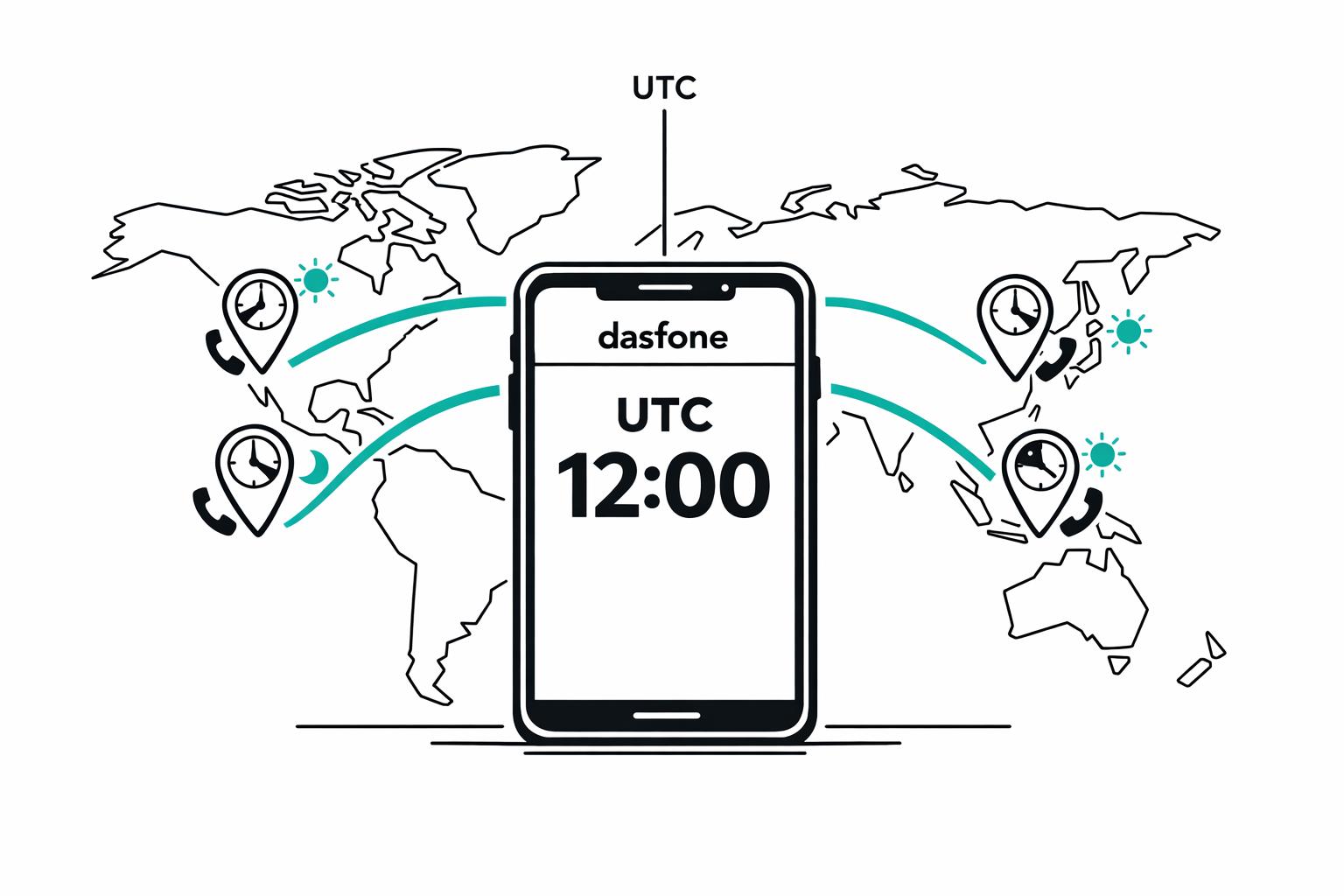
- UTC is your anchor: Use Coordinated Universal Time (UTC) as a stable reference point to avoid confusion.
- Tools can help: Use platforms like Calendly, World Time Buddy, or Dasfone to simplify scheduling and ensure accuracy.
Key takeaway: Always confirm time zones, be mindful of cultural differences, and leverage tools for smooth coordination.
Time Zones, the Date Line and Daylight Saving - Explained Like Never Before
Time Zone Basics and UTC Explained
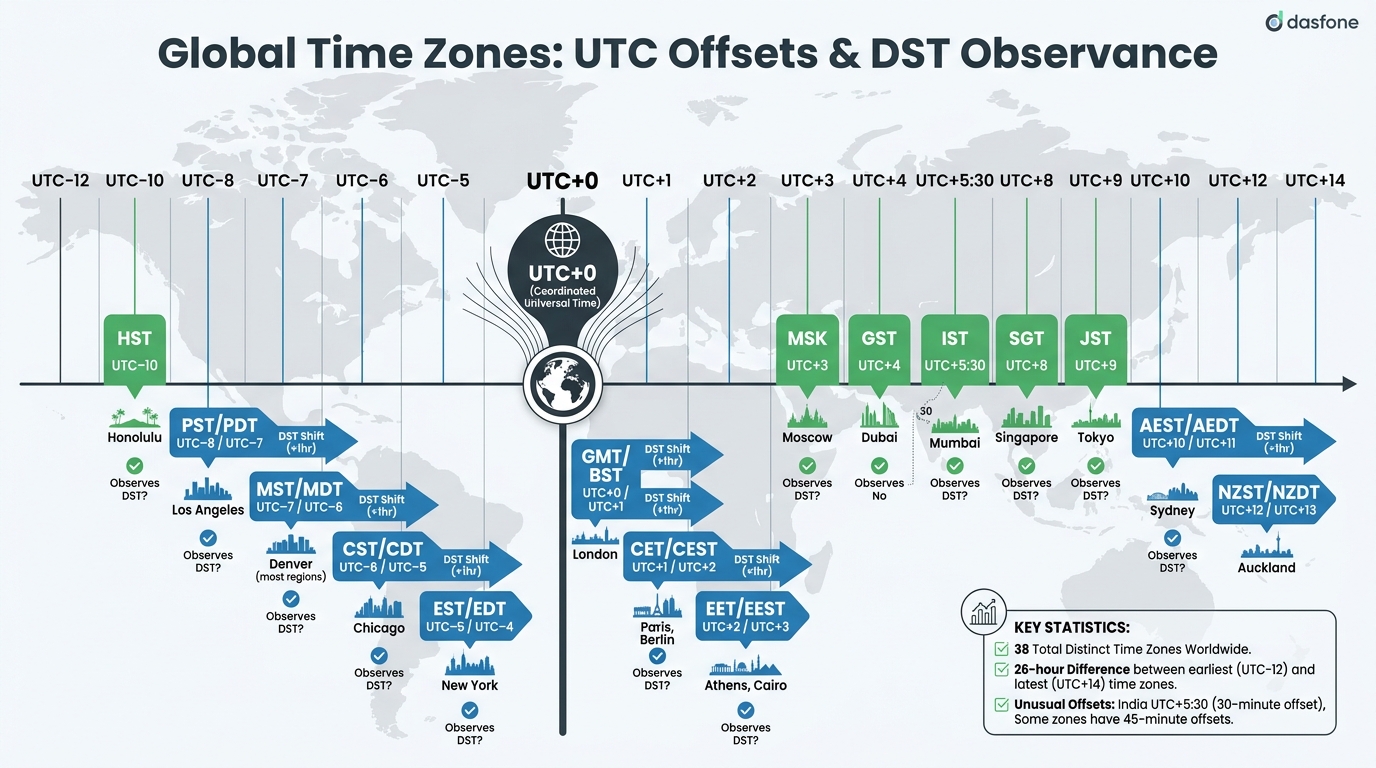
Understanding Coordinated Universal Time (UTC) is essential for managing international calls and schedules. UTC serves as the global standard for timekeeping, acting as a reference point for all time zones. Each time zone is defined by its offset from UTC, noted as either UTC− (west of the prime meridian) or UTC+ (east of it) [4].
What UTC Means and How It Works
UTC is the backbone of global timekeeping, maintained by highly accurate atomic clocks that measure time down to a billionth of a second [5]. While "GMT" (Greenwich Mean Time) is often used interchangeably with UTC, there’s a key distinction: GMT is a time zone, primarily used in the UK during winter, while UTC is a precise scientific standard [4].
Unlike local time zones that adjust for Daylight Saving Time, UTC remains constant year-round. This consistency is why industries like aviation use "Zulu time" (denoted by the letter "Z" for a zero UTC offset, such as 14:30Z) and why global finance and technology systems rely on UTC for synchronization [5][7].
"Coordinated Universal Time (UTC) is the basis for civil time in all time zones worldwide." – Anne Buckle and Konstantin Bikos, timeanddate.com [4]
The acronym "UTC" itself is a compromise between its English and French names [5]. To avoid confusion when scheduling international calls, it’s best to use the 24-hour format (e.g., 19:00 UTC) instead of the 12-hour AM/PM notation [4].
With UTC as your anchor, navigating the complexities of local time zones becomes much easier.
Common Time Zones and UTC Offsets
Although the Earth is theoretically divided into 24 time zones (one for each hour of rotation), there are actually about 38 distinct time zones in practice. This includes some with 30-minute or even 45-minute offsets, like India’s UTC+5:30, which can complicate scheduling compared to whole-hour offsets [7][8].
Here’s a quick look at some common time zones, their UTC offsets, and whether they observe Daylight Saving Time (DST):
| Time Zone | UTC Offset (Standard/DST) | Example City | Observes DST? |
|---|---|---|---|
| HST | UTC−10 | Honolulu | No |
| PST / PDT | UTC−8 / UTC−7 | Los Angeles | Yes |
| MST / MDT | UTC−7 / UTC−6 | Denver | Yes (most regions) |
| CST / CDT | UTC−6 / UTC−5 | Chicago | Yes |
| EST / EDT | UTC−5 / UTC−4 | New York | Yes |
| GMT / BST | UTC+0 / UTC+1 | London | Yes |
| CET / CEST | UTC+1 / UTC+2 | Paris, Berlin | Yes |
| EET / EEST | UTC+2 / UTC+3 | Athens, Cairo | Yes |
| MSK | UTC+3 | Moscow | No |
| GST | UTC+4 | Dubai | No |
| IST | UTC+5:30 | Mumbai | No |
| SGT | UTC+8 | Singapore | No |
| JST | UTC+9 | Tokyo | No |
| AEST / AEDT | UTC+10 / UTC+11 | Sydney | Yes |
| NZST / NZDT | UTC+12 / UTC+13 | Auckland | Yes |
The range of time zones spans from UTC−12:00 to UTC+14:00. This means the earliest and latest time zones are separated by a full 26 hours. For instance, Kiritimati (UTC+14) is effectively a day ahead of Baker Island (UTC−12) [6].
When working across time zones, avoid abbreviations like "CST", which can refer to Central Standard Time, China Standard Time, or Cuba Standard Time, depending on the context [6]. Instead, use precise IANA time zone identifiers (e.g., America/New_York) or refer directly to the UTC offset to ensure clarity.
How Daylight Saving Time Affects International Calls
Daylight Saving Time (DST) can make scheduling international calls a lot more complicated. While Coordinated Universal Time (UTC) provides a stable reference, DST creates shifting time differences that can throw off even the most carefully planned meetings. A call that was perfectly timed at 3:00 PM one week might suddenly become inconvenient if you're relying on manual calculations.
The real headache comes during the transition periods. Different countries switch to and from DST on different dates, which temporarily alters standard time differences. For instance, between March 8 and March 29, 2026, the time difference between New York and London changes from five hours to four hours because the U.S. transitions three weeks earlier than the EU. Martin Šikula, Founder of Whenest, sums it up clearly: "If you're manually tracking meeting times instead of using timezone-aware tools, this [DST] will absolutely screw you up." [9]
Scheduling calls across hemispheres adds another layer of complexity. While the U.S. and Europe move their clocks forward in March, Australia and New Zealand set theirs back in April, creating shifts of up to two hours. With fewer than 40% of countries worldwide observing DST - and those that do following different regional rules - manual time calculations are a recipe for confusion [9][10].
Countries That Use Daylight Saving Time
Roughly 70 countries observe DST, primarily in North America, Europe, and parts of Oceania [10]. However, most of Asia and Africa do not use DST at all [9]. This makes it essential to double-check local times before scheduling international calls.
| Region | 2026 DST Start | 2026 DST End | Key Exceptions |
|---|---|---|---|
| United States & Canada | March 8 | November 1 | Arizona (except Navajo Nation), Hawaii, most of Saskatchewan |
| European Union & UK | March 29 | October 25 | All EU states switch simultaneously at 1:00 AM UTC |
| Australia (DST states) | October 4 | April 5 | Queensland, Northern Territory, Western Australia opt out |
| New Zealand | September 27 | April 5 | Nationwide observance |
| Mexico | March 8 | November 1 | Only northern border municipalities (nationwide DST ended in 2022) |
| Israel | March 27 | October 25 | Friday before last Sunday in March |
Some countries have abandoned DST entirely. Russia, Turkey, Morocco, and Jordan now stick to permanent time settings year-round [10]. The EU voted to eliminate DST in 2019, but implementation has stalled. Similarly, the U.S. has proposed the Sunshine Protection Act several times, but it has yet to pass [9].
How to Handle Daylight Saving Time Changes
To avoid the chaos DST can bring, use Coordinated Universal Time (UTC) when scheduling calls [9]. Be specific about time zones - saying "10:00 AM Eastern Time" instead of just "10:00 AM" allows calendar tools to adjust automatically for everyone involved.
Here are some tips to keep things running smoothly:
- Send reminders 48 hours to a week before major DST transitions, such as the second Sunday in March for the U.S. or the last Sunday in March for the EU.
- Avoid scheduling recurring calls during transition weeks in March and October when regions may be out of sync [10].
- Enable automatic time updates on your devices before transition weekends to prevent manual errors [11].
- Use scheduling tools that store times in UTC internally. This avoids confusion during the "repeated hour" issue in the fall-back transition, where the hour between 1:00 AM and 2:00 AM happens twice [10].
When planning important calls, always double-check your contact's local time to ensure everyone is on the same page. A little extra effort can save a lot of headaches when dealing with time zone shifts.
How to Schedule Calls Across Time Zones
Finding Times That Work for Everyone
Scheduling calls across time zones can be tricky, but the secret lies in identifying the "Golden Window" - the overlap of normal business hours (usually 9:00 AM–5:00 PM) for all participants [2, 23]. For instance, if you're scheduling a call between New York and London, the ideal time is 8:00 AM–11:00 AM Eastern Time, which corresponds to 1:00 PM–4:00 PM in London [2]. On the other hand, connecting the U.S. West Coast with Asia works best between 5:00 PM–9:00 PM Pacific Time, aligning with 9:00 AM–1:00 PM the following day in Tokyo [13].
When no ideal overlap exists - like between Sydney and New York, where the time difference can stretch to 15 hours [12] - consider rotating inconvenient meeting times monthly. This ensures the burden of early mornings or late nights is shared fairly [1]. For non-urgent discussions, asynchronous tools like Loom, Slack, or Notion can help avoid the challenges of live calls across difficult time gaps [1]. Keep in mind that business days vary by region; for example, many Middle Eastern countries operate on a Sunday–Thursday schedule [3].
Once you've pinpointed the best meeting window, the next step is to communicate time zones clearly.
How to Write Time Zones Clearly
Clarity is key when communicating meeting times. Avoid saying just "3:00 PM" - always add a time zone label, like "3:00 PM ET (New York)", and include the date to prevent confusion, especially when meetings span different calendar days [23, 3]. Use general abbreviations like "ET", "CT", or "PT" instead of "EST" or "EDT" to avoid issues with Daylight Saving Time [12].
Calendar invites are a lifesaver here, as they automatically adjust times to each participant's local zone [1]. For critical calls, send a confirmation the day before, explicitly stating the time in the recipient's location - for example, "Confirming our call at 2:00 PM your time in Sydney" [2]. Including UTC as a reference in your invitations adds a universal standard, helping everyone calculate their local time accurately [13].
After labeling your times correctly, it’s smart to use tools to double-check your scheduling.
Time Zone Conversion Tools to Use
Visual planners like Timeanddate.com, ZoneCross, and World Time Buddy can help you quickly spot overlapping hours across time zones [21, 22]. Many of these tools are free and don’t require an account [22, 27]. Automated schedulers like Calendly and bookcall simplify the process by letting participants choose from pre-set availability, automatically adjusting to their local time [23, 3]. For phone calls, 1000freetools.com offers an "International Phone Call Time Finder" that flags times falling outside typical business hours in a given country [3].
Before sending out a meeting invite, take a moment to ensure your proposed time doesn’t coincide with a recipient’s lunch break (commonly 12:00 PM–2:00 PM in Mediterranean and Latin cultures) or fall too late at night [3]. Tools like Whenest and TimeTranslator provide live dashboards showing whether participants are "Awake", "In Business", or "Asleep", helping you identify potential conflicts in real-time [27, 28]. These tools add an extra layer of confidence, ensuring your scheduling is as precise as possible.
Making International Calls with Dasfone
What Dasfone Offers
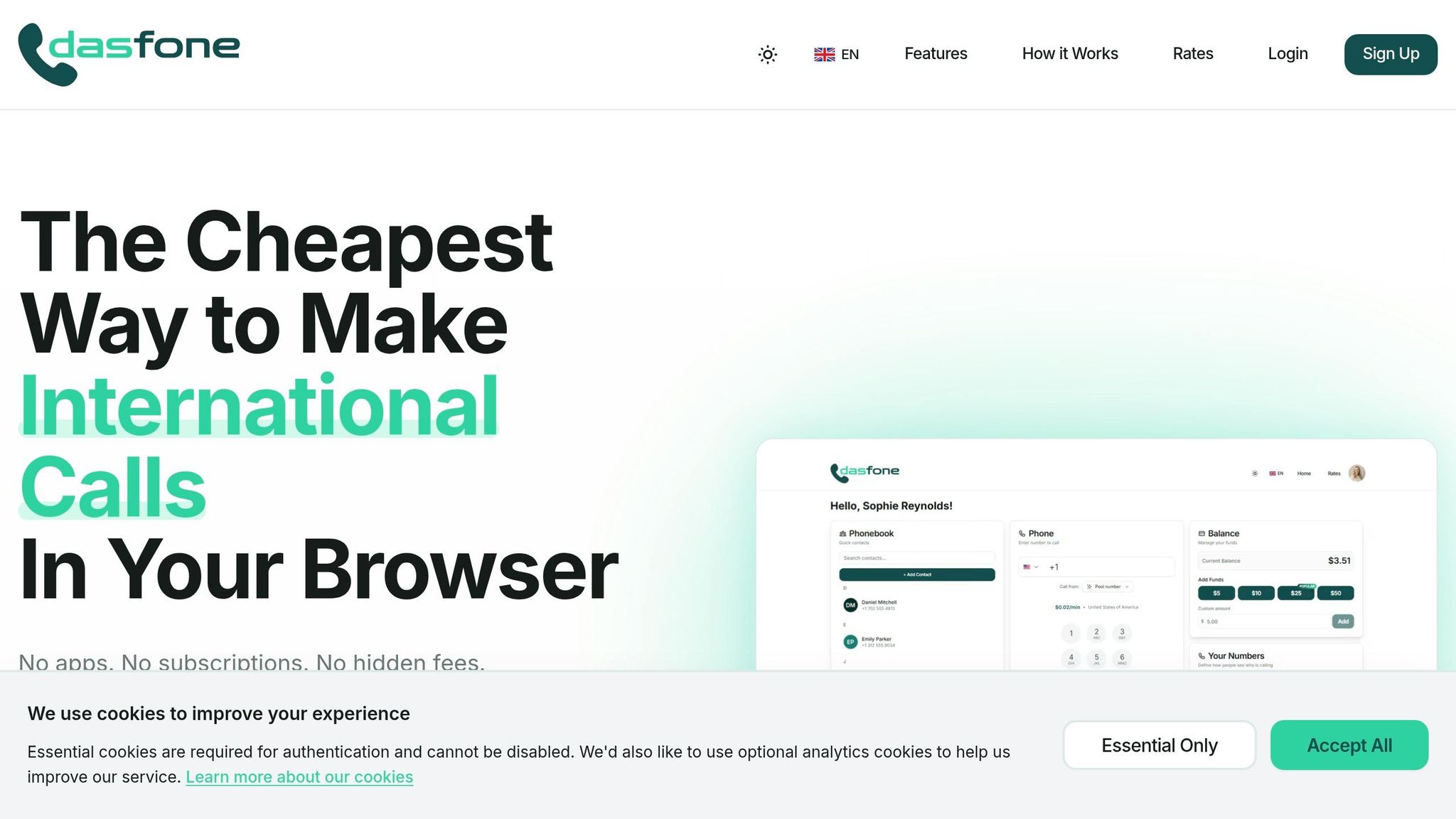
Dasfone is a browser-based platform designed for seamless international calls. It works on any device without requiring downloads or subscriptions, covering over 200 countries. The setup is quick - less than 60 seconds - and offers HD audio with transparent pay-as-you-go pricing. Rates start as low as US$0.01 per minute to Canada, US$0.02 to the UK, and US$0.03 to India, with a minimum top-up of US$5. New users also receive a US$2 bonus, which can translate to up to 100 free minutes. Additional features include secure call encryption and the ability to use your own caller ID or purchase a dedicated number. This ensures your international contacts can easily identify who’s calling [14]. These features make Dasfone a practical choice for managing calls across various time zones.
Why Dasfone Works Well for Time Zone Calling
Dasfone’s browser-based design makes it particularly effective for handling calls across time zones. Since it doesn’t require software installations or updates, you can make a call instantly from any device as soon as the recipient’s time zone aligns with your schedule. This flexibility is invaluable when trying to maximize overlapping business hours across regions. The pay-as-you-go pricing ensures you’re only charged for the minutes you use, avoiding monthly fees. Frequent travelers and digital nomads report 30–50% savings compared to traditional carriers for calls between Asia and the United States. Similarly, cold-calling teams appreciate its reliability, even during disruptions like Daylight Saving Time changes [14].
How to Set Up Your Dasfone Account
Getting started with Dasfone is simple. Head to dasfone.com, click "Start Calling", and register using your email - no credit card is needed. Add credits (minimum US$5) and use the promo code DF25 for a 25% discount. To make a call, enter the international number (e.g., +44 for the UK or +81 for Japan) using the browser-based dial pad. Calls connect in seconds with HD audio quality. The user dashboard keeps everything organized, offering a clear view of your phonebook, dial pad, credit balance, and active numbers. This centralized setup makes it easy to manage calls across multiple time zones [14].
Conclusion
Making international calls work smoothly requires thoughtful planning and the right tools. Scheduling calls between 10:00 AM and 3:00 PM in the recipient's local time helps avoid the chaos of early mornings and the fatigue of late afternoons, leading to more productive conversations [2]. For recurring global meetings, rotating inconvenient time slots among participants can help maintain engagement and prevent burnout [15].
Automation plays a big role in simplifying the process. Tools like calendar invites that automatically adapt to local time zones and daylight saving adjustments take the guesswork out of scheduling [15]. Recording virtual meetings is another smart move, allowing team members in tricky time zones to catch up later [15]. These features make it easier to keep everyone on the same page, no matter where they’re located.
Platforms like Dasfone add an extra layer of efficiency. With its browser-based system, you can connect instantly when schedules align [16]. Plus, its pay-as-you-go pricing ensures you only pay for what you use, offering a practical and budget-friendly way to manage international communication.
FAQs
How do I avoid DST mistakes on recurring global calls?
To steer clear of daylight saving time (DST) mix-ups, schedule calls using UTC time, as it remains constant regardless of DST changes. Be sure to double-check the current time offsets for areas that don’t follow DST, such as China, Japan, India, and much of Africa. Tools like time zone converters or meeting planners are handy for finding overlapping business hours. Always include the specific time zone when sharing schedules to avoid misunderstandings.
What’s the best way to share a meeting time so no one misreads it?
When scheduling meetings or events, always include the local time and its time zone for clarity. For example: "March 15, 2026, at 2:00 PM EST." Tools like Meeting Planners can simplify this process by automatically converting times for participants in different regions. Additionally, specifying the time zone abbreviation or offset - such as "14:00 UTC+0" - helps eliminate any potential confusion.
How do I pick a fair call time when there’s no overlap?
To pick a call time that works well for both parties, aim for the recipient's local business hours - usually 9 AM to 5 PM, Monday through Friday. If there's no overlap between your schedules, try early morning or late evening in your own time zone. It’s always a good idea to confirm their specific working hours, as some people may have non-traditional schedules. This approach shows respect for their time and boosts the likelihood of a productive conversation.
Related Articles
Ready to Make International Calls?
Try dasfone today and make your first international call in seconds. No app download, no subscription—just instant, affordable calling from your browser.
Start Calling Now