How Browser-Based Calling Saves on Roaming Fees
How Browser-Based Calling Saves on Roaming Fees
Did you know you can avoid massive roaming fees while traveling abroad by using browser-based calling? Instead of relying on your carrier’s expensive roaming rates, browser-based calling uses your internet connection to make international calls at a fraction of the cost. Platforms like Dasfone charge as little as $0.02 per minute, compared to carrier rates of $1.79–$2.99 per minute.
Key Takeaways:
- Roaming fees are costly: A 30-minute call abroad can cost over $60, and data roaming can reach $2,050 per GB.
- Browser-based calling is cheaper: Services like Dasfone use Wi-Fi or mobile data, reducing call costs to under $1 for 30 minutes.
- No app required: Calls are made directly through a web browser, avoiding hidden fees.
- Data-efficient: Uses only 0.2–0.5 MB per minute, making it ideal for public Wi-Fi or limited data plans.
Switching to browser-based calling allows you to stay connected without worrying about surprise charges. Whether you’re traveling, working abroad, or running a business, this approach can save you hundreds - or even thousands - on communication costs.
5 Tips to USE YOUR PHONE Internationally (And Avoid Roaming Charges)
How Roaming Fees Work
Travelers often face shocking phone bills when abroad. This happens because your phone connects to foreign networks, and your carrier charges high fees for calls, texts, and even background data usage.
Typical Costs and Restrictions
Roaming fees can add up quickly. For instance, U.S. carriers typically charge around $2.05 per MB - that’s about $2,050 per GB. Voice calls? They can range from $1.79 to $2.99 per minute, even for incoming calls [2][4].
To avoid these steep charges, many carriers offer International Day Passes, such as those from AT&T and Verizon, priced at $10–$12 per day. But here’s the catch: the fee kicks in as soon as your phone uses data, sends a message, or makes a call [2][4]. For a two-week trip, that’s an added cost of $140–$168, and that’s without exceeding any data limits.
Background activities like app updates, email syncing, or cloud backups can consume 100–500 MB daily, potentially costing $205 to $1,025 per day at pay-per-use rates [2][4]. One extreme case in 2023 saw a T-Mobile customer in Switzerland hit with a $143,000 bill for international data roaming. The carrier eventually reversed the charge after media coverage [6].
Why Carrier-Based Roaming Doesn't Work
The main issue with carrier-based roaming is its unpredictability. Even experienced travelers can get blindsided. A CNBC reporter in Paris, for example, racked up nearly $50 in extra charges despite being on a $12-per-day plan [6].
The system often charges first and notifies later. In fact, over 40% of American international travelers report being surprised by roaming fees each year [3].
For expats, digital nomads, or small businesses that depend on international communication, these costs can become unmanageable. A month-long trip could easily result in $300 or more in roaming fees, not including ongoing communication needs.
These unpredictable and excessive charges highlight the importance of finding more affordable solutions, such as browser-based calling.
How Browser-Based Calling Avoids Roaming Fees
Browser-based calling takes carrier networks out of the equation entirely. Whether you're connected to hotel Wi-Fi or using mobile data from a travel eSIM, platforms like Dasfone route your calls over the internet instead of relying on costly cellular roaming systems. Since your carrier isn’t involved, they can’t tack on roaming charges.
Internet-Powered Calling Instead of Cellular Networks
This is made possible by WebRTC technology. It works by capturing audio from your device’s microphone and sending it over the internet to a gateway server, which then connects to the traditional phone network (PSTN). This setup allows you to call any phone number worldwide without worrying about roaming fees.
To ensure no accidental cellular charges, switch your phone to Airplane Mode and turn Wi-Fi back on. These calls are data-efficient, using just 0.2–0.5 MB per minute. For context, a 30-minute call would use less than 15 MB of data. Plus, WebRTC’s 48kHz audio sampling often provides clearer sound quality compared to the 8kHz standard of traditional phone networks [7].
But the cost savings don’t stop there. Dasfone also offers features designed to keep your expenses low.
Cost-Saving Features
Dasfone takes transparency to heart with its straightforward pay-as-you-go pricing model. You don’t need to download any apps - just open your browser (Chrome, Safari, Firefox, or Edge) on any device and start calling. Setup is quick, taking less than a minute [1].
Getting started is affordable, too. You can begin with a minimum top-up of just $5, and new users are rewarded with a $2 bonus, which can provide up to 100 free calling minutes [1]. There are no connection fees or unexpected charges - just a simple per-minute rate that’s far cheaper than carrier roaming. On top of that, Dasfone uses enterprise-grade encryption to secure your calls, offering a safer option compared to unencrypted methods, especially when using public Wi-Fi [1].
How to Use Dasfone for International Calls
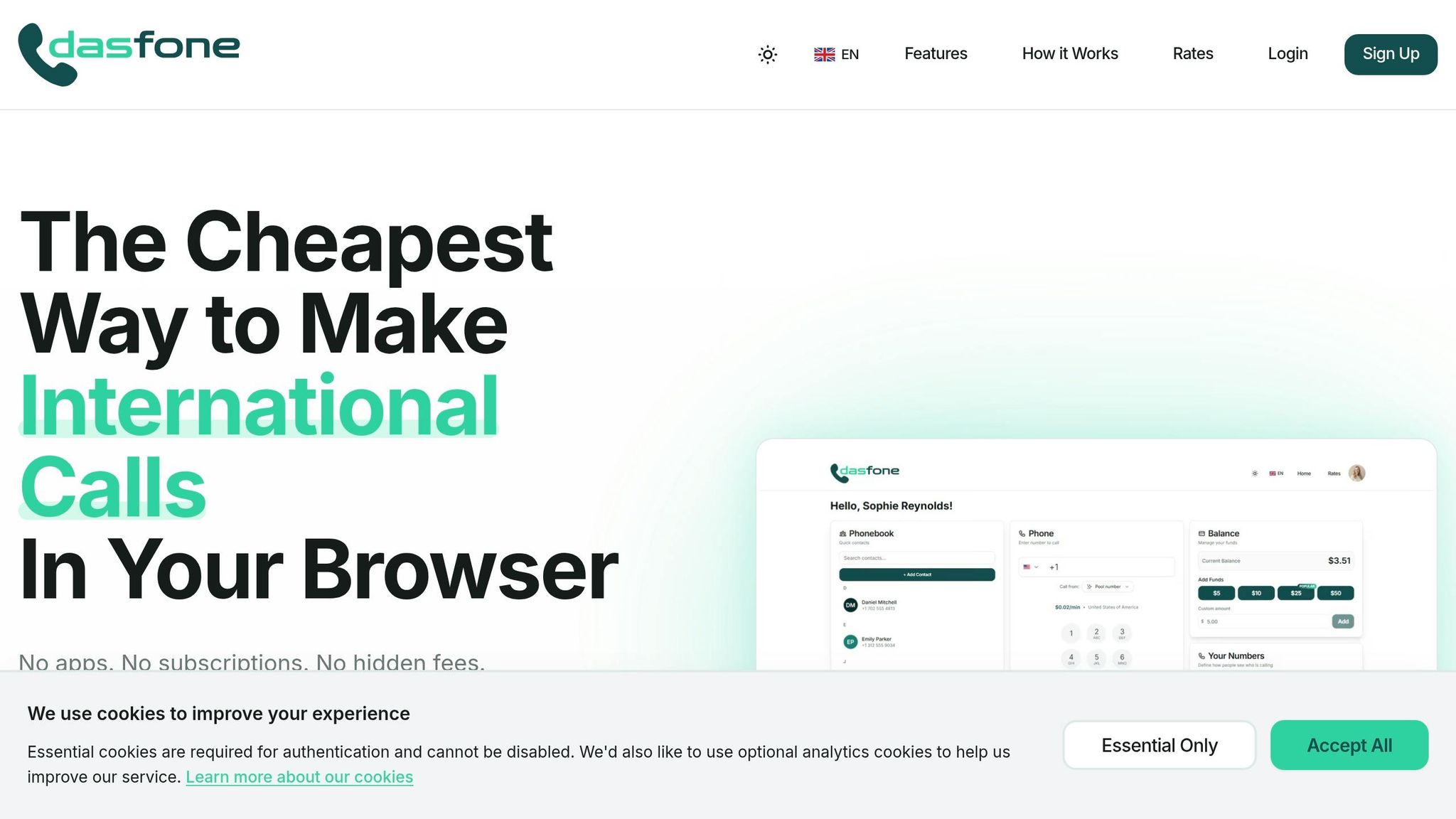
You can start using Dasfone in less than a minute - no need to download any apps [1].
Setting Up Your Account
Head over to Dasfone.com and sign up with your email - no credit card required. Once you verify your email, you'll get access to your dashboard, which includes a dialpad, phonebook, and your credit balance. To start making calls, add at least $5 to your account. As a bonus, new users receive $2 in free credit (enough for up to 100 minutes of calls) and can save even more with the promo code DF25 for an extra 25% discount [1].
You can also set up your caller ID by linking your current number or purchasing a dedicated one. This setup not only keeps your costs low but also helps you avoid unexpected roaming charges while staying connected internationally.
Once your account is ready, you're all set to make your first call.
Making Your First Call
After adding funds to your account, make sure your call routes through the internet. To do this, enable Airplane Mode and turn Wi-Fi back on, or simply disable data roaming.
Connect to a reliable Wi-Fi network - whether at home, a café, or a hotel - and open your browser (Chrome, Safari, Firefox, or Edge) to access your Dasfone dashboard. Use the on-screen dialpad to input the international number you want to call. Each minute of your call will use just 0.2–0.5 MB of data, and you’ll have access to connect with over 200 countries [1].
Cost Comparison: Roaming vs. Browser-Based Calling
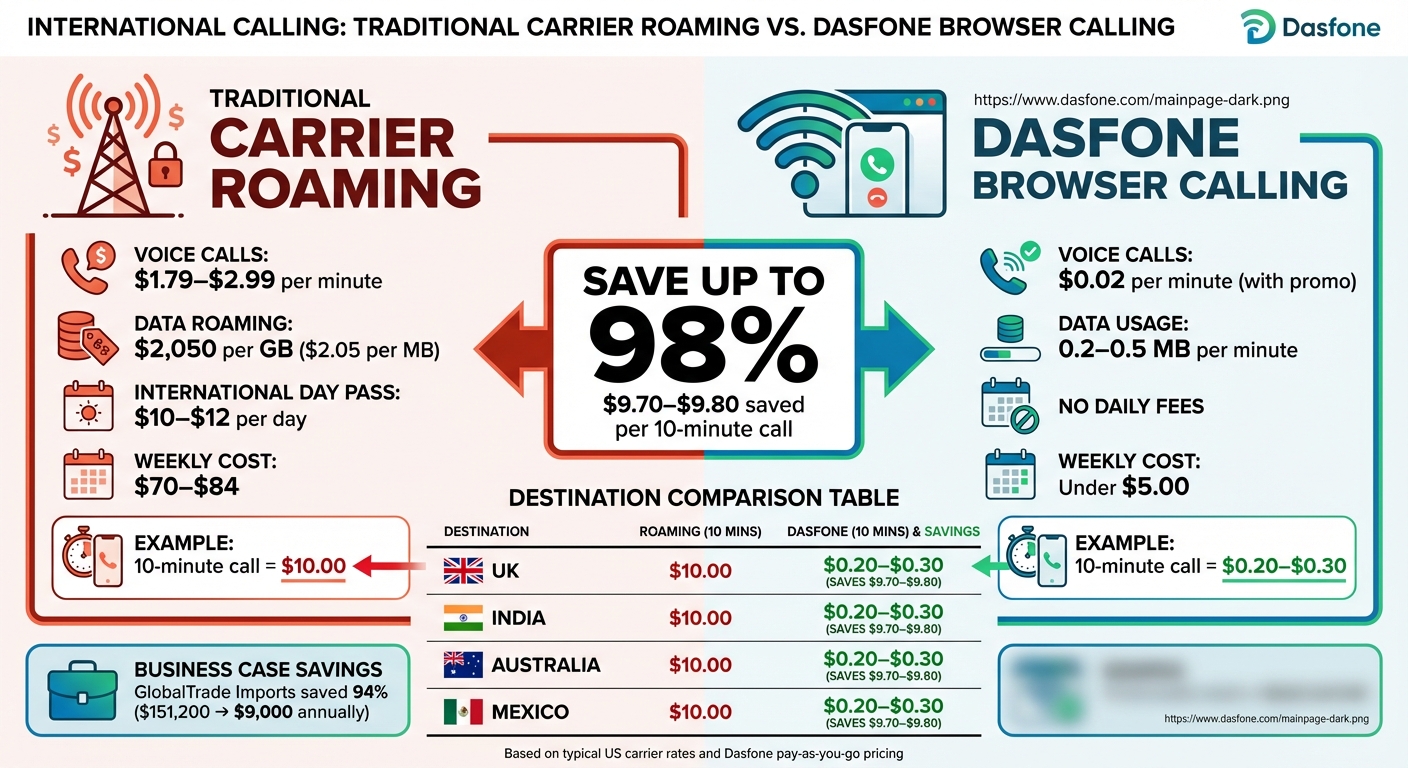
The price gap between roaming fees and browser-based calling is massive, offering huge savings for international callers.
Side-by-Side Cost Breakdown
To illustrate how Dasfone eliminates roaming fees, let’s compare its costs with traditional carrier rates. For example, while carrier roaming might charge around $1.00 per minute, browser-based calling with Dasfone can cost as little as $0.02 per minute. This is based on the $2 free credit, which allows up to 100 minutes of calling [8][1].
Here’s a detailed cost comparison:
| Destination | Roaming (Pay-Per-Use) | Browser-Based Calling | Savings Per 10-Minute Call |
|---|---|---|---|
| United Kingdom | $10.00 | $0.20–$0.30 | $9.70–$9.80 |
| India | $10.00 | $0.20–$0.30 | $9.70–$9.80 |
| Australia | $10.00 | $0.20–$0.30 | $9.70–$9.80 |
| Mexico | $10.00 | $0.20–$0.30 | $9.70–$9.80 |
This table highlights just how much cheaper browser-based calling can be, making it a smart choice for anyone making regular international calls.
Now, consider the cost of roaming passes. Carriers typically charge $70.00–$84.00 for a week, while Dasfone’s pay-as-you-go option remains under $5.00 weekly [9].
The savings are even more striking for businesses. Take GlobalTrade Imports, for example - a company that handles over 200 international calls daily. In 2025, they transitioned from carrier rates of $0.35–$0.75 per minute to Dasfone’s browser-based calling at $0.005 per minute. This switch slashed their annual communication costs from $151,200 to $9,000, a 94% reduction [9].
Tips for Saving Money on International Calls
Ways to Reduce Your Calling Costs
Switching to Wi-Fi for calls instead of mobile data is an easy way to avoid hefty carrier fees and roaming charges. A 10-minute call typically uses only 5–10 MB of data, so connecting to free Wi-Fi at places like hotels or cafes can keep costs low without worrying about data usage limits [10][14].
Take advantage of discounts like the DF25 promo code on your first credit purchase to cut expenses. For example, if a US expat buys $40 worth of credits (equal to 400 minutes at $0.10 per minute), they save $10 with the promo code, reducing the rate to $0.075 per minute. For someone making weekly calls to their bank for a total of 60 minutes, this could save around $6 per month compared to standard rates [11][15].
Keep an eye on your usage through the dashboard and set up auto-recharge when your balance drops to 20% to avoid interruptions. Look out for promotions where rates can dip as low as $0.01 per minute for destinations like the UK or Canada. Reviewing your call history can also help you spot high-cost destinations and adjust your habits. For instance, calling during off-peak hours (after 8 PM UTC) can save up to 20%, as one digital nomad discovered, reducing their costs by 30% on 200 monthly minutes to Asia [10][11][12][13].
These strategies show why browser-based calling can be a smart choice when traditional methods become too costly.
When Browser-Based Calling Works Best
Dasfone stands out in situations where traditional phone calls are unavoidable. Banks, government offices, hotels, and tour operators often require phone calls instead of messaging apps. For example, US students studying abroad can save $20–$50 monthly by using Dasfone instead of paying roaming fees when verifying accounts [10][16].
Browser-based calling is also a game-changer for cold calling campaigns. Imagine a campaign with 500 calls, each lasting five minutes, to Europe. Using US carrier roaming rates of $2.50 per minute, the total cost would be $6,250. With Dasfone and the DF25 discount, the same campaign costs just $125 at $0.05 per minute - a massive 98% savings. Plus, features like HD audio and custom caller ID improve connection rates, which is great for sales teams [11][15].
Digital nomads benefit, too, thanks to Dasfone’s coverage in over 200 countries. Its full mobile browser support makes it easy to switch between networks without needing extra apps or SIM cards, ensuring smooth connectivity wherever they go [12][13].
Conclusion
Roaming fees can quickly eat into your budget, especially when some mobile providers charge as much as $7,500 per GB for international data roaming [5]. Dasfone offers a smarter solution with browser-based calling that bypasses those steep charges by using internet connections instead of traditional carrier networks. Plus, it provides high-definition voice quality and enterprise-grade encryption to keep your conversations secure.
Using modern web technology, Dasfone not only reduces costs but also ensures an easy, hassle-free experience. It works on all major browsers - Chrome, Safari, Edge, and Firefox - allowing you to make calls from laptops, phones, or tablets without the need for downloads or SIM card swaps. Whether you're at a hotel, coffee shop, or airport, Dasfone keeps you connected, using just 0.2–0.5 MB of data per minute - perfect for even public Wi‑Fi networks.
On top of that, Dasfone’s pay-as-you-go model means no subscriptions or hidden fees. It’s ideal for reaching banks, government offices, or businesses that don’t use messaging apps. Need a local presence? Virtual local numbers are available for $2.14 to $5 per month, letting your contacts reach you without anyone racking up international charges [17].
Whether you’re verifying accounts abroad, handling international business calls, or running cold calling campaigns, Dasfone delivers a reliable and affordable alternative to traditional roaming. With coverage across more than 200 countries and compatibility with nearly any device, it’s a practical solution for staying connected without breaking the bank.
FAQs
Will my carrier still charge roaming if I use Dasfone on Wi‑Fi?
Using Dasfone on Wi-Fi generally helps you dodge roaming fees because it operates through internet connectivity rather than traditional mobile networks. That said, some carriers might still impose roaming charges based on your mobile plan. It's a smart idea to review your carrier's terms to avoid surprises.
What internet speed do I need for clear browser-based calls?
For smooth browser-based calls, aim for at least 2 Mbps upload and download speeds. However, faster speeds are ideal, especially for video calls, to maintain better quality. A stable internet connection is key to ensuring consistent performance.
Is it safe to call using Dasfone on public Wi‑Fi?
Yes, making calls with Dasfone over public Wi-Fi is safe. Dasfone uses encrypted connections to keep your calls secure. Additionally, most modern websites also use encryption to protect your data, ensuring your conversations stay private and secure, even on public networks.
Related Articles
Ready to Make International Calls?
Try dasfone today and make your first international call in seconds. No app download, no subscription—just instant, affordable calling from your browser.
Start Calling Now