VoIP vs. Browser Calling for Importers
VoIP vs. Browser Calling for Importers
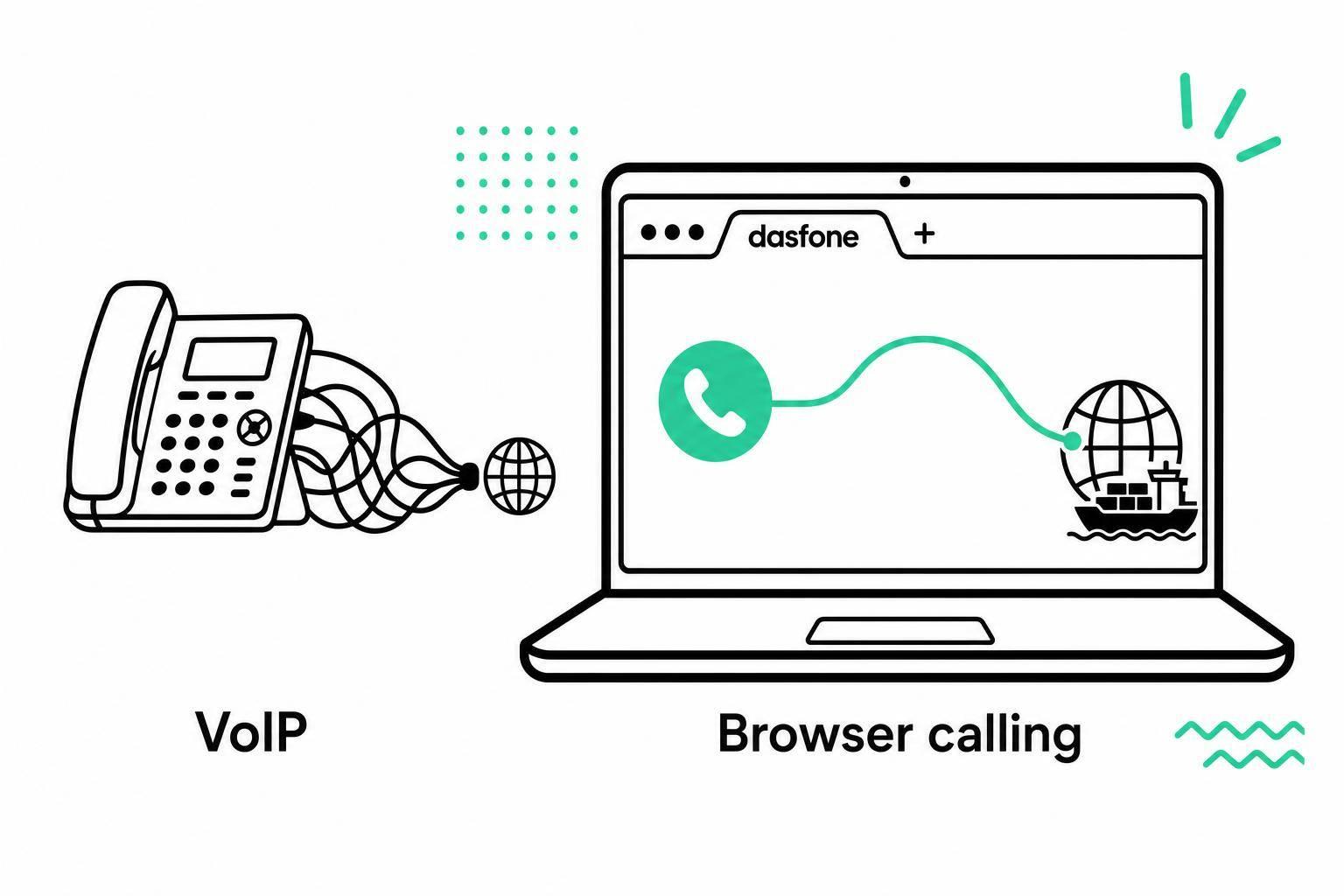
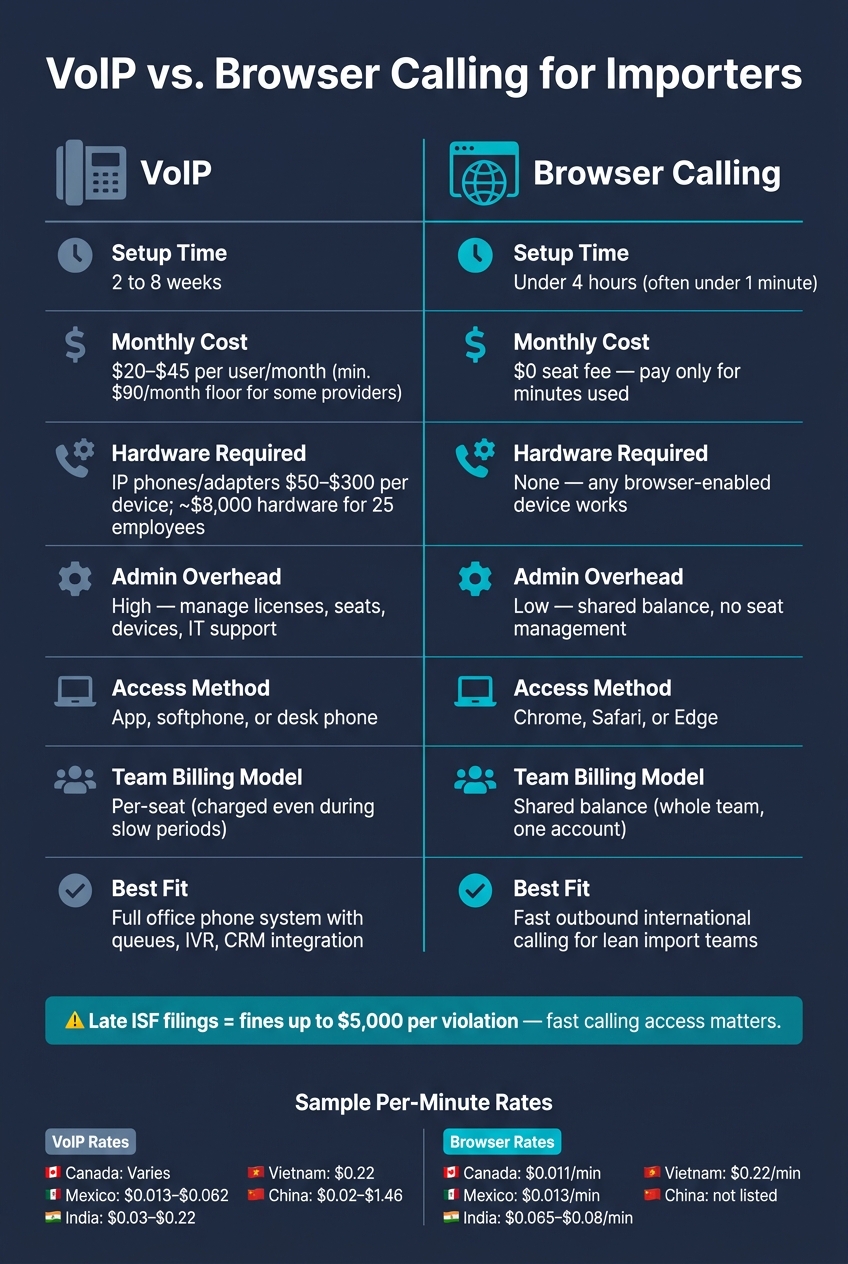
If I only need outbound international calling for an import business, browser calling is often the simpler pick. It can be live in under 4 hours - or even under a minute for basic use - while many VoIP setups take 2 to 8 weeks, add monthly seat fees of about $20.00 to $45.00 per user, and may need hardware that can cost $50.00 to $300.00 per device.
Here’s the short version:
- VoIP fits teams that need a full phone system with queues, IVR, and staff-wide phone setup.
- Browser calling fits teams that want to call suppliers, brokers, banks, and carriers from a browser with no app, no desk phone, and pay-as-you-go pricing.
- For importers, cost often comes down to call patterns. If calls come in bursts around filings, shipment issues, and supplier follow-ups, fixed seat fees can be hard to justify.
- Timing matters. A late ISF issue can mean fines of up to $5,000 per violation, so being able to place a live call fast can matter more than having a full phone system.
- Rates vary by country, but browser calling can be low on common routes like Canada at $0.011/minute and Mexico at $0.013/minute.
The main question is simple: do you need a full business phone setup, or do you just need to place calls fast and pay only when you use it?
Quick Comparison
| Criteria | VoIP | Browser Calling |
|---|---|---|
| Setup time | 2 to 8 weeks | Under 4 hours; often under a minute for basic use |
| Monthly cost | $20.00–$45.00/user | No seat fee; pay only for minutes used |
| Hardware | Often needed | None |
| Best use | Full office phone system | Fast outbound calling from any device |
| Admin work | Higher | Lower |
| Access | App, softphone, or desk phone | Chrome, Safari, or Edge |
| Team model | Per-seat | Shared balance |
| Fit for small import teams | Can feel heavy | Often a better match |
I’d read this comparison as a cost-and-use decision, not just a feature decision. If your team spends most of its time making direct overseas calls and not managing a phone system, browser calling will often make more sense.
How VoIP works for import and export business calls
For importers that need a full phone system, VoIP adds structure, but it also adds recurring cost. For an import business, that often means user licenses, a cloud PBX, and sometimes desk phones or headsets. A 25-employee operation can expect to spend around $8,000 on hardware alone, plus about $2,000 for installation and configuration.[2]
Setup, tools, and account requirements
A VoIP rollout often takes about four weeks and may call for IT help with device setup, network tuning, and caller ID authentication.[2][8]
VoIP needs about 100 kbps of bandwidth per active call, so bandwidth usually isn't the bottleneck.[7] Most business setups also need a cloud PBX subscription, user licenses for each team member, and often a separate international calling plan or prepaid credit balance.[7][1]
VoIP pricing: monthly plans, per-minute rates, and added costs
Monthly seat costs usually fall between $20.00 and $45.00 per user.[8] Some providers also set a minimum seat count. Aircall, for example, has a three-seat minimum, which creates a $90.00 monthly floor.[1][8]
International minutes are often billed on top of the base fee, and rates change by destination:
| Destination | Example VoIP Rate (per minute) |
|---|---|
| United Kingdom | $0.02 [6] |
| India | $0.03–$0.22 [4][6] |
| Mexico | $0.013–$0.062 [8] |
| Vietnam (landline) | $0.22 [1] |
| China | $0.02–$1.46 [1] |
Those per-minute charges can pile up fast if your team makes regular overseas calls. A provider that bills per second instead of per minute can cut effective calling costs by 15% to 20% by removing rounding.[7] That’s where browser-based calling can look like a better fit for smaller import teams.
Where VoIP fits best for importers
VoIP makes the most sense when your business needs a structured phone setup with call queues, IVR menus, or CRM integrations. It also works well when your team needs to receive incoming calls on mobile devices through push notifications.[7][4][3]
For small import operations that mainly need outbound international calling, the picture looks different. Paying for minimum seats, dealing with hardware, and waiting through a four-week setup can create more overhead than the job calls for.
That tradeoff stands out even more when browser-based calling is compared on setup time and usage costs.
How browser-based calling works for importers
Browser-based calling works through WebRTC in modern browsers. Instead of routing voice through the phone network, it sends calls over the internet. For importers, that means faster contact with suppliers, freight forwarders, banks, and customs brokers from almost any device.[5][3]
Placing calls from a browser with no setup required
The process is simple: open a browser tab, enter the number, and dial. If the device has a microphone and an internet connection, it can make the call - whether you're in the warehouse, at the office, or on the road. In many cases, it works in less than a minute.[5][2]
Speed matters, but so do security and call recognition. Calls are encrypted with SRTP by default.[5] Some services also support STIR/SHAKEN caller ID, which can help lower the odds that an important business call gets flagged as spam.[8]
Pay-as-you-go pricing and flexible use
Import call volume tends to spike around filings and supplier follow-ups, then drop during slower stretches. A fixed monthly seat fee keeps charging you during those quiet periods. Browser calling lines up better with that rhythm. You add funds to a balance and use them only when calls are made. That makes it easier to judge by cost and day-to-day use, not just by seat count.[8]
Rates for common trade corridors are low:
| Destination | Browser Calling Rate (per minute) |
|---|---|
| Canada | $0.011[8] |
| Mexico | $0.013[8] |
| India (landline) | $0.065–$0.08[4][8] |
| Singapore | $0.054[8] |
| Vietnam (landline) | $0.22[8] |
A shared balance model also helps. The whole team can draw from one account, so you don't end up paying monthly per-seat fees for people who only call once in a while.
When dasfone fits trade communication needs
Dasfone fits this kind of trade communication well. It works for moments when messaging apps won't do the job - like calling a customs broker's office line or reaching a bank to push a time-sensitive issue forward. Setup is instant, the minimum top-up is $5.00, and new accounts get a $2 bonus, with up to 100 free calling minutes. Calls use HD audio and secure encryption, and teams that want one steady business number can add an optional dedicated caller ID.
Those differences stand out more once browser calling is compared with VoIP on cost, ease, and fit for business use.
VoIP vs. browser calling: cost, ease of use, and business fit
The biggest differences show up in cost and in how the system feels during a normal workday.
Cost comparison for common importer calling patterns
Start with how your team actually makes calls, not with a feature checklist.
| Calling Pattern | Subscription VoIP | Browser-Based Calling |
|---|---|---|
| Frequent short supplier calls | VoIP charges keep running during slow weeks | Browser calling costs only when someone places a call |
| Occasional long compliance or bank calls | Higher per-minute charges on long calls | Competitive PAYG rates keep costs lower on extended calls |
| Seasonal Q4 volume spikes | Fixed fees can rise during spikes [2] | Shared balance scales with the team; only pay for extra minutes used [1][2] |
For a small import team with irregular international calling needs, this usually comes down to one simple point: does your cost model match your call volume? If calling patterns swing from week to week, paying for international calls in your browser only when they happen can make more sense than carrying fixed charges month after month.
Ease of use across warehouse, office, and travel workflows
VoIP systems can take 4–8 weeks to fully implement, including hardware setup and network configuration [10][2]. Browser calling is ready in under a minute: open a tab, add funds, and dial.
| Workflow | Subscription VoIP | Browser-Based Calling |
|---|---|---|
| Device access and mobility | Requires installed apps, desk phones, or hardware per user [10] | Runs on any browser-enabled device - warehouse PC, office tablet, or mobile on the road [9][10] |
That day-to-day difference matters more than it might seem. A warehouse lead can place a call from a shared PC. Someone in the office can use a tablet. A team member on the road can call from a phone browser without dealing with desk hardware or app installs.
Security, reliability, and setup overhead
Both options depend on a stable internet connection. But the setup work and upkeep are very different.
| Feature | Subscription VoIP | Browser-Based Calling |
|---|---|---|
| Initial configuration | Complex QoS and network setup required [10] | Zero configuration; uses standard internet [10] |
| Hardware | IP phones or adapters: $50–$300 per unit [10] | None; any browser-enabled device works [10] |
| Software updates | Manual updates; requires IT support [2] | Automatic; handled by the browser [10][2] |
| Admin overhead | High - managing licenses, seats, and devices [3] | Low - shared balance and no seat management [3][9] |
Browser calling keeps calls encrypted in transit, which matters when conversations cover contract terms, payment disputes, or shipment documents.
For lean import teams, the main draw is lower setup work and less admin hassle. Those tradeoffs shape which option fits a given import workflow.
Conclusion: which option fits your import business
The best fit comes down to how much your team calls, which countries you call most, and what day-to-day work looks like.
Once you compare cost, setup, and daily use, three things usually tip the scale: call volume, destinations, and how freely your team needs to move between devices.
Key factors to review before choosing
Before you commit, look at these points:
- Monthly call volume: Compare your average monthly calling spend with seat-based pricing. If international calling only happens now and then, a fixed monthly plan may not make sense.
- Destinations called: Rates change by country, so check your top destinations first. Canada and Mexico can run as low as $0.011 to $0.013 per minute on some browser-based services, while other routes cost more [8].
- Need to reach actual phone numbers: If your team calls suppliers, brokers, banks, or government agencies, you need a service that can dial landlines and mobile numbers right from the browser [3][9].
- No-app workflow: Browser calling runs in a browser on desktop or mobile. That matters if your team shifts between a warehouse PC, a shared tablet, and a phone while on the road [8][1].
- Predictable spend: A shared balance model can be easier to handle than per-seat licensing because one account can cover the whole team [3][4].
For importers focused on fast, app-free international calling, one browser-based option lines up well with that workflow. If your team needs to handle urgent issues on the spot - whether that’s a first call to an overseas supplier or broker, or a time-sensitive ISF escalation - dasfone gives you instant setup, mobile access, encrypted calling, and clear pay-as-you-go pricing with no apps or subscriptions.
FAQs
When is browser calling a better fit than VoIP?
Browser calling makes sense when you want to skip app installs, seat-license admin, and monthly subscription costs.
It’s also a strong option for international communication, where it can cut expenses. Since it runs in a modern browser with WebRTC, it supports HD audio and fits remote teams, frequent travelers, and businesses that need to scale fast without much technical setup.
Can my team share one calling balance?
Yes. Your team can use one shared calling balance, so you don’t need separate seat licenses or individual subscriptions.
With Dasfone’s clear pay-as-you-go setup, team members in different locations all pull from the same account. That makes international calling costs easier to track and control without juggling multiple plans.
You can add credit in $5.00, $10.00, $25.00, or $50.00 amounts whenever needed.
What internet speed do I need for reliable calls?
For reliable browser-based calling, you need a stable broadband, 4G, or 5G connection. For high-quality audio without dropouts, a minimum upload speed of 1 Mbps is recommended.
Call quality depends on your internet connection. In most urban areas, a stable Wi-Fi network usually gives you the best shot at clear, high-definition conversations.
Related Articles
Ready to Make International Calls?
Try dasfone today and make your first international call in seconds. No app download, no subscription—just instant, affordable calling from your browser.
Start Calling Now