Best Tools for Browser-Based International Calls
Best Tools for Browser-Based International Calls
Browser-based international calling lets you make phone calls directly from your browser without needing apps or SIM cards. It’s ideal for reaching businesses, banks, or government offices abroad - especially when apps like WhatsApp aren’t an option. Here’s why these tools are useful and what to look for:
Key Benefits:
- No App Required: Call landlines and mobile numbers directly.
- Global Coverage: Most services support calls to 200+ countries.
- Affordable Rates: Costs range from $0.02–$0.09 per minute.
- Secure: End-to-end encryption protects sensitive conversations.
- Quick Setup: Calls are ready in under 2 minutes.
Features to Consider:
- Audio Quality: Clear, HD sound for effective communication.
- Transparent Pricing: Pay-as-you-go with no hidden fees.
- Caller ID Options: Show a recognizable number for better response rates.
- Ease of Use: Works on any modern browser like Chrome or Safari.
For example, Dasfone is a popular platform offering HD calls, AES-256 encryption, and pay-as-you-go billing. It’s perfect for expats, travelers, and businesses managing international contacts. New users get a $2 credit (up to 100 free minutes) and a 25% discount on their first top-up.
Browser-based calling is a simple, affordable way to stay connected globally without the hassle of traditional methods.
What to Consider When Choosing a Browser-Based Calling Tool
How Browser-Based Calling Works
Browser-based calling operates through two key technologies: WebRTC (Web Real-Time Communication) and VoIP (Voice over Internet Protocol). Modern browsers like Chrome, Firefox, and Safari come equipped with WebRTC, making it easy to use these tools without needing additional plugins. Here's how it works: WebRTC and VoIP convert your voice into data packets, send them over the Internet, and connect seamlessly to standard phone lines. To ensure smooth and clear calls, enterprise-grade routing minimizes delays, while DTLS-SRTP protocol with 256-bit AES encryption safeguards your call data - even on public Wi-Fi networks.
Evaluation Criteria
Now that you understand the technology, let’s focus on what matters most when choosing a browser-based calling tool. The platform you pick should excel in areas like speed, cost transparency, and security.
- Speed: The setup process should be quick and hassle-free, allowing you to make calls in under two minutes without needing to download an app.
- Transparent Pricing: Look for tools that clearly show the per-minute rates upfront, with no hidden charges like connection fees. A rate calculator that displays costs before you dial can help you keep expenses under control.
- Security: Robust encryption, such as DTLS-SRTP with 256-bit AES, is non-negotiable to protect sensitive call data.
Feature Comparison Table
Here’s a quick breakdown of the key features to look for when evaluating a browser-based calling tool:
| Feature | What to Look For |
|---|---|
| Setup time | Calls ready in under 2 minutes; no app required |
| Global coverage | At least 150 countries; 200+ is even better |
| Pricing model | Pay-as-you-go with no hidden fees |
| Audio quality | HD audio with minimal latency |
| Encryption | DTLS-SRTP or similar (256-bit AES encryption) |
| Caller ID | Option for a dedicated or recognizable number |
| Billing increments | Fair billing in per-second or 6-second intervals |
The best browser-based calling tools combine transparent pricing, strong security, and high-quality audio to deliver a seamless experience.
dasfone - The Cheapest Way to Make International Calls In Your Browser
Dasfone: A Browser-Based Platform for International Calls
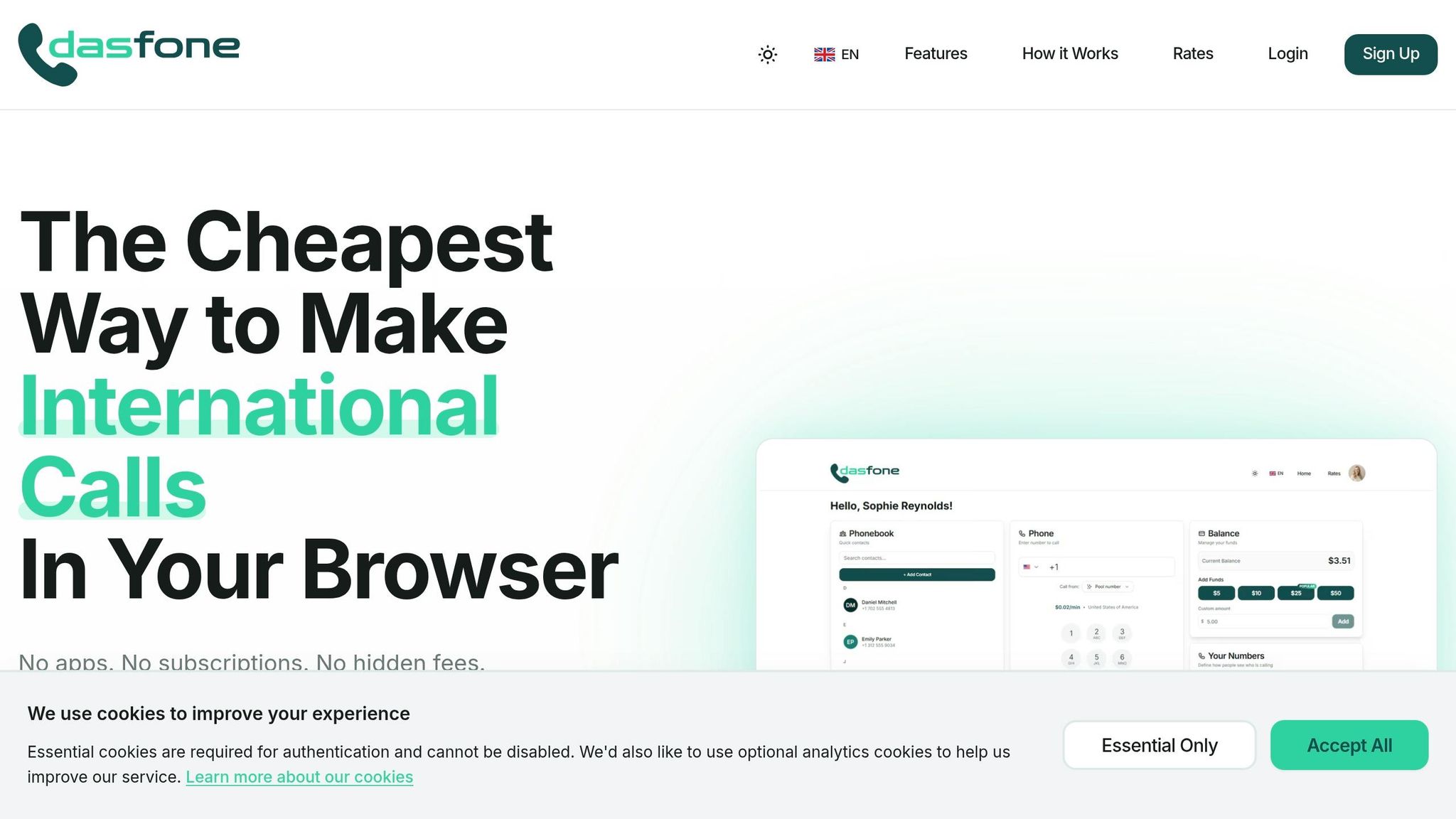
Dasfone is a simple solution for anyone needing international calls without the hassle of downloading apps, signing contracts, or dealing with hidden fees. Whether you're an expat staying in touch with family, a student managing overseas finances, or a business coordinating with global suppliers, Dasfone works straight from your browser. Here's a closer look at what makes it stand out and who benefits most.
Key Features and Benefits
Dasfone uses WebRTC technology, allowing you to get started in just 30–60 seconds. It supports calls to both landlines and mobile numbers in over 200 countries, delivering HD audio quality thanks to adaptive codecs.
Security is a top priority - every call is encrypted with AES-256, offering privacy even on public Wi-Fi networks. The platform operates on a pay-as-you-go model, charging by the second so you only pay for the time you use. New users also get a $2 credit upon sign-up (equivalent to up to 100 free minutes, depending on the destination) and a 25% discount on their first top-up with the code DF25. The minimum top-up is just $5.
Who Uses Dasfone and How
Dasfone is perfect for situations where messaging apps fall short. For example, calling a bank’s customer service line, a government office, or a business that only accepts phone calls. Expats rely on it to connect with family members who don’t use smartphones, while sales teams benefit from the custom caller ID feature, which displays a local number to boost answer rates. Small business owners also use Dasfone to manage communications with international suppliers without committing to a monthly phone plan.
Dasfone Feature Breakdown Table
Here’s a quick overview of how Dasfone’s features translate into real-world advantages:
| Feature | Practical Benefit | Common Use Case |
|---|---|---|
| Instant Browser Setup | Quick, no-download setup on any device | Travelers using shared computers or hotel business centers |
| Pay-As-You-Go Billing | Avoid paying for unused minutes | Students on a budget or expats making occasional calls |
| Custom Caller ID | Display a local number to increase call pickup rates | Sales teams reaching out to international leads |
| HD Audio & AES-256 Encryption | Secure and clear calls, even for sensitive topics | U.S. users contacting overseas banks or government offices |
| Global Coverage | Call landlines and mobiles in 200+ countries | Small businesses managing global supply chains |
| Virtual Numbers | Establish a local presence in 50+ countries | Businesses running international operations without local offices |
Who Benefits Most from Browser-Based Calling
The hassle-free, cost-effective nature of browser-based calling makes it a game-changer for various groups, including travelers, expats, students, and businesses.
Travelers and Digital Nomads
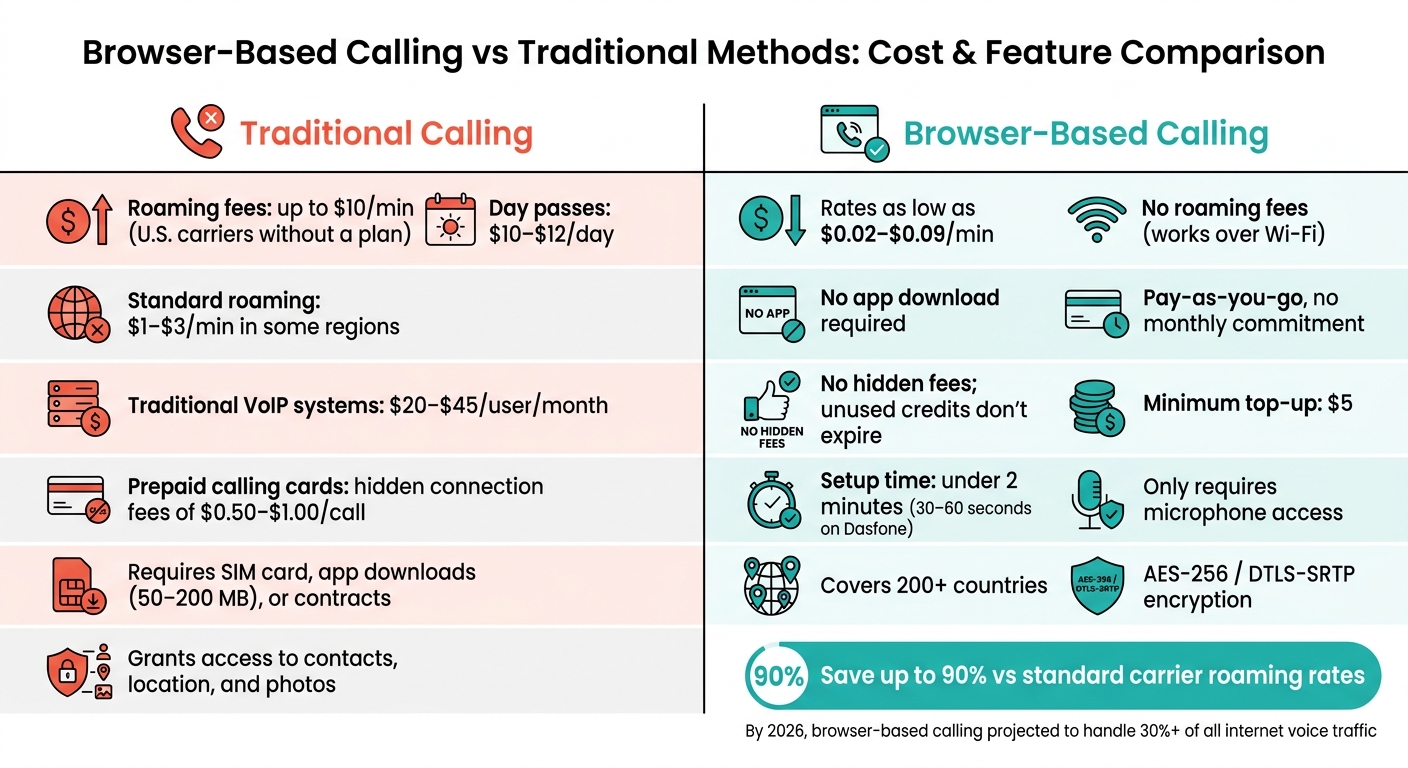
For international travelers, roaming fees can be a nightmare. U.S. carriers often charge $10 per minute for international calls without a specific plan, while day passes cost about $10–$12 per day [5]. Browser-based calling eliminates these charges entirely by operating over Wi-Fi, bypassing your carrier altogether.
The flexibility is unmatched - you can make calls from any device with a browser, whether it’s a laptop, tablet, or even a hotel computer. No need for a SIM card, and unlike traditional apps that demand 50–200 MB of storage and permissions for your contacts, location, and photos, browser-based tools only require microphone access. Before your trip, just top up your balance and test your connection to ensure at least 1 Mbps for smooth, high-quality calls.
Expats and international students can also take advantage of these savings and the convenience of browser-based calling.
Expats and International Students
While messaging apps are great for casual communication, they can’t connect to landlines often used by banks, government offices, or healthcare providers. Browser-based calling fills this gap seamlessly.
For expats and international students, the cost savings are substantial. Roaming with a standard carrier might cost $1–$3 per minute in some areas, while U.S. calls through browser-based platforms can be as low as $0.02 per minute [7]. That’s up to 90% in savings. With access to campus or home Wi-Fi, you can make calls from any device without needing a local SIM card. Adding a verified caller ID further increases the likelihood that institutions will pick up your call.
Small Businesses and Freelancers
Small businesses and freelancers stand to gain significantly as well. Traditional VoIP systems typically cost $20–$45 per user per month, regardless of how many calls are made. Browser-based platforms, on the other hand, operate on a pay-as-you-go model, charging only for the minutes used. This often involves a shared balance rather than individual user fees, making it a cost-effective option for teams with variable call volumes.
Freelancers working with clients across different countries can benefit from using local caller IDs, which improve answer rates. Virtual numbers, which cost approximately $1.90–$2.19 per month [1], make this possible. Tools like Dasfone support features like custom caller IDs and virtual numbers, offering small teams an affordable way to expand their international reach without committing to expensive monthly plans.
How to Set Up and Get the Most Out of Browser-Based Calling
Getting Started
Browser-based international calling is quick and easy to set up. Start by opening a modern browser like Chrome, Safari, Firefox, or Edge - any browser supporting WebRTC will work. Then, head over to the platform's website. Signing up typically requires just an email address and takes less than a minute [6][4].
Once you're signed in, check out the rate calculator. Rates can vary depending on the destination and whether you're calling a mobile or landline number. Add some funds to your account - most platforms allow you to start with as little as $5.00. After that, grant microphone permissions, enter the phone number (including the country code, like +44 for the UK), and press call [10][12]. Now you're ready to make your first call, but optimizing your setup will ensure a better experience.
Improving Call Quality
To get the best audio quality, you'll need to make a few adjustments. While the built-in microphone on your device can work, using a wired headset is a better option. It reduces background noise and echo, which is especially helpful during long conversations or noisy surroundings [11][12].
Also, close any tabs or apps that consume a lot of bandwidth, like streaming services or large downloads. For HD voice quality, aim for a stable internet connection with at least 1 Mbps speed [3][12].
If you run into issues, here’s a quick troubleshooting guide:
| Problem | Fix |
|---|---|
| They can't hear you | Check browser microphone permissions; ensure no other app is using the mic [11] |
| Call keeps dropping | Move closer to your router or switch between Wi-Fi and mobile data [11] |
| Echo or poor audio | Use a wired headset and close any background streaming apps [11][12] |
Always remember to use the full international dialing format, starting with the "+" prefix [12].
Tracking Costs and Managing Your Balance
One of the perks of browser-based calling is its pay-as-you-go model, which makes managing costs simple. Most platforms provide a real-time call log, showing the numbers dialed, call durations, and the exact cost per call [9][2].
A smart tip: top up your balance before traveling. Trying to add funds over unreliable airport or hotel Wi-Fi can be frustrating [5]. If available, enable the auto-top-up feature to avoid interruptions during calls when your balance gets low [3].
Unlike traditional prepaid calling cards, which often come with hidden fees like connection charges of $0.50 to $1.00 per call, browser-based platforms are typically more transparent. Many don’t charge extra fees, and unused credits often don’t expire [7][8].
"A card advertising 1 cent per minute frequently costs 10–15 cents per minute once all fees are factored in." - Serpius Dento, BoraPhone [7]
Conclusion
Browser-based international calling has quickly become a go-to communication tool. By 2026, it’s projected to handle over 30% of all internet voice traffic [8]. And it does so without requiring downloads, contracts, or roaming fees - offering rates as low as $0.02 per minute.
The appeal goes beyond just saving money. These tools provide access that messaging apps can’t match, connecting users to landlines, government offices, and businesses that don’t rely on social platforms. Whether you’re an expat reaching out to a bank, a freelancer managing overseas clients, or a small business conducting outbound campaigns, the ability to call any number directly from a browser is a game-changer.
As Ivan Labasok, Product Developer at Twin-Phone, puts it:
"The friction that used to come with international calling - buying a calling card, topping up a SIM, configuring a VoIP client - mostly disappears." - Ivan Labasok [13]
Take Dasfone, for example. It offers instant setup, transparent pay-as-you-go pricing, and crystal-clear HD audio, making it an excellent choice for fast and affordable international calls.
That said, it’s worth noting that these tools aren’t designed for emergency services. Always keep a traditional phone line for 911 calls. But for everything else, opening a browser tab and dialing is often the easiest and most cost-effective way to stay connected without the headaches of traditional methods.
FAQs
Do I need a phone number or SIM to call from a browser?
No, you don’t need a phone number or SIM card to make calls directly from your browser. All you need is an internet connection, and you can call any landline or mobile number around the globe. While it's not necessary to have your own number, many platforms offer the option to purchase a dedicated or virtual phone number. This can be useful for managing incoming calls or showing a local caller ID when making outbound calls.
Will browser-based calling work on hotel or public Wi-Fi?
Browser-based calling performs effectively even on hotel and public Wi-Fi. Because calls are transmitted over the internet, you can sidestep the usual roaming fees. Dasfone ensures your conversations stay private on public networks by using DTLS-SRTP protocols along with 256-bit AES encryption. To enjoy clear, high-quality audio, make sure your internet connection offers a stable speed of at least 1 Mbps for both uploads and downloads.
How can I show a local caller ID when calling internationally?
To show a local caller ID when making international calls, Dasfone offers browser-based tools that let you control your outbound identity. Simply go to your account settings, where you can either select a verified number or buy a dedicated caller ID specific to your target region. Once the number is verified, it will display as the caller ID on the recipient's device. This makes it easier to maintain a local presence while reaching out across borders.
Related Articles
Ready to Make International Calls?
Try dasfone today and make your first international call in seconds. No app download, no subscription—just instant, affordable calling from your browser.
Start Calling Now