Custom Caller ID for Businesses: Why It Matters
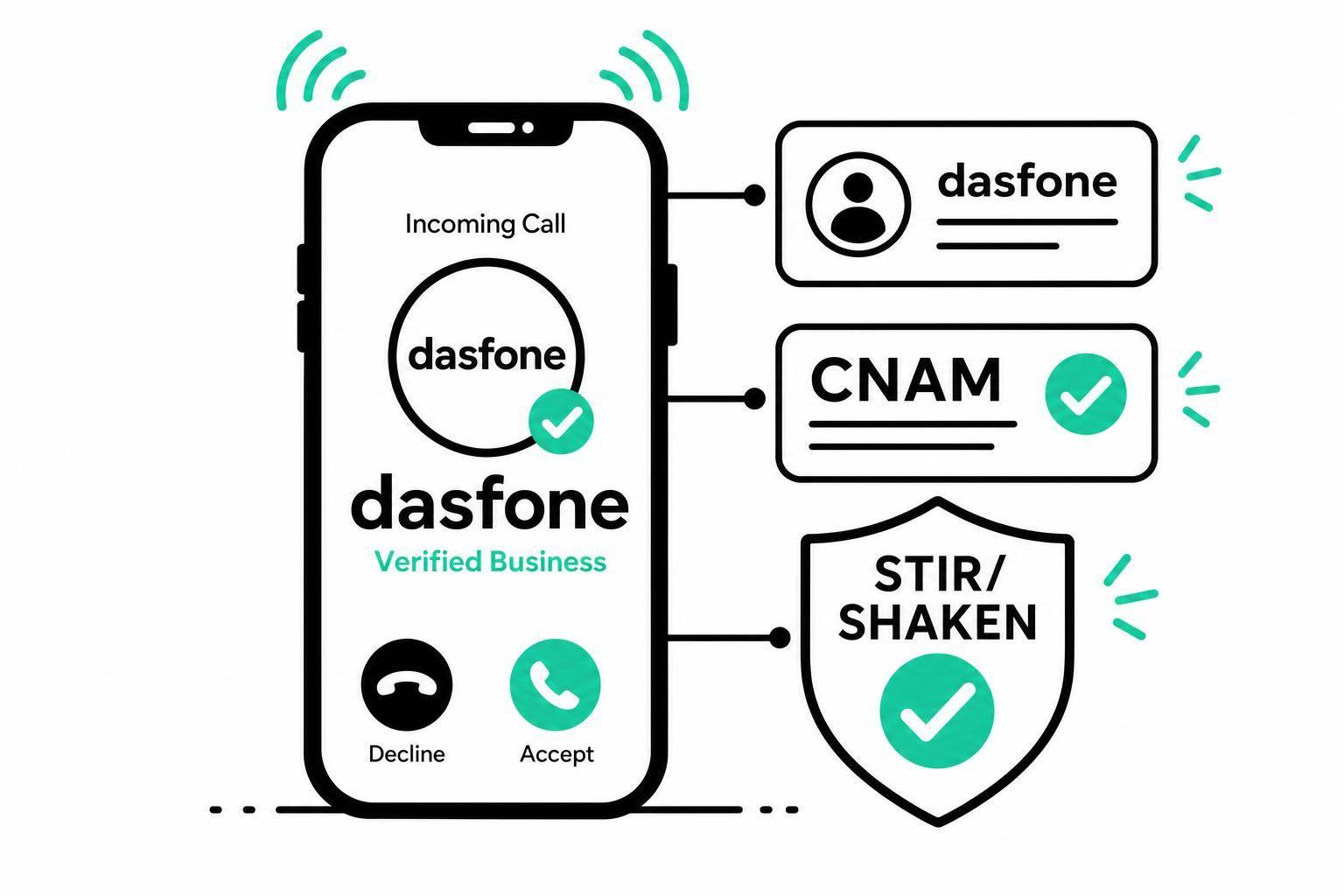
Custom Caller ID for Businesses: Why It Matters
If your business calls show up as "Unknown", many people won't answer. In the U.S., 80% of consumers think unknown calls are likely fraud, and 94% of unknown calls go unanswered. That means missed sales, missed support calls, and more follow-up work.
Here’s the short version:
- Default caller ID hurts answer rates
- A business name on calls helps people recognize you
- Spam labels can block trust before the call starts
- STIR/SHAKEN and CNAM setup affect how your calls appear
- One number and one business name help teams stay consistent
- This matters even more for remote teams and international calling
A few numbers stand out:
- Up to 44% higher answer rates with custom business caller ID
- 3x higher connect rates in one reported case
- 20% to 400% better answer rates when calls use a familiar local number
- 7 to 14 days is a common CNAM update window in the U.S.
What I take from this is simple: if I want more people to answer, I need to stop calling with a generic identity. I should audit how my calls show up, pick one short business name, use one outbound number, register CNAM, make sure calls pass STIR/SHAKEN, and keep checking for spam flags.
The article below explains the cost of generic caller ID, how custom caller ID works, where it helps most, and how to set it up in a browser-based calling setup.
Outbound Caller ID Feature (Benefits & How to Use)?
The Real Cost of Using a Generic Caller ID
94% of unknown calls go unanswered [8], and a generic number doesn't just sit there doing nothing. It can drag down answer rates and chip away at trust.
Here’s the gap side by side:
| Factor | Default/Generic Caller ID | Custom Business Caller ID |
|---|---|---|
| Answer Rate | Very low; most calls are ignored [8] | Up to 44% higher answer rates [8] |
| Trust Level | Low; often perceived as scam or fraud [1] | Higher; recipients can identify the business before answering [2] |
| Brand Recognition | None; raw digits or "Unknown" | Name, logo, and call reason displayed [11] |
| Spam-Label Risk | High; prone to "Spam Likely" flags [9] | Low; authenticated through STIR/SHAKEN [9][10] |
That gap tends to hit in two places first: answered calls and revenue.
Fewer answered calls and lost revenue
When people don’t pick up, teams have to call again, leave voicemails, and keep chasing follow-ups. That eats up time without bringing in more revenue [7]. It’s the kind of drag that looks small call by call, then snowballs.
Warren Lentz, CEO of Yellowstone Local, put custom caller ID software in place and saw a 3x increase in connect rates plus double the meetings booked per sales rep [9].
And the damage doesn’t stop at missed calls. It also hurts trust and makes spam labels more likely.
Trust, brand, and compliance risks
If a recipient doesn’t know the number, they often assume the worst. Fair or not, unfamiliar outbound calls can look like scam traffic. Major carriers run analytics on outbound numbers, and if your call volume or pattern looks off, your number can be marked as "Spam Likely" [3][9].
There’s also a rules side to this. Carriers are increasingly mandating STIR/SHAKEN authentication as they keep tightening authentication requirements [5]. If a call can’t be cryptographically verified, it has a higher chance of being blocked or pushed down in trust.
Challenges for remote teams and international callers
This gets messier for remote teams. A sales rep, support agent, and account manager may all be calling from different devices or places, which means each outbound call can show a different number. To the person receiving it, none of those numbers look tied to your business.
It gets even tougher when teams call U.S. offices or customers from a foreign country code. That kind of mismatch can make people hesitate for a split second - and that’s often enough for the call to go unanswered.
The fix is simple: use one consistent business identity on every outbound call.
How Custom Caller ID Fixes These Problems
Custom caller ID tackles those problems head-on. Instead of showing a plain number or "Unknown", your outbound calls display a verified business name. On supported networks, they can also show your logo and the reason for the call [6]. The idea is simple: every outbound call should look like it came from one trusted business.
Custom caller ID turns a messy outbound setup into one clear company presence.
A consistent business identity on every call
A verified business name cuts down on doubt before someone answers. On supported networks, branded caller ID can also show a logo and a call reason, like "Appointment Reminder" or "Account Update." In the U.S., CNAM is capped at 15 characters, so branded calling adds context that a name by itself can't give [6]. The call feels deliberate, not anonymous.
One identity across teams, devices, and markets
Using one outbound number and one business name helps avoid mixed signals across sales, support, and billing. Local numbers can help boost answer rates, while one business name keeps the company look the same across each call.
Why caller ID setup matters in browser-based international calling
This matters even more when teams use browser-based calling apps from laptops and different countries. Browser-based calling works better when caller ID is set up once and used the same way every time. In browser-based international calling, a dedicated caller ID keeps remote and cross-border outreach tied to one business identity.
How to Set Up Custom Caller ID in a Browser-Based Setup
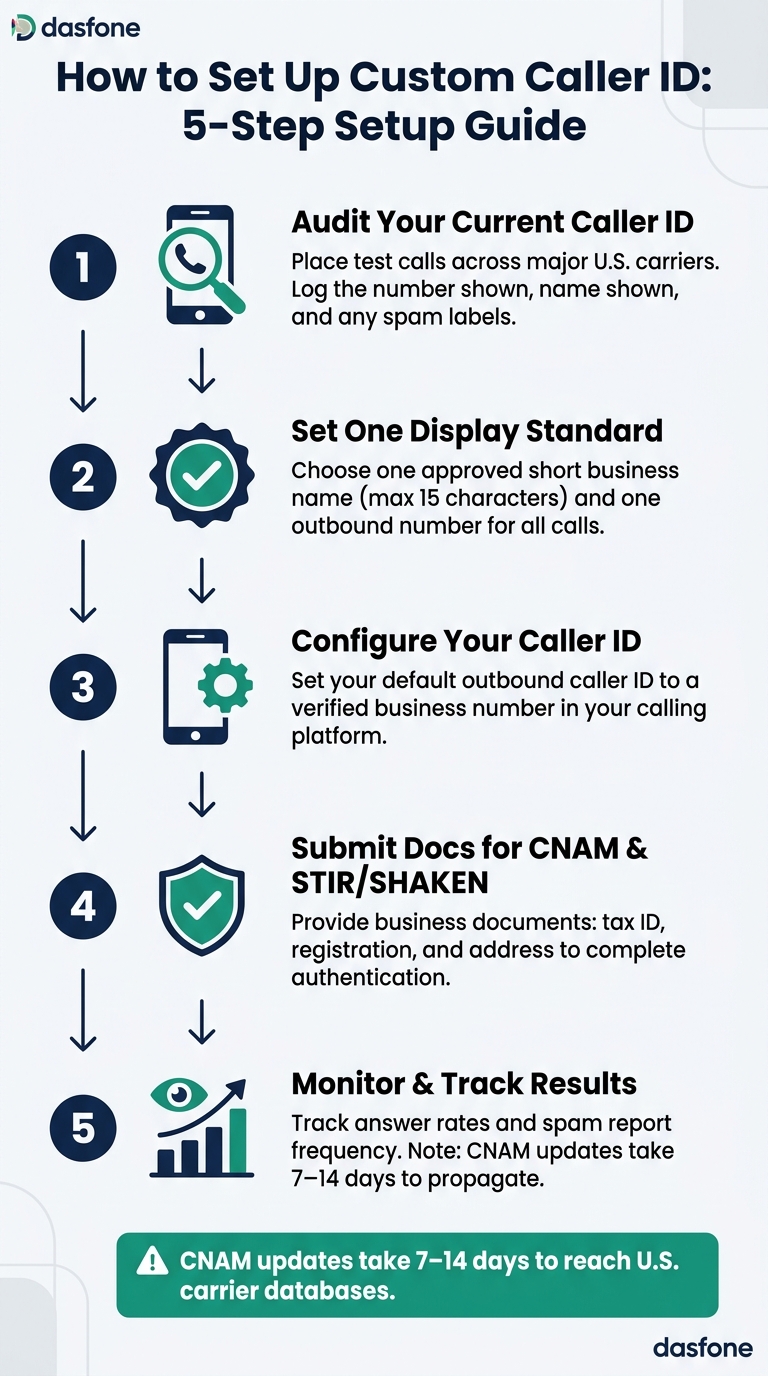
Getting caller ID right starts with one clear standard and a process your team can repeat.
Audit your current caller ID and set one standard
Before you change anything, check what people actually see today. Place test calls across major U.S. carriers and both mobile operating systems. Then log the number shown, the name shown, and whether a spam label appears [3][13].
That audit gives you the full picture. From there, pick one display name and one outbound number to use for every outbound call. If different teams or devices use different caller identities, things get messy fast.
There’s also a simple limit to keep in mind: standard CNAM displays are capped at 15 characters [4][12]. If your business name is longer, shorten it now so people can still recognize it at a glance.
Configure, verify, and monitor your caller identity
Once your standard is set, the setup is pretty straightforward:
| Step | Action |
|---|---|
| 1. Audit | Test calls to mobile and landline numbers; record displayed name, number, and spam labels |
| 2. Standardize | Define an approved short name and full name |
| 3. Configure | Set default outbound caller ID to a verified business number |
| 4. Verify | Submit business docs for CNAM/STIR/SHAKEN: tax ID, registration, address |
| 5. Monitor | Track answer rates and spam report frequency |
One thing to expect: carrier databases control name display, so changes may not show up right away. CNAM updates usually take 7 to 14 days to reach U.S. carrier databases [3][4][13].
For browser-based international calling, dasfone offers instant setup, pay-as-you-go pricing, and a dedicated caller ID - no apps or subscriptions required. In that kind of setup, using a single caller identity across devices and countries matters even more.
Those checks help you spot which calls need the strongest caller ID standard.
Where Custom Caller ID Has the Most Impact
Use cases where caller ID customization pays off most
Once caller ID is standardized, the next move is simple: use it where it changes results the most.
Custom caller ID has the biggest effect in outbound sales, support, and international calling.
Outbound sales and cold calling tend to see the largest gains. Answer rates can improve by 20% to 400% when people see a familiar area code [5]. That makes sense. If a number looks local or recognizable, more people are willing to pick up.
The same pattern shows up in service and support. A recognizable business number can cut missed callbacks and help teams solve issues faster. When customers know who's calling, there's less hesitation.
This matters even more across borders and remote teams. For expats, students, importers/exporters, and companies making international calls, a steady caller identity helps show that the call is from a real business from the first ring. For browser-based international calling, dasfone supports dedicated caller ID and instant setup without apps or subscriptions. A dedicated caller ID keeps cross-border calls tied to one trusted business identity.
Conclusion: A small caller ID change with a large business effect
Generic caller ID can push answer rates down. A consistent business identity can pull them back up.
Start by auditing how your caller ID appears today across major U.S. carriers. Then lock in one display name and one outbound number, register your CNAM, make sure your calls are authenticated under STIR/SHAKEN, and track answer rates over time.
Businesses using branded caller ID solutions have reported a 31% increase in answer rates [1]. For outbound teams, that's a small change that can deliver an outsized return.
FAQs
How do I know if my business number is flagged as spam?
Monitor your caller ID reputation with analytics from your carrier or VoIP provider. It’s one of the simplest ways to spot trouble before it starts.
You should also make test calls to both mobile and landline numbers to see how your caller ID shows up in the wild. What looks fine in your dashboard may look very different on someone’s phone.
Your number may be flagged if recipients see "Spam Likely" or "Unknown" instead of your business name. Check this on a regular basis, because carriers can update or override your registered information based on calling patterns and consumer reports.
What business name should I use for CNAM?
Use your official legal business name for CNAM. Skip vague labels like “support” or “info” because they can confuse people and hurt answer rates.
CNAM gives you only 15 characters, so longer names need to be shortened or trimmed. Use the same business name across all your phone numbers, and make sure your details are verified through your provider so the name shows up correctly across carrier databases.
How long does custom caller ID take to appear?
Custom caller ID updates are not instant. Your display name passes through more than one carrier record and database, so it can update on different timelines depending on the network.
Some changes appear within 72 hours. But across U.S. carriers, full updates can take up to 7 business days. In some cases, it may take up to two weeks for the change to show in most databases.
Related Articles
Ready to Make International Calls?
Try dasfone today and make your first international call in seconds. No app download, no subscription—just instant, affordable calling from your browser.
Start Calling Now