WhatsApp vs Browser Calls for Trade Offices
WhatsApp vs Browser Calls for Trade Offices
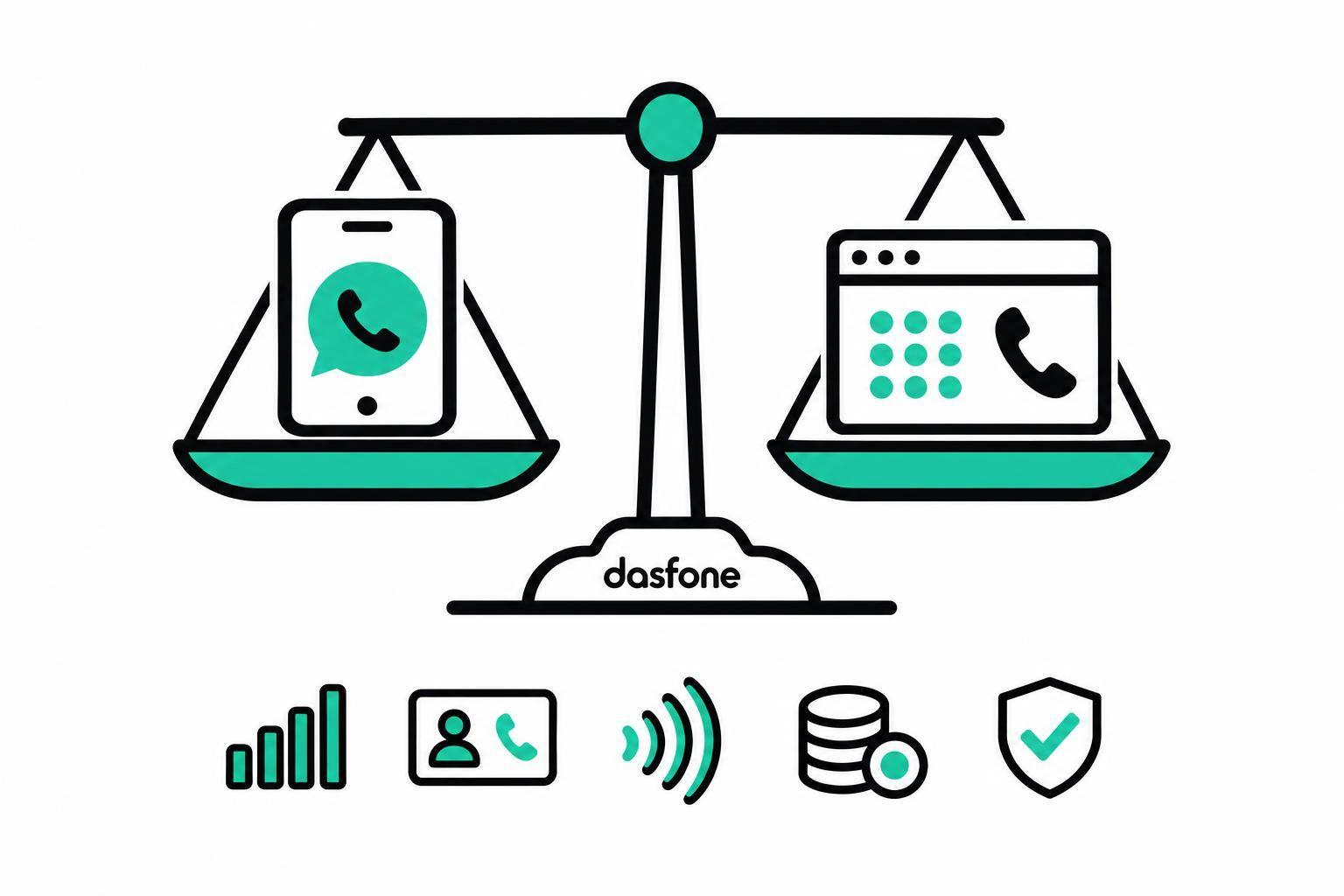
I’d use WhatsApp for contacts who accept app calls and dasfone for supported office phone numbers. Before calling a bank, customs desk, or trade office, I’d check its official number, hours, destination rate, and any extensions.
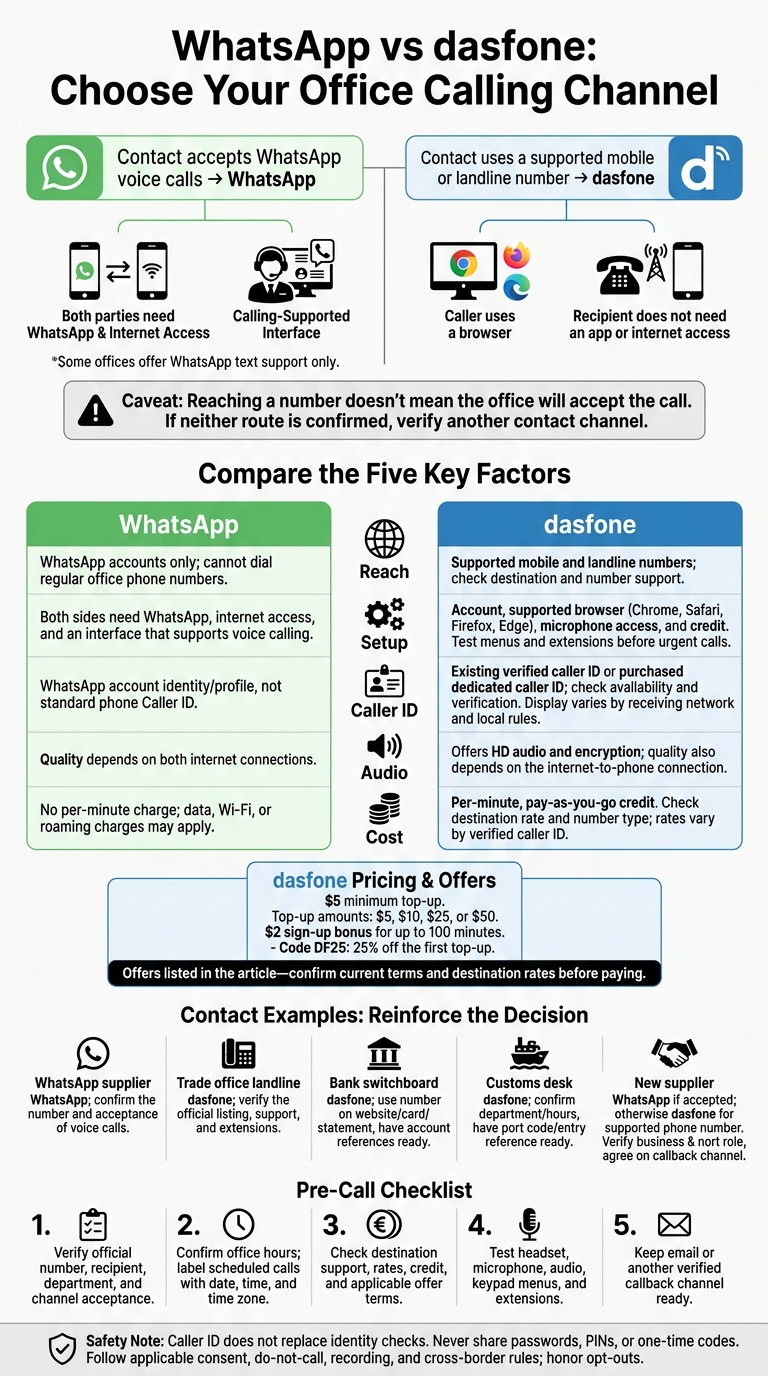
The choice comes down to reach, setup, caller ID, audio, and cost. WhatsApp requires both people to have the app, internet access, and a calling-supported interface. dasfone connects through a browser to supported phone numbers; the recipient doesn’t need an app.
Quick Comparison
| Factor | dasfone | |
|---|---|---|
| Reach | WhatsApp accounts only; no regular phone numbers | Supported mobile and landline numbers |
| Setup | Both sides need WhatsApp and internet access | Account, supported browser, microphone access, and credit |
| Caller ID | WhatsApp account identity | Verified or purchased caller ID; display varies by network and local rules |
| Audio | Depends on both internet connections | Offers HD audio; quality also depends on the phone connection |
| Cost | No per-minute charge; data charges may apply | Per-minute rates; $5 minimum top-up |
For budgeting, the article lists a $2 sign-up bonus for up to 100 minutes and code DF25 for 25% off the first top-up. I’d confirm those offers and the rate for my destination before paying.
My final check: test the headset and keypad menus, confirm the recipient, and keep a backup contact channel ready. Reaching a number doesn’t mean the office will accept the call. I’d also follow identity checks and applicable consent, do-not-call, recording, and cross-border rules - and never share passwords, PINs, or one-time codes.
WhatsApp Calling Requirements and Office Limits
Accounts, Internet Access, and Browser Support
Trade offices often use WhatsApp only for text support. They may not enable or answer voice calls. For WhatsApp voice calls to work, both sides need WhatsApp, internet access, and an interface that supports voice calling.
A landline, switchboard, or toll-free number doesn’t mean the office accepts WhatsApp calls. Confirm that it does before dialing.
Profile Details and Data Charges
Recipients see your WhatsApp profile, not standard phone Caller ID[2]. When traveling, use Wi-Fi to avoid roaming charges. Your data plan and roaming terms determine the cost - not the length of the call.
If the office uses a regular phone number, browser calling is the next step.
Calling Office Numbers With dasfone
When a trade office answers a regular phone number, browser calling can reach a desk that WhatsApp can’t. dasfone lets you call supported mobile and landline numbers from your browser. Available destinations depend on number support.
Setup, Supported Numbers, and Extensions
dasfone works with Chrome, Safari, Firefox, and Edge. Create an account, allow microphone access, and check your credit balance before dialing.
Before an urgent call, confirm the exact number and test any menus or extensions. This is especially important when calling switchboards, direct lines, or numbers with extension menus.
Caller ID, Audio Quality, and Encryption
With dasfone, you can use an existing caller ID or buy a dedicated one. Check availability and any number-verification requirements first. The service also offers high-definition audio and encryption.
Call Rates, Top-Ups, and Sign-Up Offers
Check the destination rate before planning your budget. dasfone’s rate calculator lets you look up costs by destination and number type. Rates can also vary by verified caller ID, so check that before estimating your costs.
dasfone uses pay-as-you-go pricing, with a $5 minimum top-up. You can add credit in $5, $10, $25, or $50 increments.
New users get a $2 sign-up bonus for up to 100 minutes. Use code DF25 for 25% off your first top-up.
WhatsApp vs dasfone: Calling Comparison
Reaching an office number doesn’t guarantee the office will accept your call. With setup covered, compare which channel reaches the right number, how caller ID works, audio quality, and cost.
| Factor | dasfone | |
|---|---|---|
| Reach | Both sides need WhatsApp and internet access. It cannot dial regular office numbers. | Calls supported phone numbers at banks, customs desks, and trade offices. Recipients don’t need an app or internet access. |
| Caller ID | Uses your WhatsApp account identity. | Lets you use a verified number or buy a dedicated caller ID. Its display depends on the receiving network and local rules. |
| Audio | Depends on both sides’ internet connections. | Offers high-definition audio. Quality also depends on the internet-to-phone connection. |
| Cost | No per-minute charge, though data or Wi-Fi costs may apply. | Uses per-minute, pay-as-you-go credit. |
Neither channel bypasses office policy or destination rules. Once you’ve checked reach, look at how you’ll control spending.
Call Costs and Budget Controls
WhatsApp costs come from data or Wi-Fi use, while dasfone charges per minute using credit. Set a team call budget, check rates before dialing, and track usage monthly.
Then check whether the audio is clear enough to discuss shipment, payment, or clearance details.
Connection Needs and Audio Checks
Before calling a switchboard, test microphone access, make sure both sides can hear each other, and try keypad navigation.
Conclusion: Choose by Contact Type
Choose the channel that fits the contact’s number and workflow: WhatsApp for app-to-app calls, dasfone for supported office numbers.
| Contact type | Suitable method | Reason | Checks before calling |
|---|---|---|---|
| WhatsApp supplier | Supports app-to-app calls only. | Confirm the WhatsApp number and whether the contact accepts voice calls. | |
| Trade office landline | dasfone | Reaches a published office number. | Check the official listing, extensions, and whether the number is supported. |
| Bank switchboard | dasfone | Connects to telephone menus and verification teams. | Use the number on the bank’s website, card, or statement. Have account references ready. |
| Customs desk | dasfone | Reaches published customs or port numbers. | Confirm the department and office hours. Have the port code and entry reference ready. |
| New supplier | WhatsApp if accepted; otherwise dasfone for a supported phone number | Uses the verified contact channel. | Verify the business and the contact’s role. Agree on a callback channel. |
Check Numbers, Office Hours, and Calling Rules
Before every call, check official sources, local office hours, and documented calling rules. Include the date, time, and time zone when labeling scheduled calls.
Caller ID doesn’t replace bank identity checks. Follow the bank’s official verification process, and never share passwords, PINs, or one-time codes. Don’t send sensitive information to an unverified recipient.
Keep email or another callback channel ready. Before making unsolicited calls, check the consent, do-not-call, recording, and cross-border rules that apply. Manual dialing doesn’t remove these duties. For covered U.S. campaigns, update National Do Not Call Registry data at least every 31 days.[3] Honor opt-outs.
FAQs
What if an office rejects my caller ID?
Carriers may flag your number as spam, or recipients may not see a recognized business name when you call. A dedicated virtual number with a local area code from dasfone can help build trust and improve answer rates.
Register your business name in national databases to set your Caller ID Name (CNAM). Also, register your number with major carrier analytics services to help prevent incorrect spam labels.
Am I charged while waiting on hold?
Yes. Dasfone’s pay-as-you-go billing covers the entire connection, including time spent on hold or navigating automated phone menus. All of that time is billed at your destination’s standard per-minute rate.
Before you dial, check your destination’s per-minute rate with the rate calculator on the dasfone dashboard to help plan your budget.
How can I troubleshoot extension menus?
Check the pause formatting when dialing an extension through an Interactive Voice Response (IVR) system. Insert "w" characters into the number sequence to add 0.5-second pauses. This gives the system time to respond to your input [1].
If you still have trouble connecting or navigating the menu, check your control panel to confirm that your caller ID is authorized. Also, make sure your account settings match the country and line you’re calling [1].
Related Articles
Ready to Make International Calls?
Try dasfone today and make your first international call in seconds. No app download, no subscription—just instant, affordable calling from your browser.
Start Calling Now