Browser-Based Calling: Key Features
Browser-Based Calling: Key Features
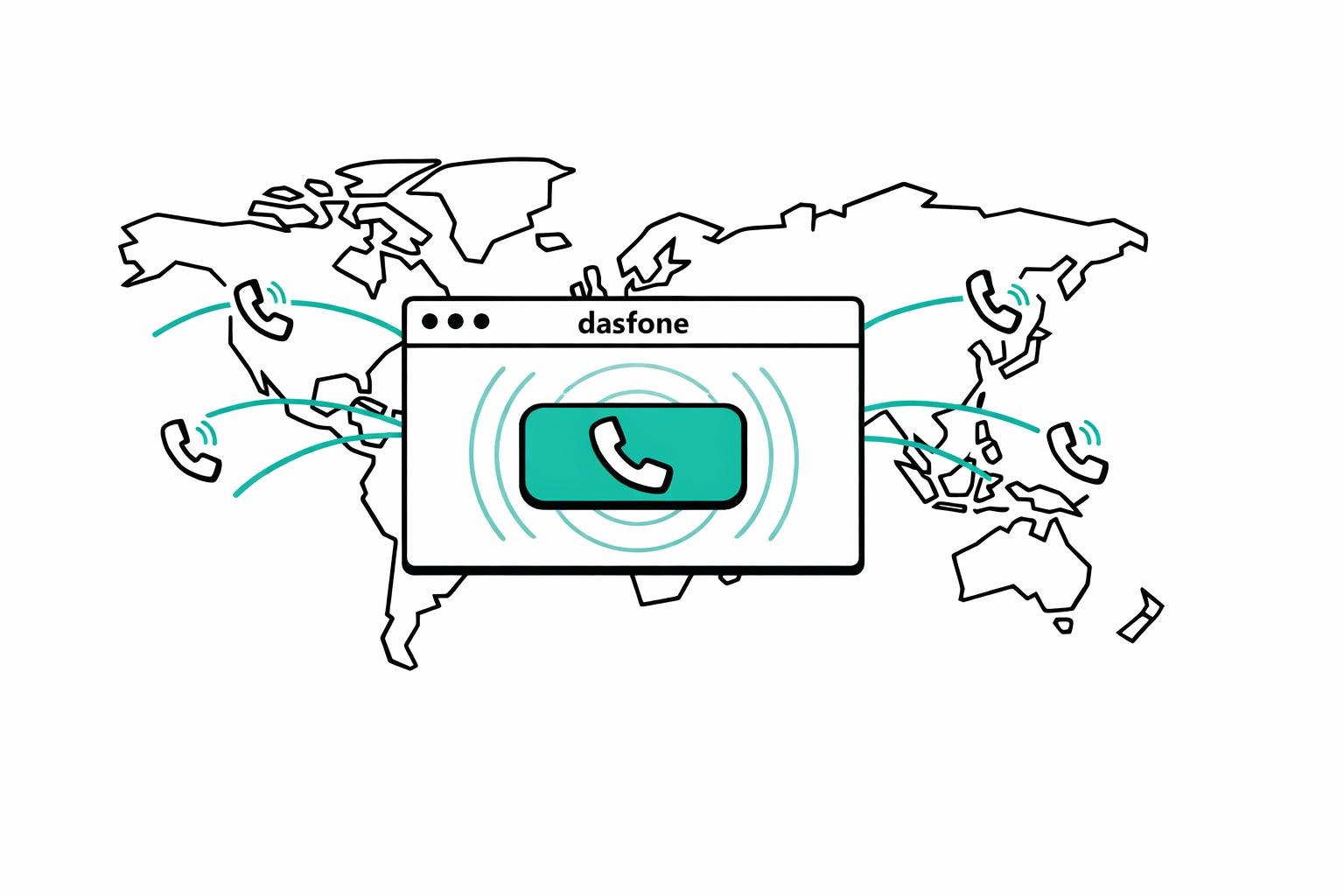
Making international calls is now easier than ever with browser-based calling. You can call any phone number worldwide directly from your web browser - no downloads, no accounts, no complications. Powered by WebRTC technology, this solution offers clear audio quality, fast setup, and flexible pay-as-you-go pricing. Here's what makes it stand out:
- Quick Setup: Start calling in under a minute - just open your browser, grant microphone access, and dial.
- High-Quality Audio: Calls use the Opus codec for crystal-clear sound at 48kHz.
- Global Compatibility: Works on any device with a modern browser - no app installations needed.
- Affordable Pricing: Pay only for the minutes you use, with rates as low as $0.02/min.
When you compare browser-based calling apps to traditional software, web solutions eliminate the need for downloads, storage space, and subscriptions. Perfect for occasional international calls, it’s a hassle-free way to stay connected wherever you are.
1. Browser-Based Calling Solutions
Setup Speed
Getting started with browser-based calling takes less than a minute. All it requires is opening a website, granting microphone access once, entering the phone number, and you’re ready to talk - no downloads, no installations. This simple three-step process is perfect for urgent calls. Platforms like dasfone even let you start dialing right away and add credits during the call, skipping the hassle of setting up an account beforehand. Plus, since these solutions work directly in standard web browsers, there’s no need for administrative permissions to install software, making it ideal for restricted devices. And as a bonus, the setup process doesn’t compromise on audio quality. [1]
Audio Quality
Browser-based calling uses WebRTC technology paired with the Opus codec to deliver crystal-clear, high-definition audio. Calls are sampled at 48kHz, offering a much wider frequency range than the 8kHz compression used by traditional phone networks. With just a 5 Mbps internet connection, you can maintain excellent sound quality. While built-in laptop microphones work fine for short calls, using a headset is a better option for longer conversations - it minimizes echo and enhances clarity. [1]
Global Accessibility
With a modern browser, you can make calls from nearly any device - desktop, laptop, tablet, or smartphone - without installing extra software. Popular browsers like Chrome, Safari, Firefox, and Edge all support WebRTC, meaning you could even use a public library computer or a borrowed tablet to place a call. This flexibility is especially handy in corporate settings where firewalls might block other VoIP services. WebRTC often bypasses these restrictions using TURN servers. Another advantage? Updates happen automatically on the server side, so there’s no need to download patches or updates manually. This eliminates the hefty storage requirements (80MB to 100MB or more) of traditional VoIP apps. With global coverage from services like dasfone, you can call businesses, government offices, or anyone not using messaging apps. And while the performance is impressive, the pricing is equally attractive. [1]
Pricing Model
The efficiency of browser-based calling extends to its pricing. A pay-as-you-go model ensures you only pay for the minutes you use - no subscriptions, no hidden fees. For example, calling a US landline can cost as little as $0.02 per minute. An international call lasting 23 minutes might only set you back $0.71, compared to the $5 or more charged by hotel phones. Dasfone keeps things flexible with minimum top-ups starting at $5, and first-time users often get a 25% discount on their initial top-up. Plus, credits typically don’t expire, making it a great option for occasional international calls. [1]
WebRTC for Beginners: The Complete Protocol Breakdown
2. App-Based Calling Solutions
App-based calling, while offering some benefits, introduces extra challenges compared to browser-based alternatives.
Setup Speed
Getting started with app-based calling often takes time. You need to download approximately 87MB of software, install it, grant permissions, and sometimes create an account before making your first call. In workplaces, this process can hit a wall if IT departments block third-party app installations on company devices. This can be a serious hurdle, especially when you need to make an urgent call.
Device Compatibility
Apps are designed for specific operating systems, meaning you'll need separate versions for iOS, Android, Windows, or Mac. This becomes a problem if you're using a borrowed or public device where installation isn't an option. While mobile apps work well on smartphones, they’re not as practical for desktops or tablets without installation access. On the other hand, browser-based calling works effortlessly on any device with a modern browser like Chrome, Safari, Firefox, or Edge [1][2].
Audio Quality
Audio performance is another key difference. Many calling apps use advanced technology, like the Opus codec with 48kHz sampling, offering much better sound than the 8kHz compression used in traditional phone lines [1]. However, audio quality still depends heavily on your network and hardware. For example, mobile apps might experience lower network priority during congestion [4]. Additionally, Bluetooth headsets can sometimes switch to a lower-quality "communication mode" during calls, which affects sound clarity compared to the high-fidelity mode used for music playback [3].
Pricing Model
Most app-based calling services operate on a subscription model, requiring you to pay a monthly fee regardless of how many calls you make. In contrast, browser-based solutions typically charge only for the minutes you use, avoiding recurring costs [1][2].
Advantages and Disadvantages
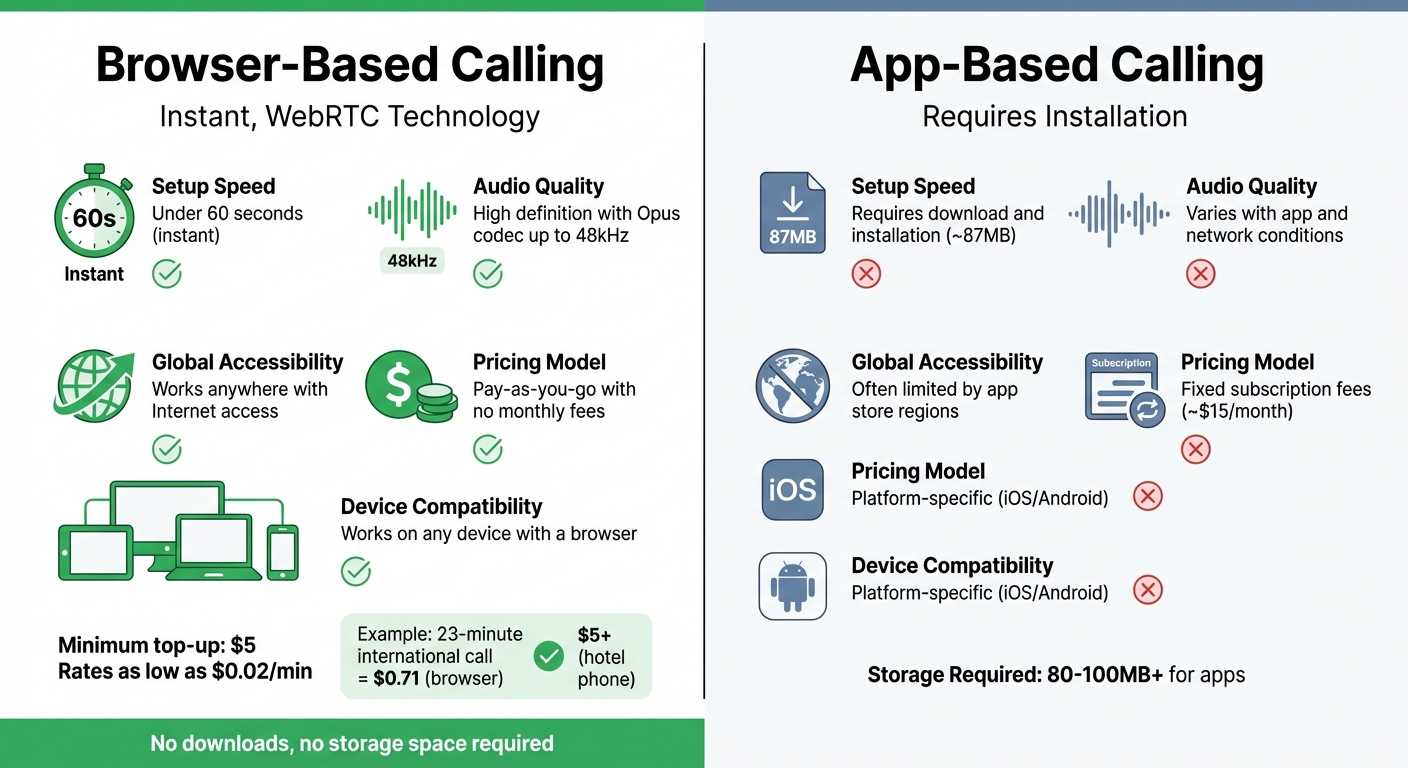
When deciding between browser-based and app-based calling, it's essential to weigh the benefits and limitations of each. Both options cater to different needs, so understanding their trade-offs can help you make the right choice.
Browser-based calling stands out for its ease of use and flexibility. Calls can be initiated immediately without the hassle of lengthy downloads or installations. This makes it perfect for occasional international calls, like reaching out to a hotel or business abroad. Plus, with pay-as-you-go pricing, you only pay for what you use, avoiding recurring subscription fees. For instance, services like dasfone allow you to start with as little as $5 and provide global calling without any geographic restrictions. Additionally, browser-based calling works on any device with a modern browser and sidesteps IT restrictions that might block app installations.
On the other hand, app-based calling is often better suited for frequent users. While these services typically require a subscription - around $15 per user per month - they often include extra perks like video calling and messaging. However, the need for app downloads introduces an upfront commitment, and availability can sometimes be restricted by geographic limitations tied to app stores.
Here’s a quick comparison of the two options:
| Feature | Browser-Based Calling | App-Based Calling |
|---|---|---|
| Setup Speed | Instant (under 60 seconds)[1] | Requires download and installation |
| Audio Quality | High definition with Opus codec (up to 48kHz)[1] | Varies with app and network conditions |
| Global Accessibility | Works anywhere with Internet access | Often limited by app store regions[5] |
| Pricing Model | Pay-as-you-go with no monthly fees[2] | Fixed subscription fees[6] |
| Device Compatibility | Works on any device with a browser | Platform-specific (iOS/Android)[5] |
While browser-based calling offers unmatched flexibility for occasional use, it does require keeping an eye on your credit balance. In contrast, app-based calling provides predictable costs for heavy users but demands a subscription commitment and additional storage space. The choice ultimately depends on your calling habits and priorities.
Conclusion
The best calling solution depends on your habits and how you access your device. Browser-based platforms like dasfone provide instant access without requiring downloads, making them perfect for expats, digital nomads, and businesses needing global reach. Thanks to WebRTC technology, these platforms deliver high-quality audio at up to 48kHz, ensuring clear and reliable communication [1]. This combination of simplicity and superior audio quality highlights the appeal of browser-based calling.
For those who only make occasional international calls, pay-as-you-go pricing is a smart choice. Starting at just $5, you only pay for the minutes you use, avoiding the expense of unused subscription plans.
The growing demand for click-to-call features backs up these benefits. The market is expected to grow to $66.6 billion between 2022 and 2027 [7], underscoring the increasing need for practical and accessible calling solutions. Unlike app-to-app calling, browser-based services allow you to connect with actual phone numbers, breaking free from the limitations of app-only communication.
Whether you're navigating life abroad, working remotely, or running a business, browser-based calling offers unmatched convenience. Forget about swapping SIM cards, dealing with app store restrictions, or committing to monthly fees - just open your browser and make the call.
FAQs
Which browsers support WebRTC calling?
WebRTC calling works smoothly on major browsers like Google Chrome, Mozilla Firefox, Microsoft Edge (Chromium-based), Safari (on macOS and iOS), and Opera. These browsers provide the necessary support to ensure a smooth and reliable browser-based calling experience.
Will it work behind office firewalls or on locked-down devices?
Browser-based calling tools, such as dasfone, work effortlessly even behind office firewalls or on restricted devices. They leverage WebRTC technology, which is integrated into modern web browsers. This enables secure and smooth operation across different network setups - no need for extra software downloads or installations.
How do I keep my caller ID consistent when calling internationally?
To keep your caller ID consistent for international calls, you can opt for or buy a dedicated caller ID number. Dasfone offers this service, ensuring your number remains recognizable regardless of the country you're dialing. This not only helps establish trust but also makes it easier for your international contacts to identify you.
Related Articles
Ready to Make International Calls?
Try dasfone today and make your first international call in seconds. No app download, no subscription—just instant, affordable calling from your browser.
Start Calling Now