Best Browser Dialer Features for Sales Teams
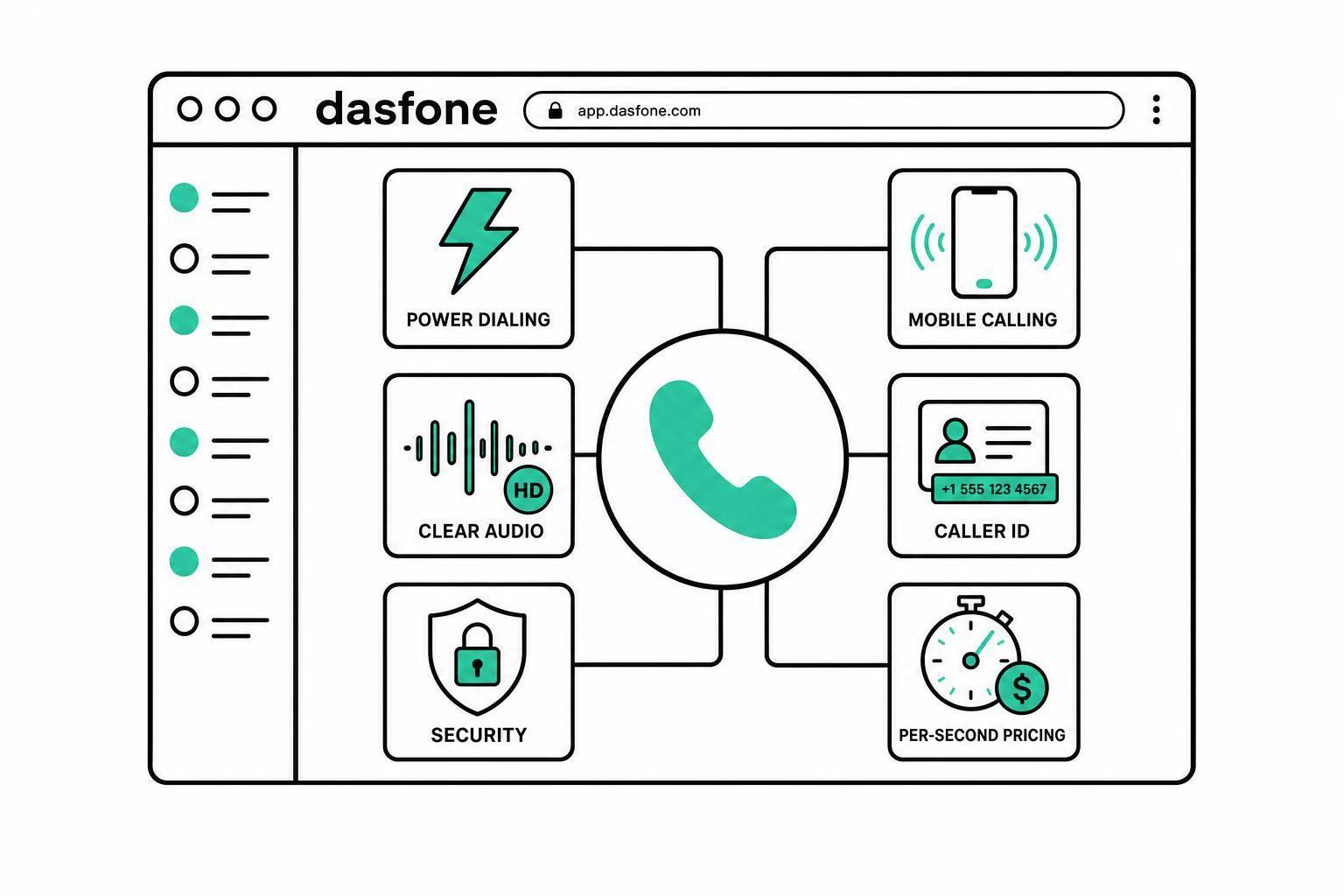
Best Browser Dialer Features for Sales Teams
If I had to cut this down to one line, it’s this: the best browser dialer for a sales team makes calling easy, keeps audio clear, tracks every call, shows the right caller ID, and keeps costs easy to predict.
If you’re comparing dialers, I’d check 8 things first: setup, mobile browser use, call quality, power dialing, call logs, caller ID options, security, and global coverage. I’d also look at pricing details like per-second billing, mobile vs. landline rates, and whether there are monthly fees.
Here’s the short version of what matters most:
- No installs or hardware so reps can start the same day
- Mobile browser support for calling away from a desk
- Clear audio to cut repeats and keep calls moving
- Power dialing to reduce idle time between calls
- Call logs and history for follow-up and rep tracking
- Caller ID control with local or business numbers
- Encrypted calling and account protection for lead data
- Country and destination support before launch
- Clear pricing so short calls don’t get overbilled
Top 5 Power Dialers for B2B Cold Calling Teams
Quick Comparison
| What to check | What I’d look for | Why it matters |
|---|---|---|
| Setup | No downloads, no desk phones | Reps can start fast |
| Mobile access | Works in phone and tablet browsers | Calling doesn’t stop outside the office |
| Audio | Low delay, clear sound | Fewer broken conversations |
| Dialing workflow | Power dialing or click-to-call | More calls per rep |
| Call tracking | Logs, recordings, CRM sync | Better follow-up |
| Caller ID | Local numbers, business number use | More trust and more answered calls |
| Security | Encrypted calls, protected accounts | Safer customer and lead data |
| Coverage | Country list plus mobile/landline support | Fewer surprises in new markets |
| Pricing | Per-second billing, no hidden fees | Better cost control |
A few numbers can change your total spend fast. For example, if a provider rounds every call to 60 seconds, a 12-second call still bills as a full minute. That’s why I’d always test a small balance first and confirm rates in the exact markets you plan to call.
Below, the article walks through each feature in plain terms so you can compare tools side by side without wasting time.
Core Browser Dialer Features That Affect Sales Output
Instant Setup Without Hardware or Software Installs
The fastest way to get reps on live calls is to cut setup friction. With a browser dialer, that means no app download and no extra hardware to set up.
Why does that matter? Because sales teams feel it first during ramp-up and campaign launches. New reps can get started sooner, and IT has less to deal with. That means fewer delays between hiring, training, and actual calling.
Dasfone uses a browser-first setup for international calling, so reps can get started fast without installs or extra hardware. That browser-first approach helps shorten ramp time for new reps. And once reps are live, mobile access helps keep work moving when they’re away from the office.
Mobile Browser Use for Reps Away From a Desk
A dialer that only works on a desktop puts reps in a box. If someone is between meetings, on the road, or working in the field, that setup can slow outbound activity down.
Mobile browser support fixes that. Reps can make calls from a phone or tablet without installing anything, which helps them keep their workflow moving instead of waiting until they’re back at a desk.
Dasfone works in mobile browsers, so reps can keep calling from a phone or tablet without breaking their flow. But access alone isn’t enough. The next piece is call quality, because that’s what keeps conversations clear and efficient.
HD Audio and Call Quality for Sales Conversations
HD audio and stable connections help keep sales conversations clear. When audio is clean, reps spend less time asking prospects to repeat themselves and more time moving the call forward.
That has a direct effect on day-to-day selling. Clear calls help reps stay focused on the pitch, handle objections more smoothly, and keep the conversation on track without awkward stops or repeated lines.
Workflow and Tracking Features That Keep Teams Organized
Power Dialing and Sequential Call Handling
Once audio is clear, the next sales edge is simple: less dead time between calls. A dialer can sound good, but if reps keep stopping to find the next number, momentum drops fast.
Browser-based power dialing helps reps move through a preloaded contact list without typing each number by hand. The dialer pushes the queue forward on its own, so reps can stay focused on the conversation instead of the mechanics of dialing. If a number needs to wait, reps can skip it or come back later without losing their place.
Sequential call handling helps with coverage, too. If someone doesn’t answer, the system can send the lead to the next rep or push it to the right local business hours for a later attempt. That matters even more when every call is logged and needs proper follow-up.
Call Logs and Activity History
For sales teams, call logs do two jobs at once: they support follow-up and make rep activity easier to track.
A strong browser dialer log should keep call records in one place, along with recordings and the data reps may need later for context [1]. That gives managers a clearer picture of day-to-day activity, and it helps reps jump back in without guessing what happened on the last call.
Business Identity, Security, and International Reach
Dedicated Numbers and Caller ID Control
Once reps start dialing at pace, caller ID shapes that first impression. It plays a big role in outbound sales because it can affect pickup rates and how much people trust the call.
Teams usually have a few options. They can show a local area code that matches the prospect’s market, use an existing business number, or assign a dedicated virtual number for outbound calls.
If a team wants to reuse an existing number, setup usually includes a short verification step to prove ownership. A dedicated virtual number gives the team a steady outbound identity and a number prospects can call back. That matters. A callback number makes the outreach feel more like it came from a real business, not a random line.
These numbers are available across many countries, but availability can vary by market. So before building a campaign around a specific country, it’s smart to check local number availability first. Some dialers can also show a verified business name instead of just a raw phone number, which can add one more layer of trust on the receiving end.
Secure Calling and Account Protections
Security isn’t just a nice extra here. If your team handles sensitive prospect data, it needs to be part of the setup from day one.
Encrypted browser calling helps protect voice data while the call is in transit. On top of that, account protections like secure login and careful handling of call records and payment details also matter, especially for teams working with private prospect information.
Dasfone includes encrypted browser calling and caller ID options for teams that need secure outbound calling. This becomes even more important when teams manage sensitive prospect data across borders.
Global Number Reach and Destination Coverage
Caller identity is only part of the picture. The next question is simple: can the dialer actually reach the markets your team wants to call?
International outbound calling depends on more than a country list on a pricing page. Rates can change by destination, and some destinations have limits on which call types are supported. That’s why teams should confirm both country coverage and destination support before launching a campaign.
Dasfone offers global coverage, which makes it easier to launch campaigns in different regions and adjust them as priorities shift.
How to Compare Browser Dialer Features Before You Commit
Pricing Clarity and Pay-As-You-Go Cost Control
Once you’ve nailed down the core features, look at how each dialer charges for them. The advertised rate is only one piece of the puzzle. Billing increments can change your total spend more than you’d think.
Here’s a simple example: if a provider rounds every call up to 60 seconds, short sales calls can get expensive fast. Per-second billing is usually a lot easier to track because you pay for the time you actually use.
For teams with uneven outreach or seasonal campaigns, pay-as-you-go pricing helps avoid paying for minutes that never get used. That means no contract lock-in and no monthly fee eating into the budget during slower periods. Dasfone uses pay-as-you-go pricing, which works well for irregular outreach volume.
One more thing to check: mobile and landline rates may vary by destination. Mobile rates can be higher than landline rates, and that can change campaign costs in a hurry.
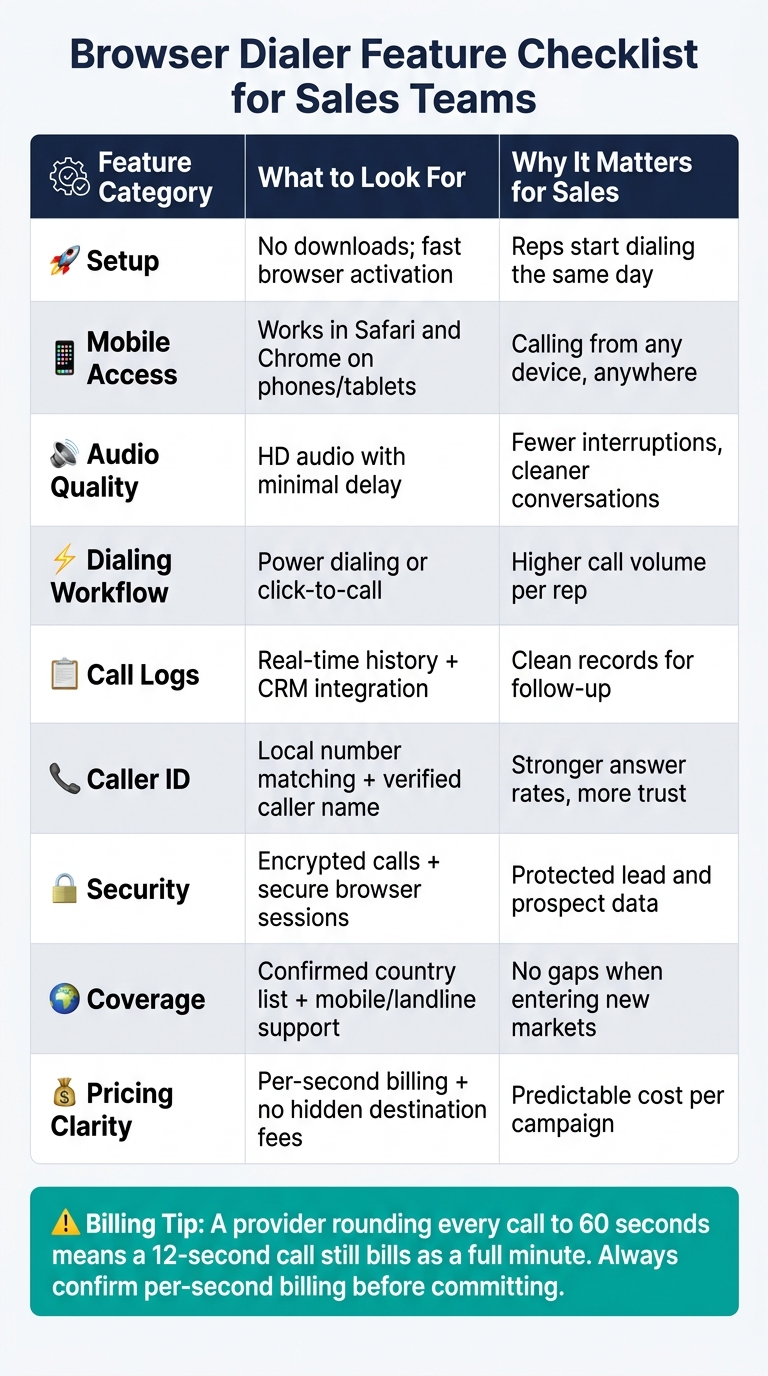
Use this checklist to compare dialers side by side before you commit.
Feature Comparison Table for Sales Teams
| Feature Category | Key Check Before Committing | Why It Matters for Sales |
|---|---|---|
| Setup | No downloads; fast activation | Reps start dialing the same day |
| Mobile Access | Browser-based access in Safari and Chrome | Calling from any device |
| Audio Quality | Clear audio with minimal delay | Fewer interruptions per call |
| Dialing Workflow | Supports power dialing or click-to-call links | Higher call volume per rep |
| Call Logs | Real-time history; CRM integration | Clean records for follow-up |
| Caller ID | Local number matching; registered caller name; verified caller ID and fewer spam flags | Stronger answer rates |
| Security | Encrypted calls and secure browser sessions | Protected lead data |
| Coverage | Confirms both country list and mobile/landline support | No gaps when entering new markets |
| Pricing Clarity | Per-second billing; no hidden destination fees | Predictable cost per campaign |
Conclusion: The Features That Matter Most for Outbound Calling
At the end of the day, sales teams should focus on the features that keep calling fast, clear, and easy to plan for. The best browser dialer isn’t the one with the longest feature list. It’s the one that matches how your team actually works.
Fast setup, mobile browser access, clear HD audio, and reliable call logs are the starting point. After that, caller ID control, encrypted calling, and confirmed destination coverage shape whether a team can run campaigns with confidence across different markets.
Pricing matters just as much. Per-second billing and no surprise overage charges make outbound campaigns far easier to budget. Before scaling up, test a small top-up in your target region so you can confirm connection rates and audio quality.
FAQs
How do I test call quality before rolling out a dialer?
Start by checking your internet speed so your upload and download rates meet the dialer’s needs. Aim for at least 1 Mbps. If you want better call quality, 5 Mbps is the safer target.
Before launch, test each dedicated number by making calls and sending SMS messages to make sure it routes and displays correctly. It’s also smart to use a headset instead of your device’s built-in mic and speakers, since that can improve audio clarity.
When does per-second billing save the most money?
Per-second billing can save the most money for people who make a lot of short calls. You pay only for the exact length of each call, so there’s no extra charge for time you didn’t use.
That can add up to clear savings compared with billing models that round each call up to the next minute.
What should I verify before calling new countries?
Before you call a new country, check whether that destination has rules that restrict or block VoIP traffic. It also helps to confirm the exact per-minute rate in advance, so you know the cost before the call connects.
Use the correct international dialing format, such as E.164, and test your internet connection ahead of time to help keep call quality stable and high definition.
Related Articles
Ready to Make International Calls?
Try dasfone today and make your first international call in seconds. No app download, no subscription—just instant, affordable calling from your browser.
Start Calling Now