How to Call Overseas from Your Web Browser
How to Call Overseas from Your Web Browser
Using your web browser to make international calls is now simple and affordable with dasfone. No apps, no plugins—thanks to WebRTC technology - just sign up, add credit, and start calling within 30 seconds. Here's why dasfone stands out:
- No subscriptions or contracts: Pay only for the minutes you use, starting at $0.02 per minute. Credits don’t expire.
- Global coverage: Call landlines or mobile numbers in over 195 countries.
- Clear audio: Enjoy HD audio with low latency, even on slower internet connections.
- Privacy and security: Calls are encrypted with military-grade protection, and your personal number can stay private.
Start by creating an account on the dasfone website, fund it with as little as $5, and set up your caller ID. From there, you can dial any international number directly in your browser. Use promo code DF25 for a 25% bonus on your first credit purchase. Stay connected globally without breaking the bank.
Why Use dasfone for International Calls from Your Browser
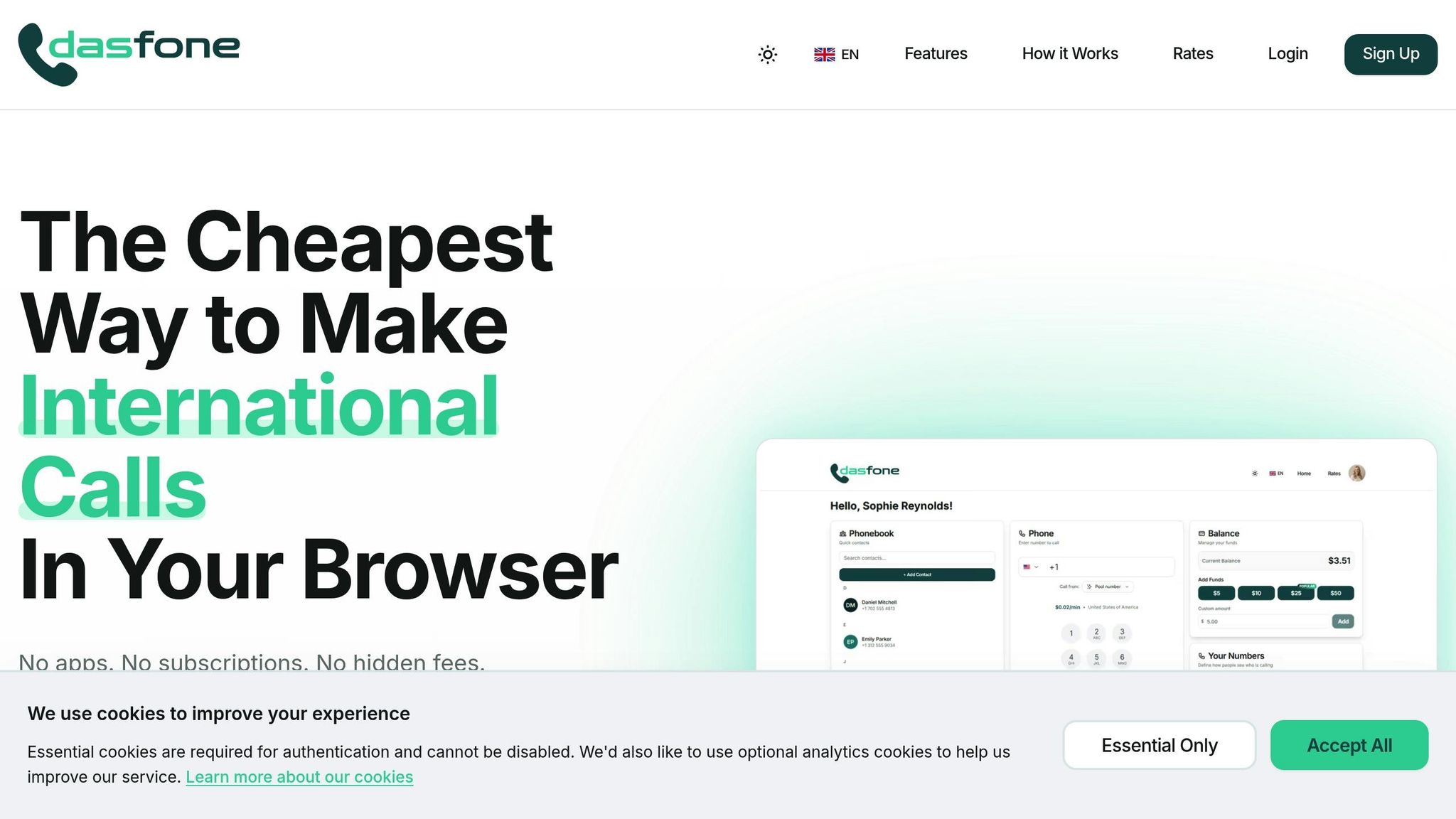
Making international calls straight from your browser has a clear edge over traditional and app-based methods. dasfone takes it a step further with transparent pricing, extensive global coverage, and top-notch security to protect your conversations from start to finish.
Pay-As-You-Go Pricing with No Subscriptions
With dasfone, you only pay for the time you actually use - down to the second. Start with as little as $3, and your credits never expire. For example, if your call lasts 2 minutes and 15 seconds, you’ll only be charged for that exact duration. Rates start as low as $0.02 per minute, and there are no hidden fees to worry about. This simple, straightforward model works seamlessly with dasfone’s wide-reaching network.
Worldwide Coverage and Clear Audio Quality
dasfone connects you to landlines and mobile phones across over 195 countries - no need for local SIM cards or extra hardware. Using WebRTC technology, dasfone delivers HD audio with noise cancellation and echo suppression. With latency as low as 50–100ms and adaptive bitrate technology, clear calls are possible even on internet speeds as low as 1 Mbps. Beyond its affordability and reach, dasfone ensures your calls are crisp and reliable.
Encrypted and Private Calls
Security is a priority with dasfone. Every call is protected with 256-bit AES encryption through the DTLS-SRTP protocol, offering military-grade protection. No call content is recorded or stored, and all session data is erased as soon as the call ends. Even when using public WiFi, your conversations remain secure. Plus, your browser will always request explicit permission to access your microphone, eliminating the risk of unauthorized background access.
How to Set Up dasfone in Your Browser
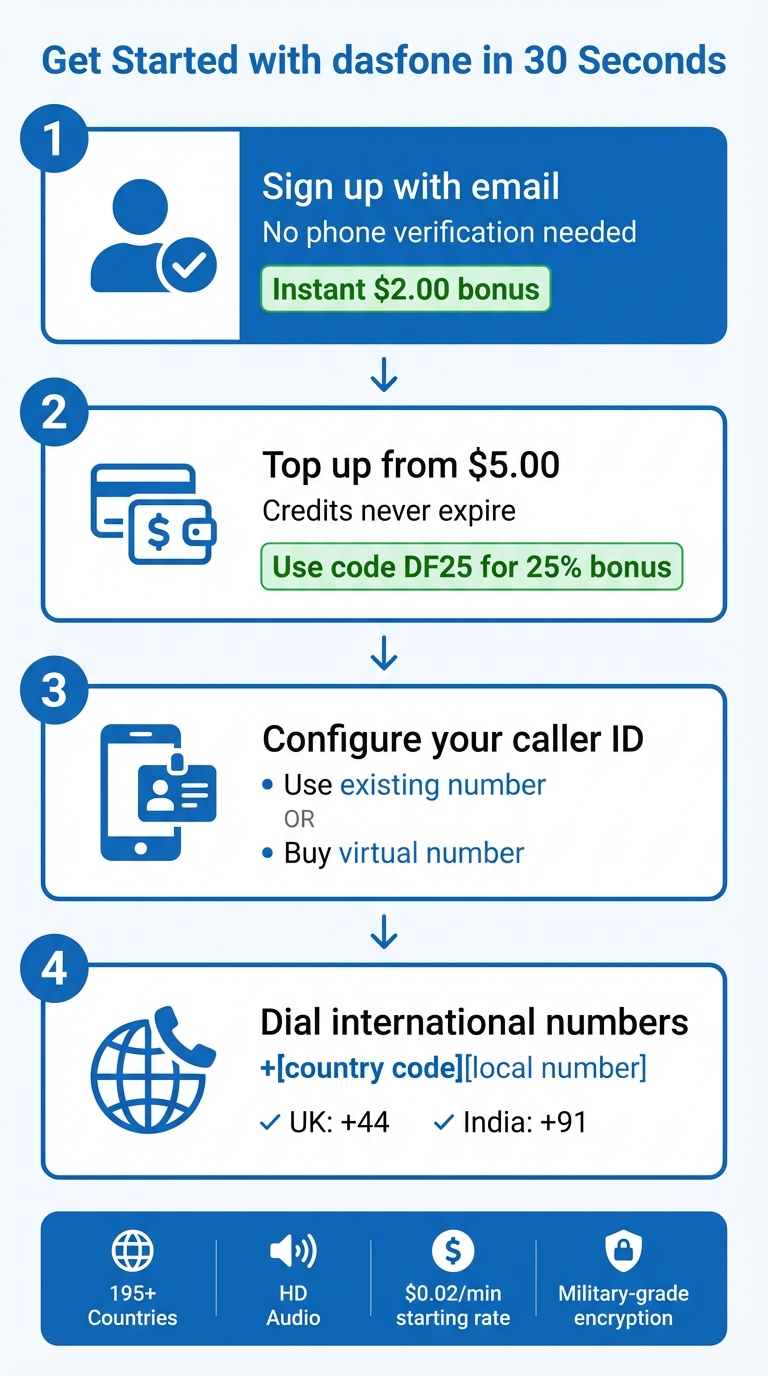
You can get started with dasfone in just 30 seconds - all directly through the dasfone website. The platform works seamlessly with modern browsers like Chrome, Firefox, Safari, and Edge. Here's how to set up your account and start making calls.
Create Your dasfone Account
Head to the dasfone website and click Sign-Up. Simply provide your email address and confirm it to activate your account. There’s no need for phone verification, and you can access dasfone from any modern browser.
Add Credit to Your Account
When you sign up, you’ll automatically receive a $2.00 bonus, giving you instant credit to try out the service. If you need more, top-ups start at just $5.00. Use the promo code DF25 at checkout to get 25% off your first credit purchase. The best part? Your credits never expire, and there are no subscriptions or recurring fees - you only pay for what you use. Payments are quick and easy through your dashboard, and your funds become available immediately.
Once your account is funded, it’s time to configure your caller ID.
Set Up Your Caller ID
You can set up your caller ID by using an existing phone number or purchasing a virtual number directly through dasfone. Once configured, confirm the setup with a quick test call. If you’re using your current number, you can manually set it as your caller ID in the account settings. This ensures your calls won’t show up as "Unknown" or "Private." If you prefer, you can purchase a virtual number from a variety of countries. This number not only acts as your caller ID for outgoing calls but also allows you to receive incoming calls directly in your browser.
How to Make an International Call with dasfone
Once your account is funded, you can make international calls directly from your browser with dasfone.
Enter International Phone Numbers
To place an international call using dasfone's browser interface, you’ll need to dial the number in its full international format: start with the + symbol, followed by the country code, and then the local number[1][4]. For example:
- To call the UK, dial +44 followed by the local number.
- For India, use +91 and the local number.
When you make the call, the browser will ask for microphone access. Simply click "Allow" to enable two-way audio[1]. If your call involves navigating automated menus, dasfone provides an on-screen keypad, making it easy to enter extensions or select menu options[1].
Make sure your connection is stable before dialing to ensure smooth communication.
Get the Best Call Quality
For clear audio, your connection should provide a stable speed of at least 100 kbps in both directions. However, stability matters more than speed[1][3]. To maintain a natural conversation flow, aim for latency (the delay between speaking and hearing) to stay below 150ms[1].
Using WebRTC technology for browser-based calling, dasfone typically achieves latency between 50–100ms - a significant improvement over traditional phone lines, which can have delays ranging from 150–300ms[2]. For the clearest audio, it’s best to use a dedicated USB headset rather than relying on built-in microphones or speakers[1][2].
To keep latency under control and ensure top-notch call quality:
- Use a wired Ethernet connection or 5GHz Wi-Fi.
- Close resource-heavy applications, such as video streaming or large file downloads.
- Update your browser to the latest version to take advantage of improved audio codecs and security updates[1][2][3].
dasfone Pricing and Ways to Save Money
How dasfone's Per-Minute Rates Work
dasfone operates on a pay-as-you-go system, skipping monthly subscriptions, contracts, or hidden fees altogether [4]. Instead, you purchase credit packages, giving you the freedom to decide when and how to use them.
Calls are billed per minute, with rates depending on the destination country and whether you're calling a landline or mobile number [4]. Simply enter the full international number into your browser, and the exact per-minute rate will appear instantly. This way, you know exactly what you'll pay before the call starts.
The minimum top-up is $5.00, making it a great option for those who make occasional international calls. According to dasfone, their rates can be up to 90% cheaper than traditional carriers [4]. With over 1 million calls made across more than 210 countries, the platform has already gained significant traction [4].
By combining these transparent rates with special bonuses, dasfone helps you save even more on international calls.
Use Discounts and Bonuses to Lower Costs
In addition to low per-minute rates, you can stretch your budget further with discounts. Use the promo code DF25 on your first top-up to get 25% off your credit purchase.
For example, adding $5.00 with the DF25 code gives you $6.25 in credit. Plus, when you include the $2.00 sign-up bonus, you’ll have $8.25 in credit for just $5.00. That’s a lot of calling power for a small investment.
Security Tips for Browser-Based Calling with dasfone
dasfone ensures every call is encrypted using WebRTC's built-in DTLS-SRTP with 256-bit AES encryption [2]. This encryption is automatically applied through WebRTC protocols, offering a secure communication channel [2].
To confirm your connection is safe, look for the padlock icon in your browser and make sure the address bar shows an HTTPS URL before making a call. Since WebRTC encryption is always active and cannot be disabled, keeping your browser updated is essential to benefit from the latest security updates. These quick checks can help ensure your calls remain secure.
Protecting your account is equally important. Use a strong, unique password for your dasfone account - ideally 12–14 characters long, combining letters, numbers, and symbols. Avoid reusing passwords across different accounts. A password manager can help you create and store secure credentials. If dasfone offers Multi-Factor Authentication (MFA), enable it for an added layer of security.
When using dasfone, avoid public or unsecured Wi-Fi networks. If you must connect through such networks, use a VPN to encrypt your internet traffic. On shared devices, log out after each session or use your browser's Incognito mode to prevent saving call history or login details.
It's also worth noting that dasfone does not record or store the content of your calls. Once a call ends, the conversation is removed from the signaling path. Additionally, all data exchanged between your browser and dasfone's servers is encrypted using TLS 1.2 or higher. By adopting these practices, you can confidently make international calls, knowing your privacy and data are well-protected.
Conclusion
dasfone and other browser-based calling apps make staying connected across borders easy and budget-friendly. There's no need for app downloads, monthly subscriptions, or worrying about hidden fees. With rates starting at just $0.02 per minute, you can call both landlines and mobile phones without breaking the bank. It's a straightforward way to stay in touch while enjoying clear audio and strong security.
Using WebRTC technology, dasfone provides high-definition audio and protects your privacy with end-to-end encryption. Whether you're catching up with loved ones overseas or handling business calls with international clients, dasfone works effortlessly on any modern browser - be it on a desktop, laptop, tablet, or smartphone. A stable internet connection of at least 1 Mbps is all you need for crystal-clear calls.
With its pay-as-you-go model, there are no contracts or wasted minutes. Credits never expire, and per-second billing ensures you only pay for the time you actually use. Starting is easy - just top up $5, and you're ready to connect with anyone, anywhere.
Give dasfone a try today and enjoy secure, browser-based international calling without the hassle of apps or subscriptions.
FAQs
How can I make sure my calls on dasfone stay private and secure?
To ensure your calls remain private and secure while using Dasfone, make use of the platform's built-in encryption and security features. These tools are specifically designed to protect your conversations. Additionally, avoid discussing sensitive information during calls, and secure your account with a strong, unique password.
Dasfone prioritizes your privacy, ensuring that calls are never recorded unless explicitly stated. It's also a good idea to regularly check your privacy settings so you’re always aware of how your information is managed.
How do I set up dasfone to make international calls from my web browser?
Getting started with Dasfone is a breeze. Just follow these steps to make international calls effortlessly:
Create a Dasfone Account: Sign up using your email or preferred login option. Once you're registered, you'll have access to all the features for browser-based calling.
Add Credits or Pick a Plan: Choose between pay-as-you-go or a subscription plan, depending on your calling needs. Dasfone offers flexible options to fit your budget.
Open the Web Dialer: Head to the Dasfone platform, enter the international number, and select the correct country code. Make sure your browser has microphone access enabled.
Start Calling: With just one click, you're connected! Dasfone's VoIP technology ensures your calls go through smoothly over the internet.
Dasfone makes it simple and affordable to stay in touch with people around the world.
How does dasfone's pay-as-you-go pricing save you money compared to traditional phone plans?
Dasfone keeps things simple and wallet-friendly with its pay-as-you-go pricing. Instead of locking you into costly monthly plans, you only pay for the minutes you actually use - starting at just $0.02 per minute. There are no hidden charges or binding contracts to worry about, making it an affordable option for both international and domestic calls.
This setup gives you complete control over your expenses while still delivering dependable, high-quality connections. It’s an ideal solution for anyone looking for budget-friendly communication without sacrificing convenience.
Related Articles
Ready to Make International Calls?
Try dasfone today and make your first international call in seconds. No app download, no subscription—just instant, affordable calling from your browser.
Start Calling Now